三维视频匀色
支持对三维视频融合图层进行匀色处理,也可根据索引匀色指定的视频画面。
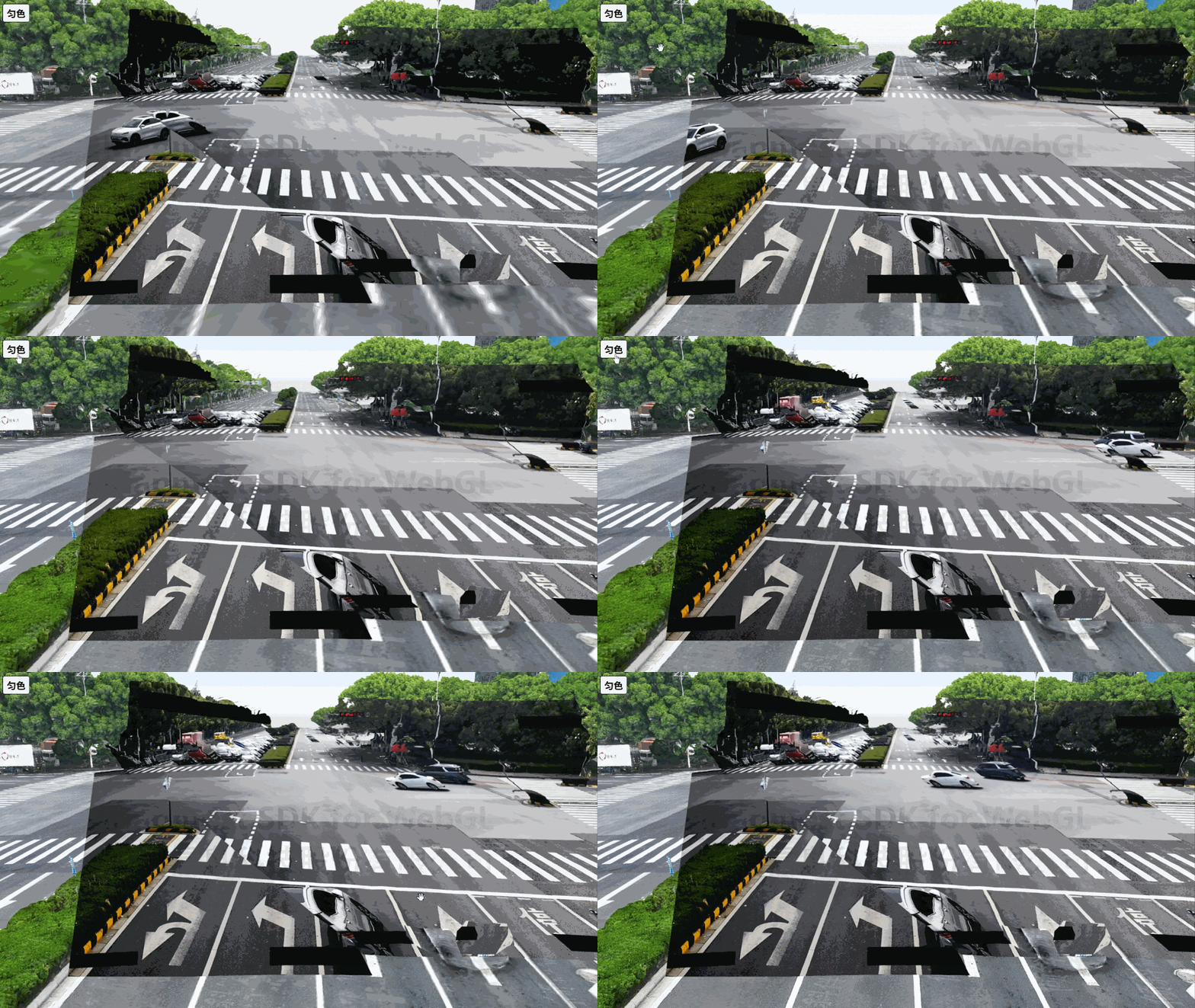
<!DOCTYPE html>
<html>
<head>
    <meta charset="utf-8"/>
    <title>geoVideo</title>
    <meta name="viewport" content="initial-scale=1,maximum-scale=1,user-scalable=no"/>
    <style>
        body {
            margin: 0;
            padding: 0;
        }

        #map {
            position: absolute;
            top: 0;
            bottom: 0;
            width: 100%;
        }

        #color-btn{
            position: absolute;
            left: 20px;
            border: 1px solid #000;
            padding: 5px 10px;
            border-radius: 5px;
            font-weight: bold;
            font-size: 25px;
            cursor: pointer;
        }
    </style>
    <script src="https://delivery.mapmost.com/cdn/sdk/webgl/v9.17.0/mapmost-webgl-min.js"></script>
</head>
<body>
<div id="map"></div>
<button id="color-btn" onclick="colorVideo()">匀色</button>
<script>
    let map = new mapmost.Map({
        container: 'map',
        style: "<your style url>",
        center: [120.744471002000068, 31.306768408000039],
        zoom: 17,
        pitch: 0,
        bearing: 0,
        userId: '***', // 授权码
    });

    map.on('load', function () {
        // 加载3DTiles模型
        add3DTiles();

        // 加载三维视频融合图层
        addGeoVideo();
    })

    // 加载3DTiles模型
    function add3DTiles(){
        const TILESET_URL = "<your 3dtiles url>";
        map.addLayer({
            id: '3dtiles_layer',
            type: '3dtiles',
            url: TILESET_URL,
        });
    }

    // 加载三维视频融合图层
    function addGeoVideo(){
        map.addLayer({
            id: "video_model",
            type: "geoVideo",
            cameraData: [
                {
                    "name": "1",
                    "videoUrl": "http://***:8080/live/01.flv",
                    "videoType": 2,
                    "position": [
                        -343403.1642159075,
                        -93954.63344333161,
                        0.8236917438540354
                    ],
                    "heading": 1.7680904348454325,
                    "pitch": 1.3350822883296964,
                    "roll": -0.0022735292382456977,
                    "fov": 0.8603263678604012,
                    "aspect": 1.777777777778,
                    "near": 1,
                    "far": 200,
                    "zThreshold": 0.005,
                    "width": 1920,
                    "height": 1080,
                    "factor": 1,
                    "units": 1,
                    "cameraModel": 12,
                    "k1": -6.669252017334967e-8,
                    "k2": 0,
                    "u0": 960,
                    "v0": 540,
                    "depthTest": true
                },
                {...},
            ],
            callback: function (layer) {
                GeoVideoLayer = layer;
                layer.setVideoCameraActiveByIndex(0, true);
                layer.setVideoCameraActiveByIndex(1, true);
            }
        });
    }

    // 匀色视频
    function colorVideo(){
        GeoVideoLayer.setColorByIndex(0, [
            [ 1.335802, -0.328556, -0.010411, -28.50906 ],
            [ 0.122285, 0.904869, -0.01521, -30.425569 ],
            [ -0.150144, 0.313418, 0.827382, -25.634555 ]
        ])
    }
</script>
</body>
</html>