Batch model texture transformation
Realize batch modification and restoration of textures of 3D models constructed in automated batches based on number attributes. The model needs to be built automatically in large batches based on the prefabricated component modeling method. Please consult the research institute for the specific modeling process.
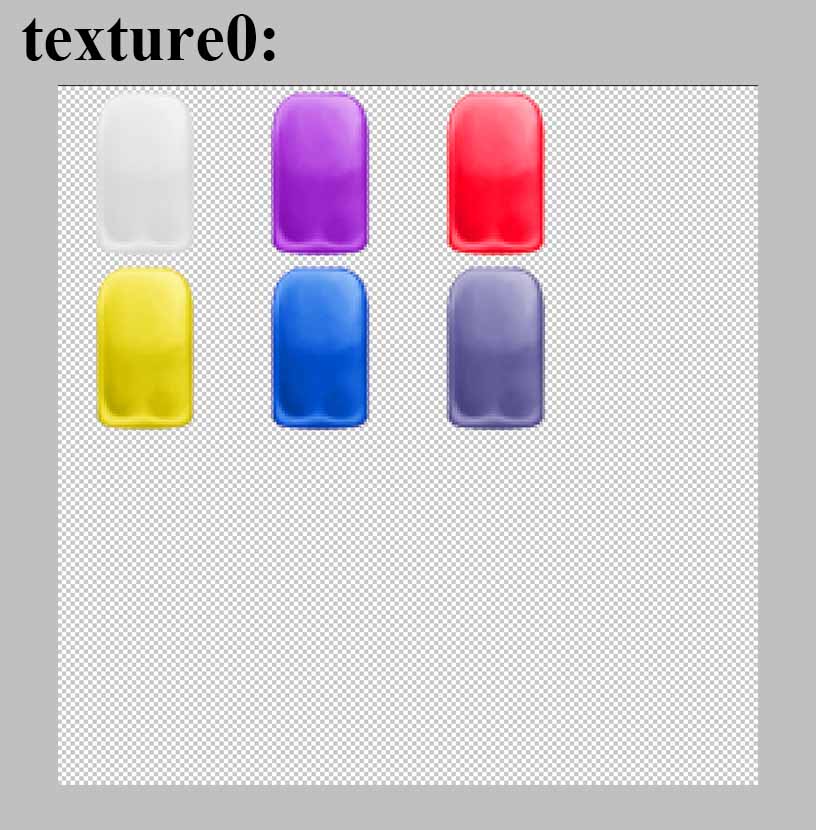
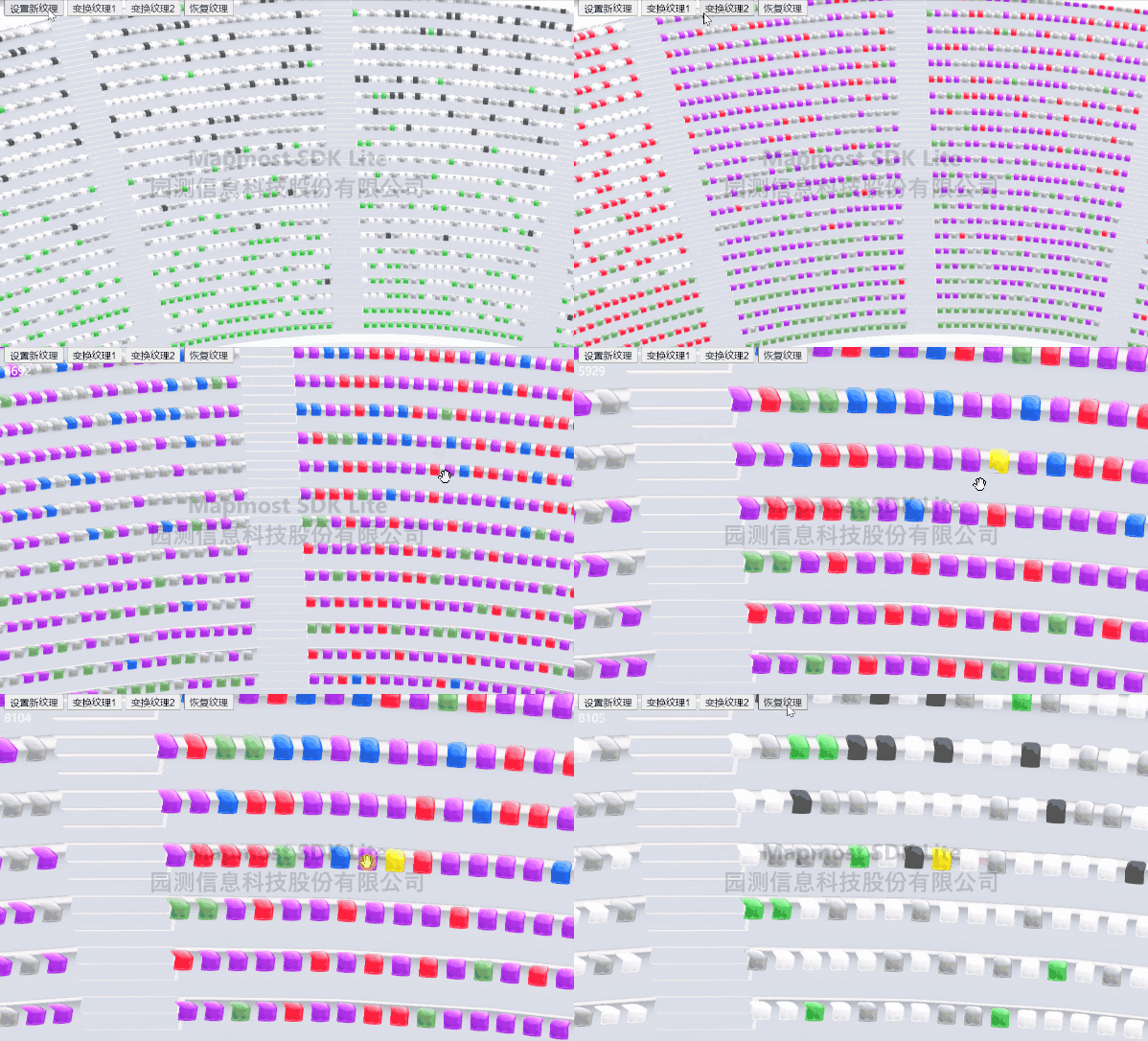
<!DOCTYPE html>
<html>
<head>
    <meta charset="utf-8" />
    <title>Batch model texture transformation</title>
    <meta name="viewport" content="initial-scale=1,maximum-scale=1,user-scalable=no" />
    <style>
        body {
            margin: 0;
            padding: 0;
        }

        #map {
            position: absolute;
            top: 0;
            bottom: 0;
            width: 100%;
        }

        .btn-group {
            position: absolute;
            top: 20px;
            left: 20px;
        }

        #info {
            color: white;
        }
    </style>
    <script src="https://delivery.mapmost.com/cdn/sdk/lite/v9.1.0/mapmost-lite-min.js"></script>
</head>

<body>
    <div id="map"></div>
    <div class="btn-group">
        <button onclick="setTexture()">Set new texture</button>
        <button onclick="changeTextureOne()">Transform texture1</button>
        <button onclick="changeTextureTwo()">Transform texture2</button>
        <button onclick="recoveryTexture()">restore texture</button>
        <div id="info"></div>
    </div>
    <script>
        let map = new mapmost.Map({
            container: 'map',
            style: "<your style url>",
            center: [120.7460708, 31.3059953],
            zoom: 17,
            pitch: 0,
            userId: '***', // Authorization code,This parameter must be added
        });

        let THREE = mapmost.THREE;
        let mapLayer, seatChildren;
        map.on('load', function () {

            //Define the Olympic body model group
            let olympicModels = ["CX.glb", "F1.glb", "F2.glb", "F3.glb", "F4.glb", , "KT01.glb", , "KT02.glb"].map(item => ({
                type: 'glb',
                url: '../example_data/aoti_models/' + item
            }));

            //Define seat model group
            let seatModels = ["./Seat_A.glb", "./Seat_B.glb", "./Seat_C.glb", "./Seat_D.glb"].map(item => ({
                type: 'glb',
                url: '../example_data/Seat/' + item
            }));

            //Add model
            let options = {
                id: 'model_id',
                type: 'model',
                models: olympicModels,
                exposure: 1.0,
                center: [120.744471002000068, 31.306768408000039, 3.617],
                project: "3857",
                callback: function (group, layer) {
                    mapLayer = layer;
                    layer.addModelMercator(seatModels, [120.7462978, 31.3067283, -4.4], function (seatChild) {
                        seatChildren = seatChild;
                    })
                }
            };
            map.addLayer(options);

            //Click on the seat to highlight it
            map.on('click', function (e) {
                let intersect = mapLayer.selectModel(e.point)[0];
                let options = {
                    intersect: intersect,              //Get the model of mouse click
                    name: 'Seat',                      //Fuzzy query, the query name contains’Seat’model
                    faceCount: 4,                      //Number of triangles per model,default2
                    object: seatChildren,              //Model objects or model groups can be used to quickly determine the level of the location.
                    texture: './images/highlight.png', //Model highlighted texture map path
                    // color: "#f20513",               //Model highlight color, default"rgb(231,201,122)"
                }

                //Remove highlighting from a model
                mapLayer.unhighlightMergeBatchModel(options);

                //Based on the mouse click model picking results, the efficient picking and highlighting of the model is realized, and the number attribute of the picked model is returned.
                let modelNum = mapLayer.highlightMergeBatchModel(options);

                //The output shows the number of the highlighted model
                document.getElementById("info").innerText = modelNum;
            })
        })

        //Set new texture
        function setTexture() {

            //pair modelSeat_A、Seat_B、Seat_C、Seat_DSet a new texture (if you only have a single model, you don’t need to use a loop)
            for (let i = 0; i < 4; i++) {
                let optionColor = {
                    textureData: {
                        texture1: [0, 2],
                        texture2: [1, 1],
                        texture3: [0, 1]
                    },
                    size: [4, 4],
                    textureUrl: "./images/texture" + i + ".png",
                    faceCount: 4,
                    model: seatChildren.children[i]
                }
                mapLayer.setTextureRules(optionColor);
            }
        }

        //Transform texture1
        function changeTextureOne() {
            let data1 = [];
            let data2 = [];
            let data3 = [];

            //Due to seat modelA、B、C、DThe quantity is greater than3000,So select a random number of seats within this number
            for (let i = 0; i < 500; i++) {
                data1.push(i);
                data2.push(i + 1000);
                data3.push(i + 2000);
            }

            //Respectively, the selected seat modelA、B、C、DReplace with new texture
            for (let i = 0; i < 4; i++) {
                let option = {
                    model: seatChildren.children[i],
                    data: {
                        texture1: data1,
                        texture2: data2,
                        texture3: data3,
                    }
                }
                mapLayer.changeModelTexture(option);
            }
        }

        //Transform texture2
        function changeTextureTwo() {
            let data1 = [];
            let data2 = [];
            let data3 = [];

            //Due to seat modelA、B、C、DThe quantity is greater than3000,So select a random number of seats within this number
            for (let i = 0; i < 1000; i++) {
                data1.push(i);
                data2.push(i + 1000);
                data3.push(i + 2000);
            }

            //Respectively, the selected seat modelA、B、C、DReplace with new texture
            //If no transform texture is selected1The number of seat models selected in , the color of the model seat remains unchanged.
            for (let i = 0; i < 4; i++) {
                let option = {
                    model: seatChildren.children[i],
                    data: {
                        texture1: data2,
                        texture2: data1,
                        texture3: data3,
                    }
                }
                mapLayer.changeModelTexture(option);
            }
        }

        //restore texture
        function recoveryTexture() {
            //Restore the seat model in sequenceA、B、C、Dtexture
            for (let i = 0; i < 4; i++) {
                mapLayer.recoveryModelTexture(seatChildren.children[i])
            }
        }

    </script>
</body>
</html>