3D coordinate picking
Click the 3D model with the mouse to obtain the intersection coordinate information. This interface is currently only applicable to picking throughaddLayerThe initially loaded model,layer.addModelinterface loaded models as well asaddLines(pipetype),addPolygons、addPolygonByLineandaddPyramidConstructed model.
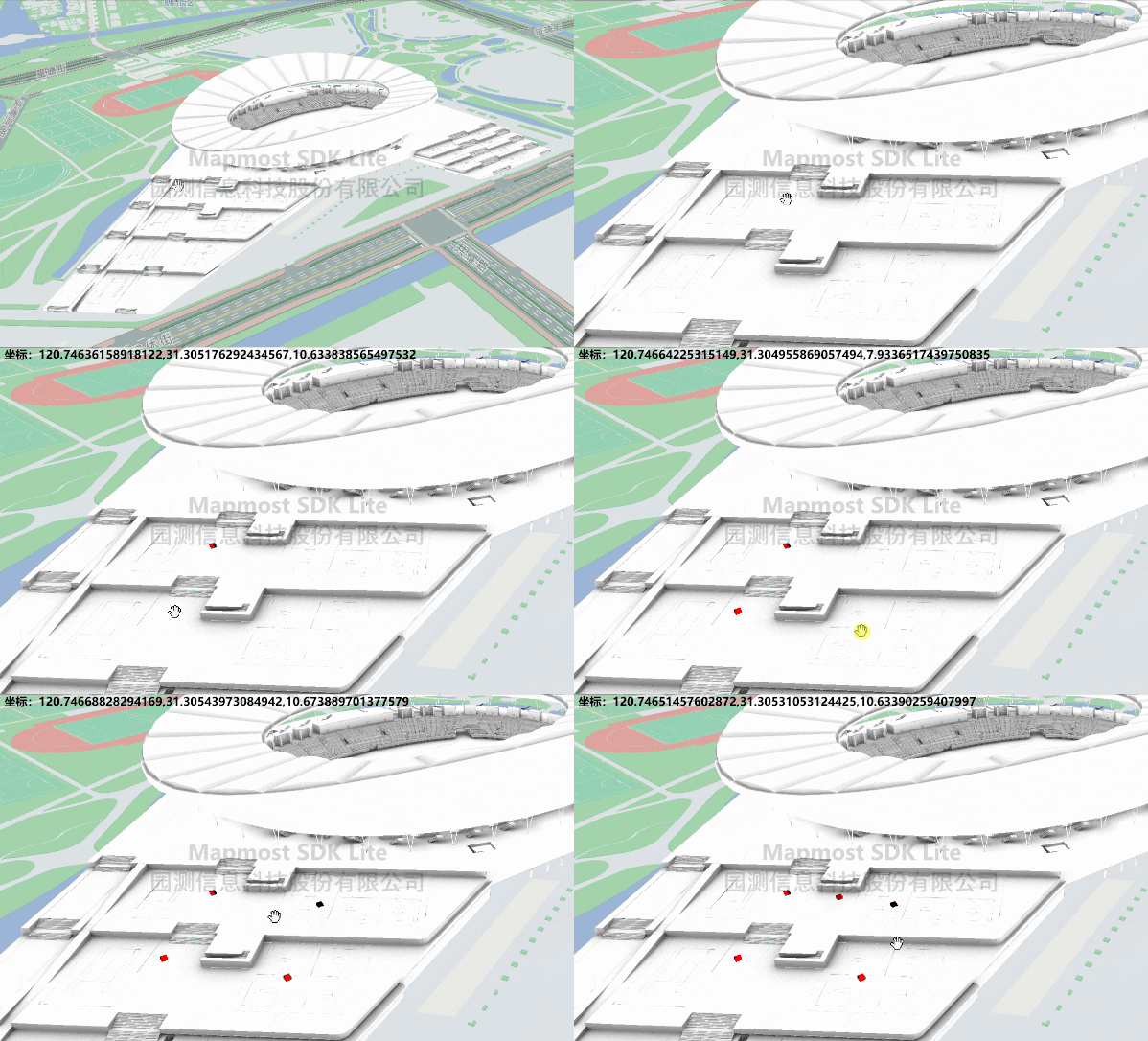
<!DOCTYPE html>
<html>
<head>
    <meta charset="utf-8"/>
    <title>3D coordinate picking</title>
    <meta name="viewport" content="initial-scale=1,maximum-scale=1,user-scalable=no"/>
    <style>
        body {
            margin: 0;
            padding: 0;
        }

        #map {
            position: absolute;
            top: 0;
            bottom: 0;
            width: 100%;
        }

        #info {
            position: absolute;
            top: 20px;
            left: 20px;
            color: #000000;
            font-weight: bold;
        }
    </style>
    <script src="https://delivery.mapmost.com/cdn/sdk/lite/v9.1.0/mapmost-lite-min.js"></script>
</head>
<body>
<div id="map"></div>
<div id="info"></div>
<script>
    let map = new mapmost.Map({
        container: 'map',
        style: "<your style url>",
        center: [120.74603465203592, 31.30605899929158],
        zoom: 16.810035105070947,
        pitch: 59.48725112156901,
        bearing: -54.10626584095007,
        userId: '***', // Authorization code,This parameter must be added
    });

    let Layer;
    let THREE = mapmost.THREE;

    map.on('load', function () {
        let models_obj = ["../example_data/Olympic.glb", "../example_data/OlympicRoof.glb"].map(item => ({
            type: 'glb',
            url: item
        }));

        let options = {
            id: 'model_id',
            type: 'model',
            models: models_obj,
            exposure: 0.72,
            center: [120.74603465203592, 31.30605899929158, 6.0],
            callback: function (group, layer) {
                Layer = layer;
            }
        };
        map.addLayer(options);

        map.on('click', function (e) {
                let intersect = Layer.selectModel(e.point)[0];
                if (intersect && intersect.point) {
                    let coordinate = Layer.getIntersectCoordinate(intersect);
                    const info = document.getElementById('info');
                    info.innerText = 'coordinate:' + coordinate;
                    info.style.display = 'block';
                    Layer.addPoints({
                        type: "cube",
                        size: 2,
                        color: 0xff0000,
                        data: [{
                            coordinate: coordinate
                        }]
                    });
                }
            })
    })
</script>
</body>
</html>