FAQ
1. Operating System and Computer Requirements
📖 Question
- Which operating systems does Mapmost Studio Desktop support, and what computer configuration is required?
💡 Suggested Answer
- Operating system: Mapmost Studio Desktop is recommended for Windows 10 and Windows 11.
- Minimum configuration: 16 GB memory, 8-core or higher processor, and more than 500 MB of available disk space.
- Recommended configuration: 32 GB memory, 16-core or higher processor, and more than 1 TB of available disk space.
2. Renewing Advanced Features
📖 Question
- Advanced features expire after 7 days. How can I renew them?
💡 Suggested Answer
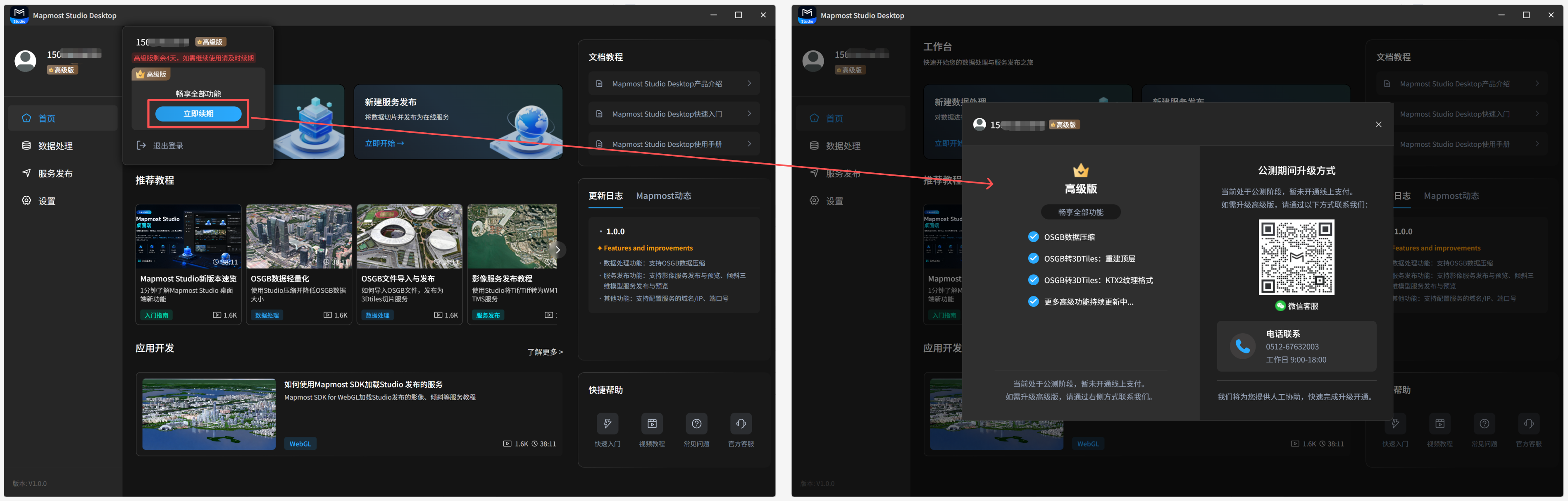
- First-time registered users can try Advanced features free for 7 days. After the trial, you can continue using the free edition. Advanced features include OSGB data compression, top-level reconstruction parameters when publishing oblique model services, and KTX2 textures. To continue using Advanced features, scan the QR code to contact customer service for renewal.
3. Service IP Configuration
📖 Question
- How do I set the service IP address so that other devices can access the service?
💡 Suggested Answer
- In the settings module, choose Domain/IP. For local access and preview only, select
localhostor127.0.0.1. For access from other devices, select the computer's IP address, such as192.163.52.21. For details, see the Settings section.
❗️ Notes
After changing the service IP address, click Apply for the setting to take effect.
Other devices must be on the same local area network as the computer that publishes the service.
The local IP address may change when the network environment changes. Check whether the current IP address is correct each time you access or preview a service. For example, the IP address may be
193.165.31.100on a wired network and193.165.73.101on Wi-Fi. A service published on the wired network might use:http://193.165.31.100:18899/tiles/39fc7d32c1d6479e973c447bcb6bfde9/{z}/{x}/{y}.pngIf you do not update the IP address, the service cannot be accessed on the Wi-Fi network.
4. Disk Space Requirements
📖 Question
- How much disk space should be reserved for OSGB data compression, publishing oblique model services, and publishing imagery services?
💡 Suggested Answer
- OSGB data compression: reserve disk space equal to the original data size.
- Publishing oblique 3D model services: reserve 1.5 times the original data size.
- Publishing imagery services: reserve 1.5 times the original data size.
If you encounter issues while using the product, you can get help in the following ways:
- Read this help documentation.
- Watch the video tutorials.
- Scan the QR code to contact the technical support team.