Home
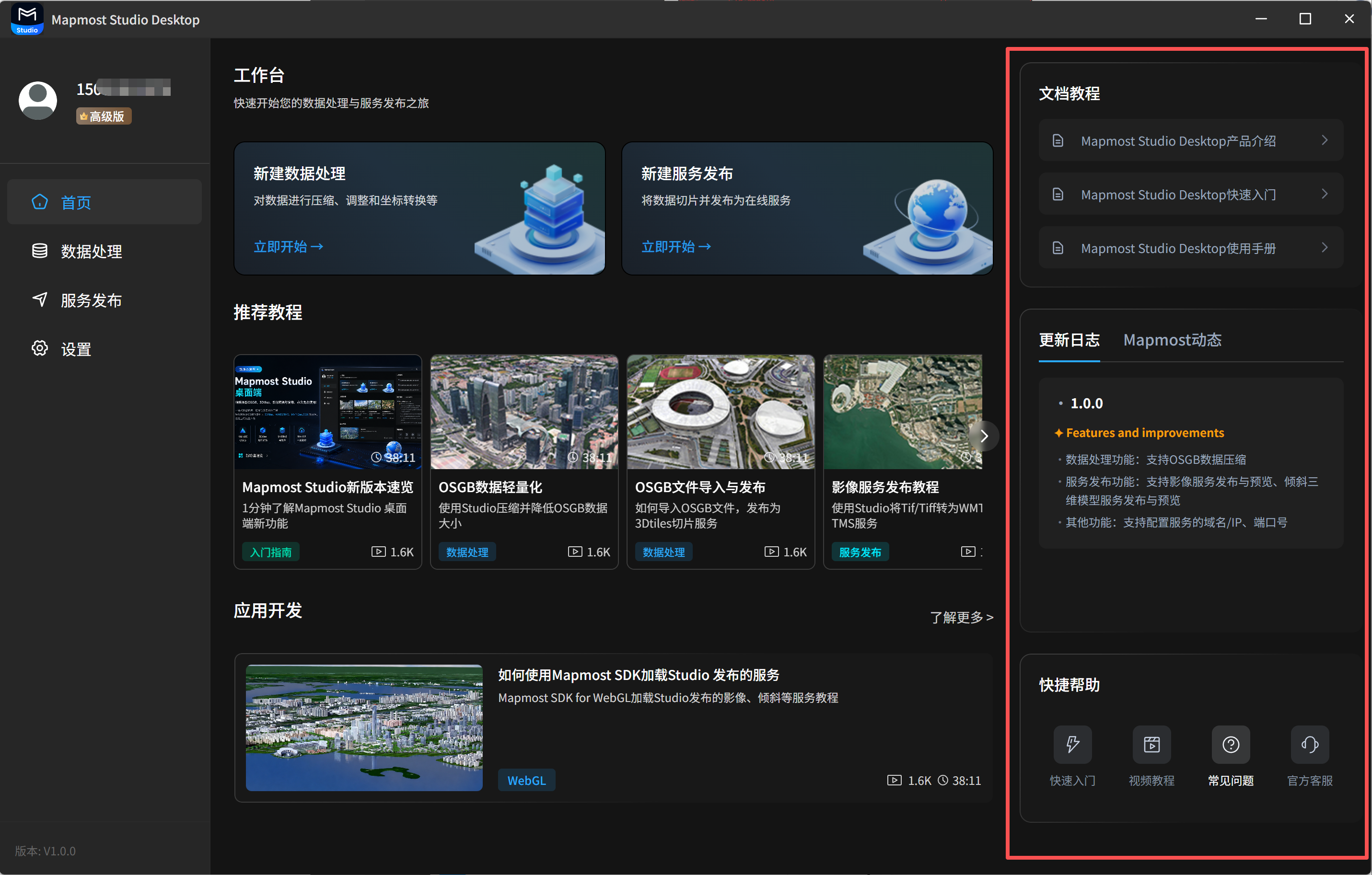
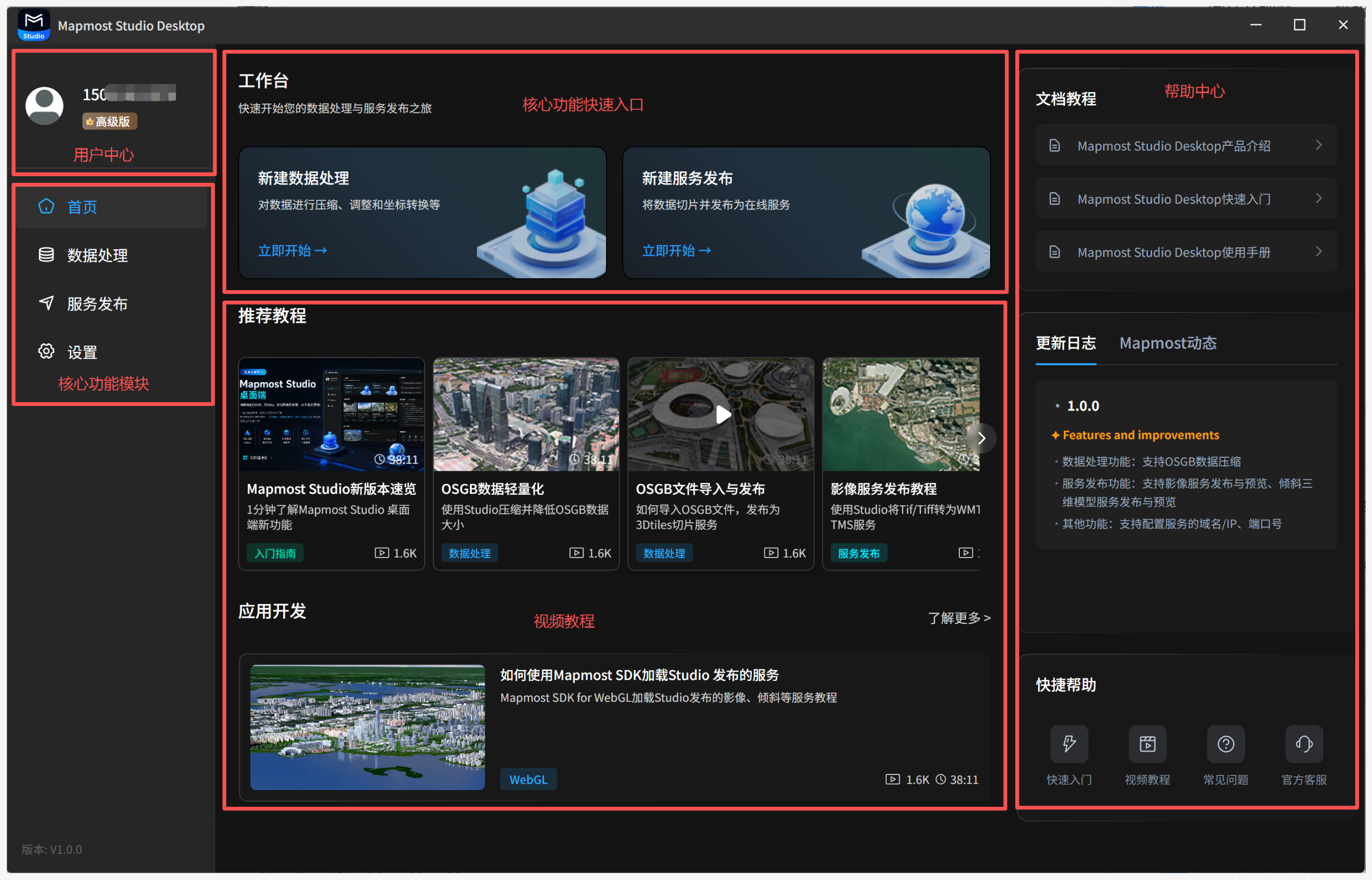
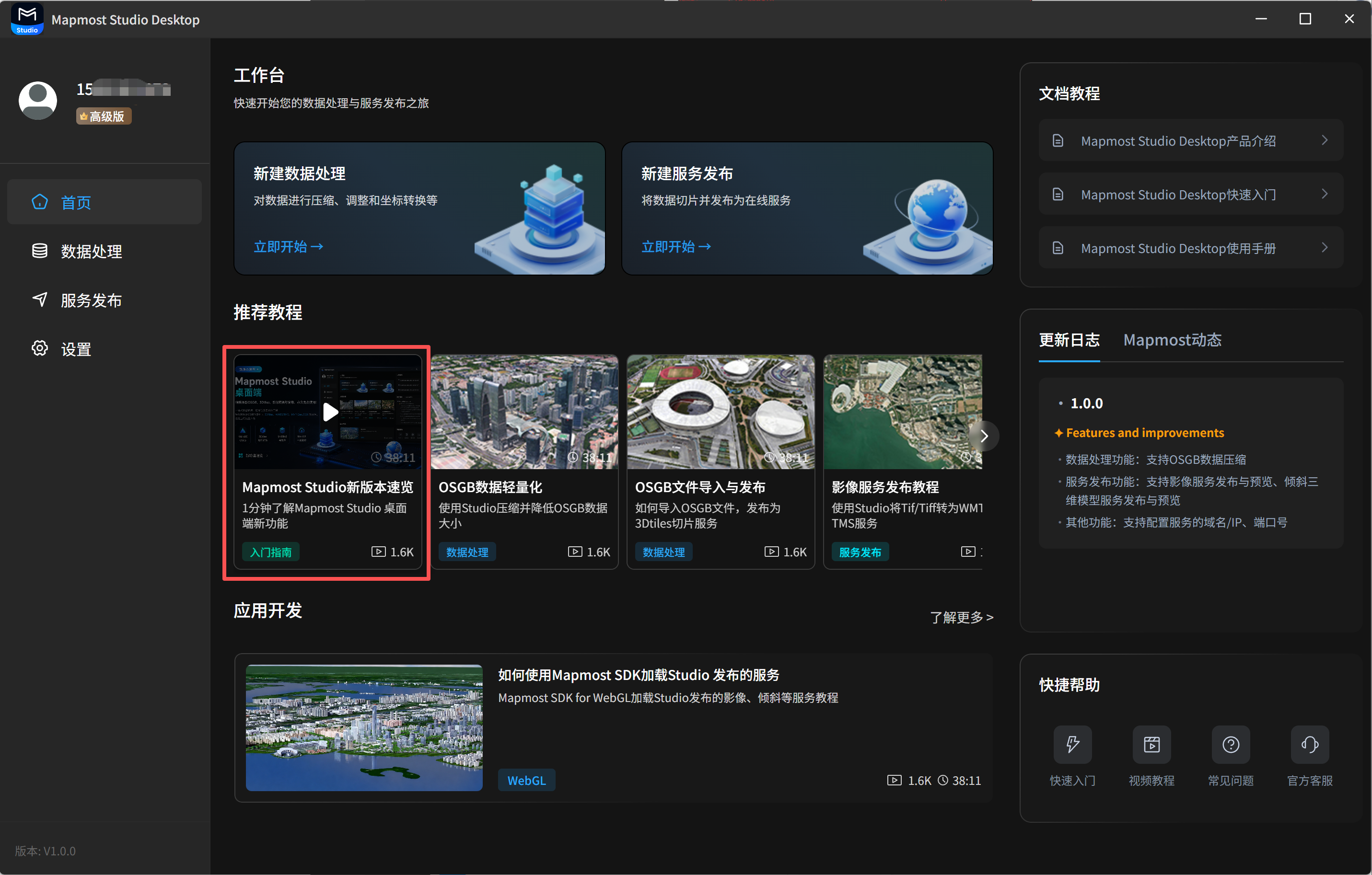
The home page provides access to the user center, quick entry points for core features, recommended tutorials, and the help center.
1. User Center
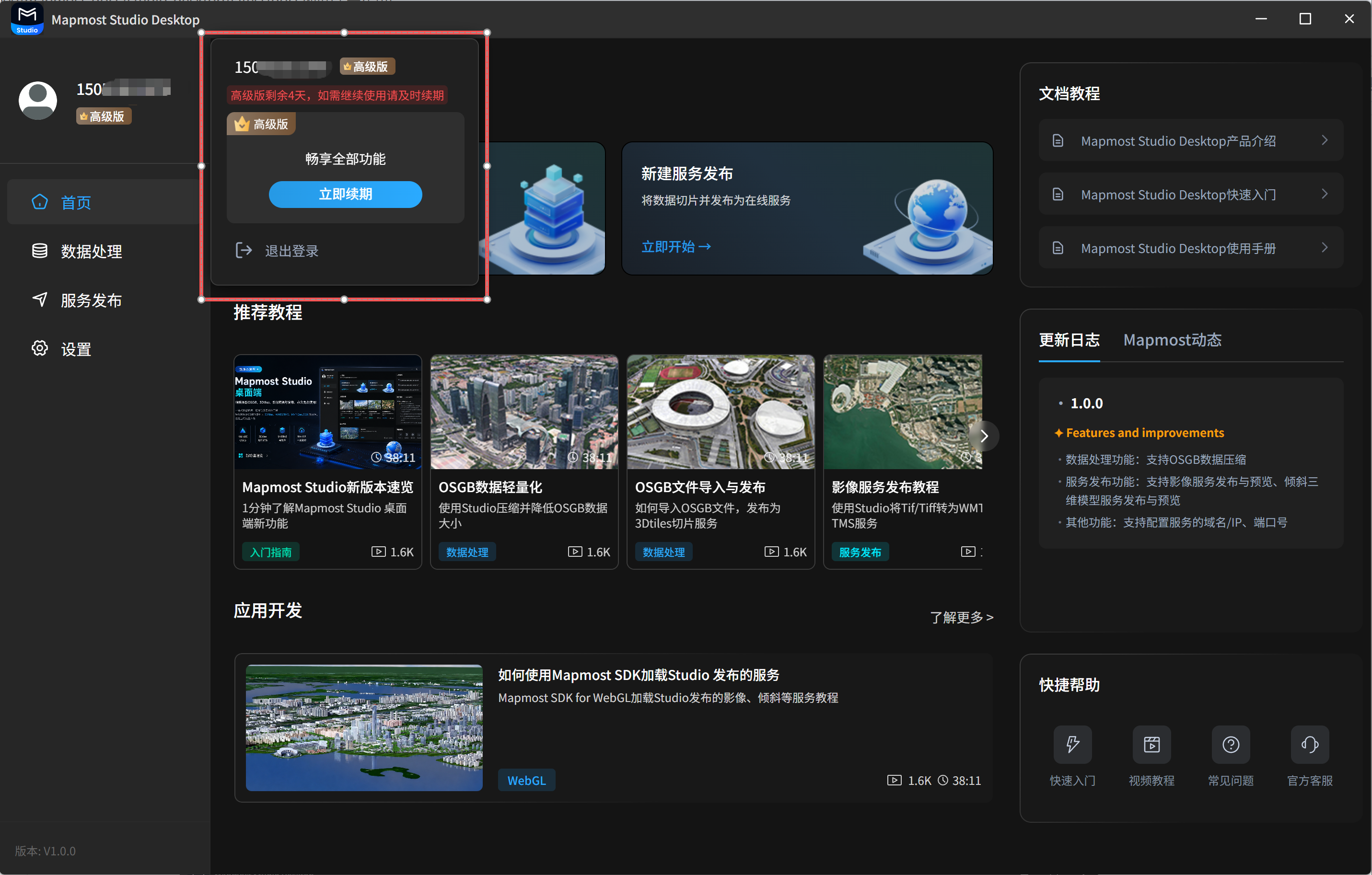
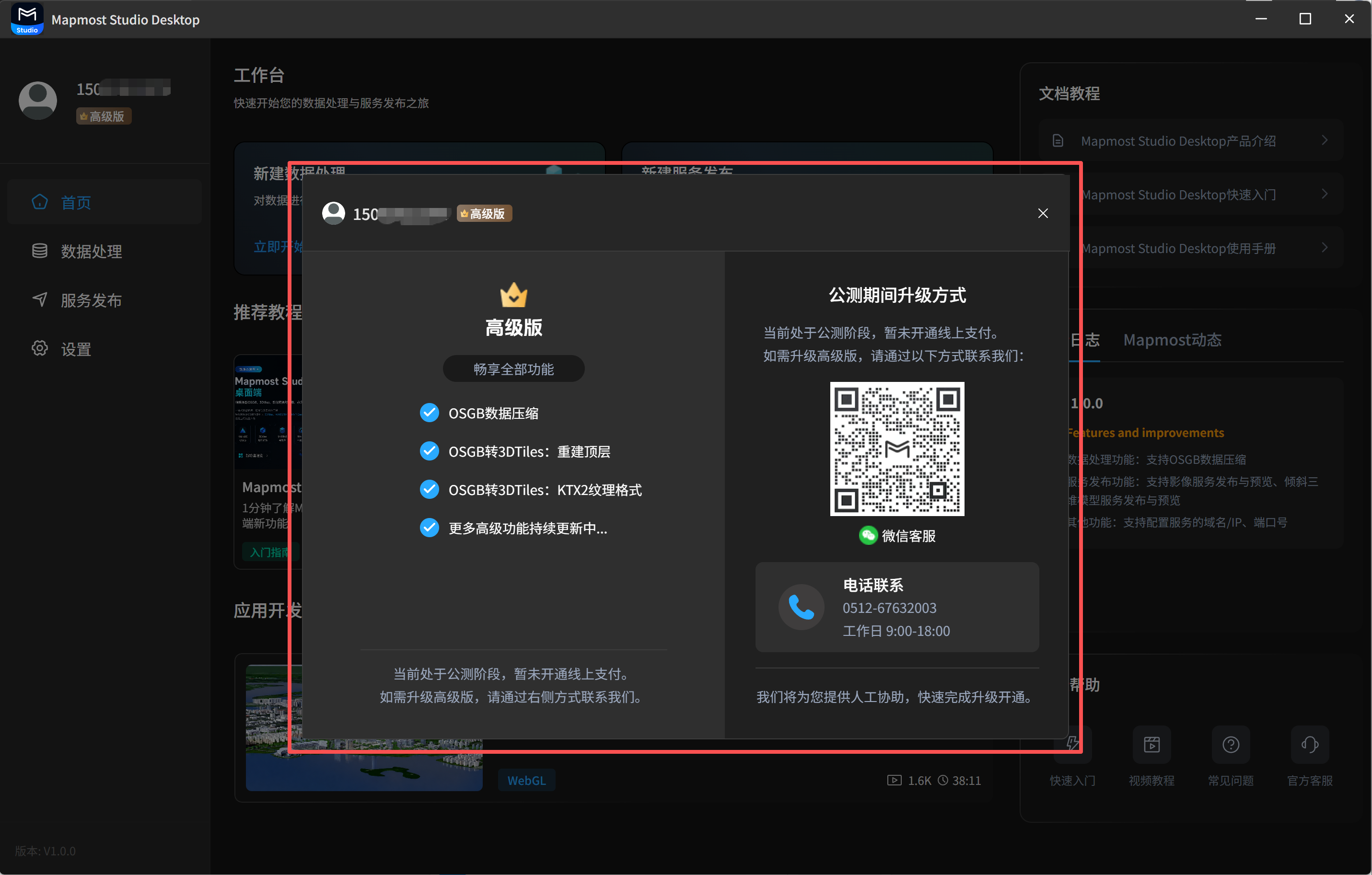
Click the avatar in the upper-left corner to open the user center. Here you can view user information, including the username and current edition, renew Advanced features, or log out. First-time users can try Advanced features free for 7 days. After the trial, you can continue using the free edition. Advanced features include OSGB data compression, top-level reconstruction parameters when publishing oblique model services, and KTX2 textures. To keep using Advanced features, scan the QR code to contact customer service for renewal.
2. Recommended Tutorials
Recommended tutorials include operation videos for core features, such as importing and publishing OSGB data, publishing oblique model services, and publishing imagery services. They also include videos for application development with Mapmost SDK for WebGL. Click a video to view it on Bilibili.
3. Help Center
The help center provides documentation tutorials, release notes, and Mapmost product updates. You can view operation manuals, product release notes, product announcements, and related information as needed.