Quick Start
Welcome to Mapmost Studio Desktop. This guide helps you quickly download and install the software, then complete your first data processing and service publishing task.
1. Download and Install
Log in to the Mapmost website, open the Mapmost Studio Desktop product page, and download the client installer.

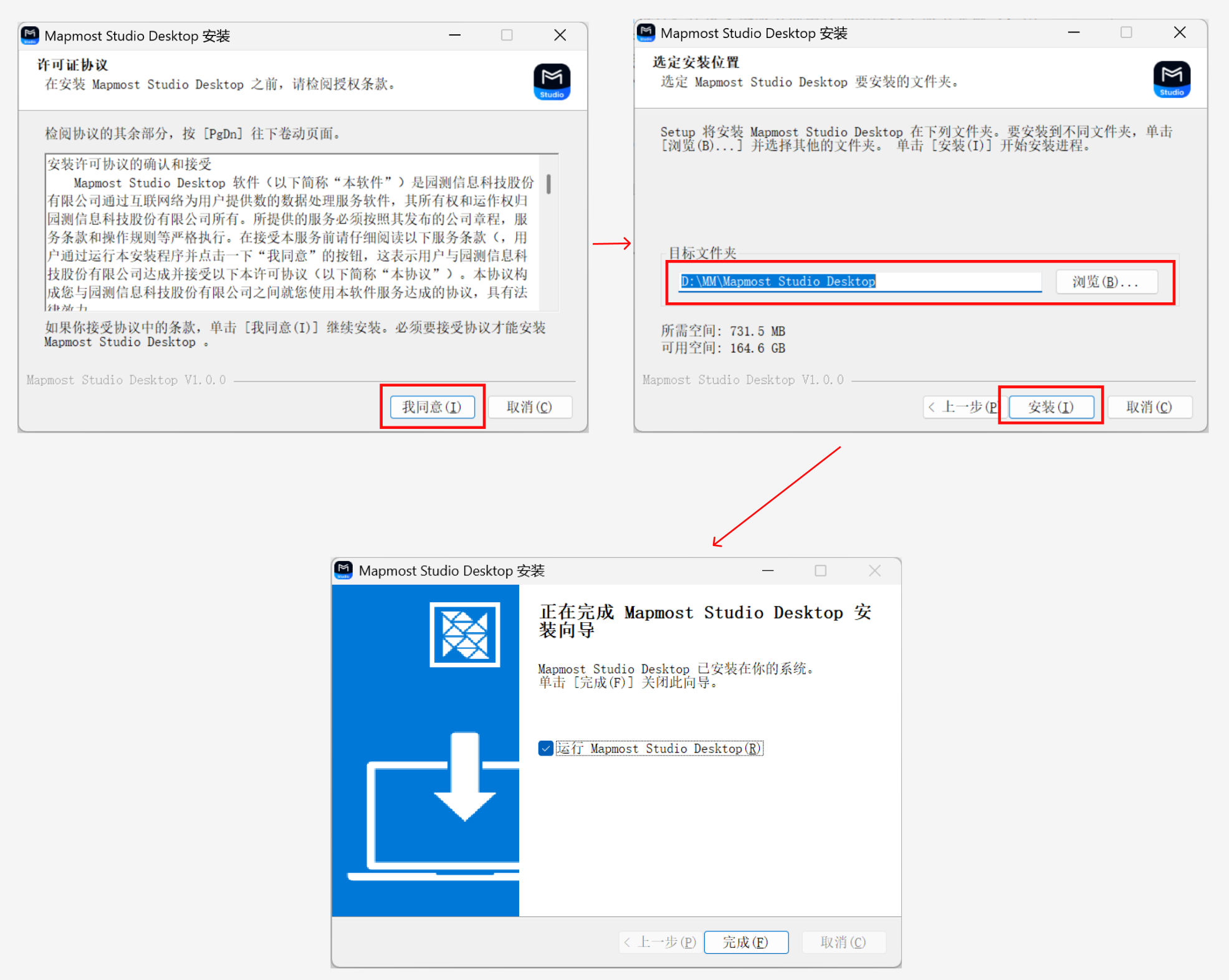
After the download finishes, double-click the .exe installer, accept the license agreement, choose the installation directory, click Install, and wait for installation to complete.
2. Register and Log In
You can register and log in with a mobile verification code.
You can also scan the WeChat QR code to register and log in.
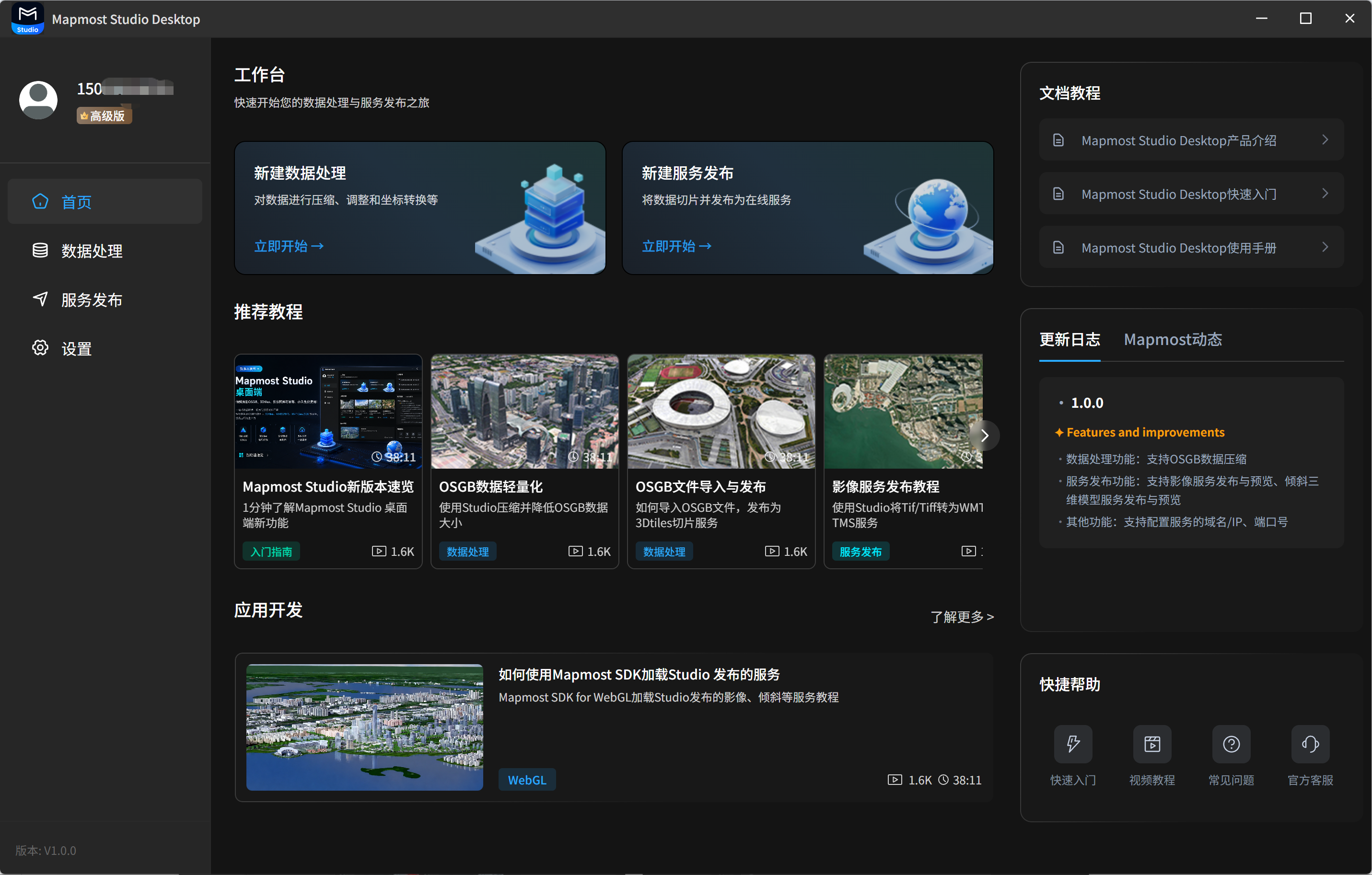
After login, the home page opens.
3. Publish Your First Data Service
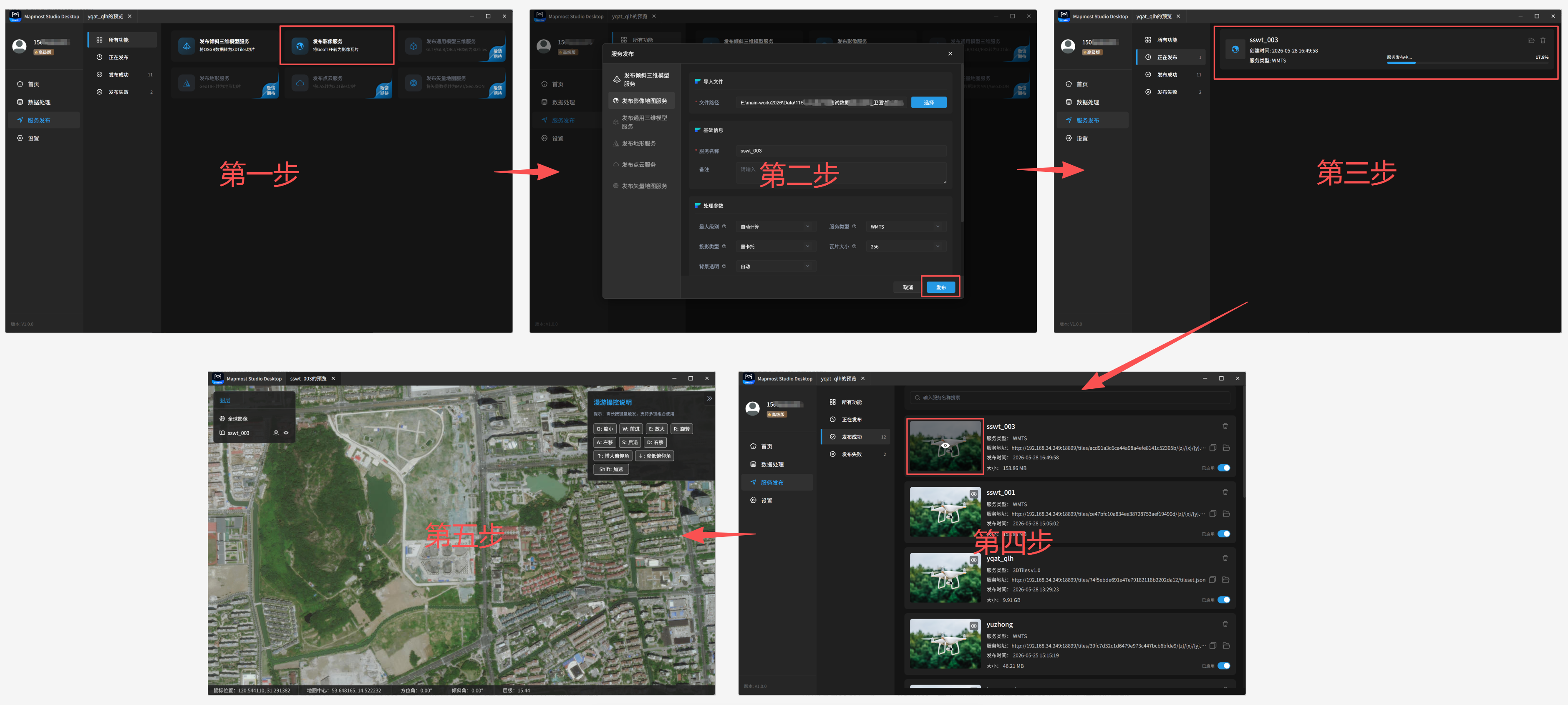
Step 1: Click Publish Imagery Service to open the publishing dialog.
Step 2: Select the local imagery data to publish, configure the required parameters, and click Publish.
Step 3: For a service being published, check the progress in the Publishing list.
Step 4: After publishing succeeds, view service details such as service name, service URL, and service type in the Published list.
Step 5: Click Preview in the Published list to preview the rendered service.