README
#3DTiles flight positioning
Loading the tilted model in 3DTiles format into the map can automatically locate the perspective of the model, avoiding the situation where the model cannot be seen or found after loading.
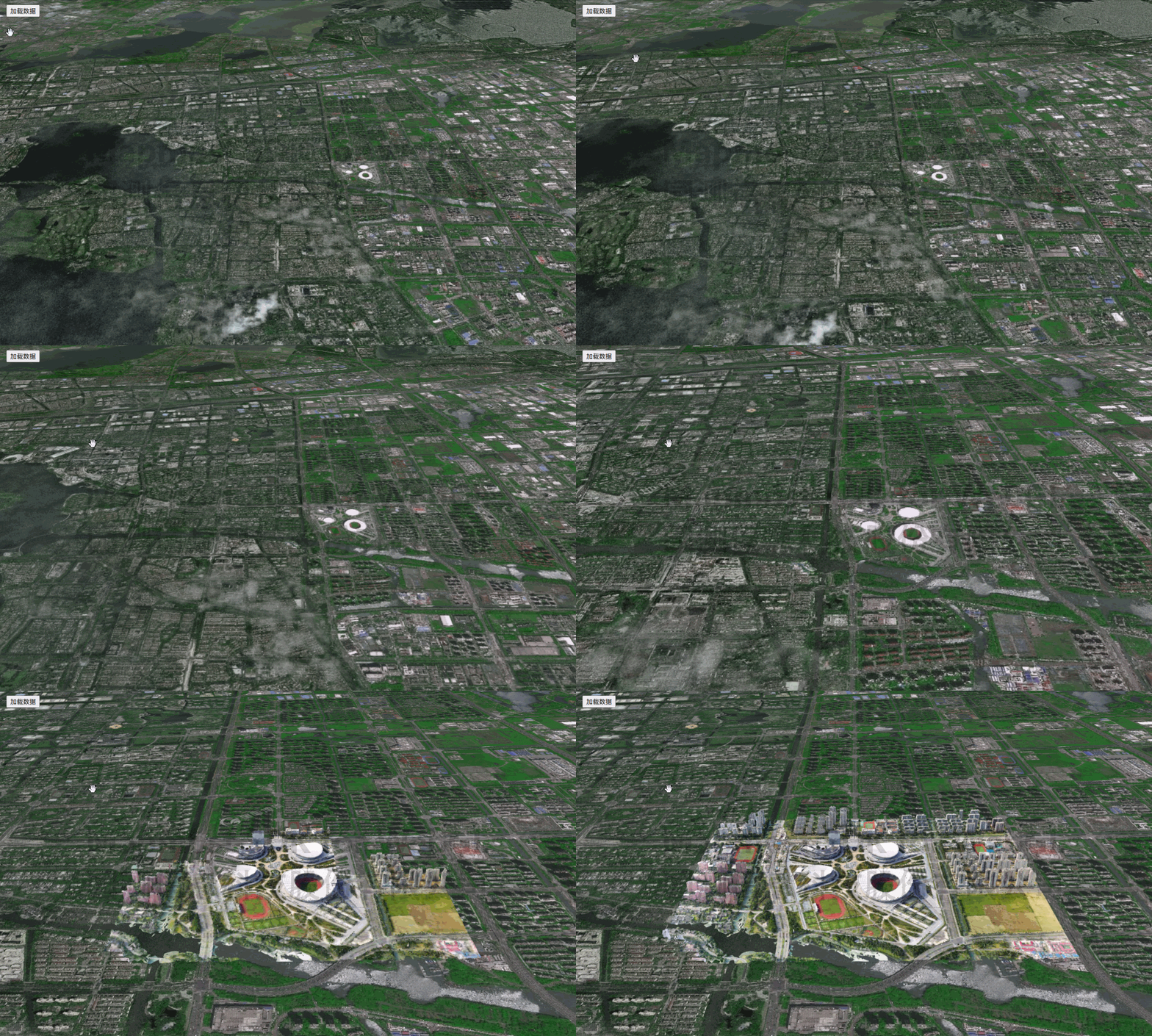
   <!DOCTYPE html>
   <html>
   <head>
       <meta charset="utf-8"/>
       <title>3DTiles flight positioning</title>
       <meta name="viewport" content="initial-scale=1,maximum-scale=1,user-scalable=no"/>
       <style>
           body {
               margin: 0;
               padding: 0;
           }

           #map {
               position: absolute;
               top: 0;
               bottom: 0;
               width: 100%;
           }

            .btn-group {
                position: absolute;
                top: 20px;
                left: 20px;
                z-index: 999;
            }
       </style>
       <script src="https://delivery.mapmost.com/cdn/sdk/webgl/v9.16.0/mapmost-webgl-min.js"></script>
   </head>
   <body>
   <div id="map"></div>
   <div class="btn-group">
       <button onClick="addLayer()">Load data</button>
   </div>
   <script>
        var map = new mapmost.Map({
            container: 'map',
            style: "<your style url>",
            center: [120.74449559193792, 31.30775326748954],
            zoom: 16,
            pitch: 60,
            userId: '***', // Authorization code
        });

        map.on('load', function () {
            const TILESET_URL = "<your 3dtiles url>";
            map.addLayer(
                {
                    id: 'tile-3d-layer',
                    type: "3DTiles",
                    data: TILESET_URL,
                    callback: function (group, layer) {
                        layer.flyToSelf({
                            // "bearing": 30, // azimuth angle
                            "pitch": 60, // pitch angle
                            // "duration": 3000, // flight time
                        });
                    },
                }
            )
        })
   </script>
   </body>
   </html>