quick start
1、SDK Install
Module bundler
passnpmInstall dependency packages.
Set source
Add in project directory
.npmrcfile, content is:registry = "https://registry.npmjs.org/"
@mapmost:registry="https://npm.mapmost.com/"install
npm install @mapmost/mapmost-liteimport
import mapmost from '@mapmost/mapmost-lite';CDN
existHTMLDocumentary
<head>partial quotejsdocument.
<script src ='https://delivery.mapmost.com/cdn/sdk/lite/v9.1.0/mapmost-lite-min.js'></script>
2、Get authorization code
(1)Request a trial version
- Click the link below, fill out the product trial application, and getSDKAuthorization code.
- https://www.mapmost.com/en/productApply/lite(After your application is approved, you will be notified via text message)
(2)Subscribe to the official version
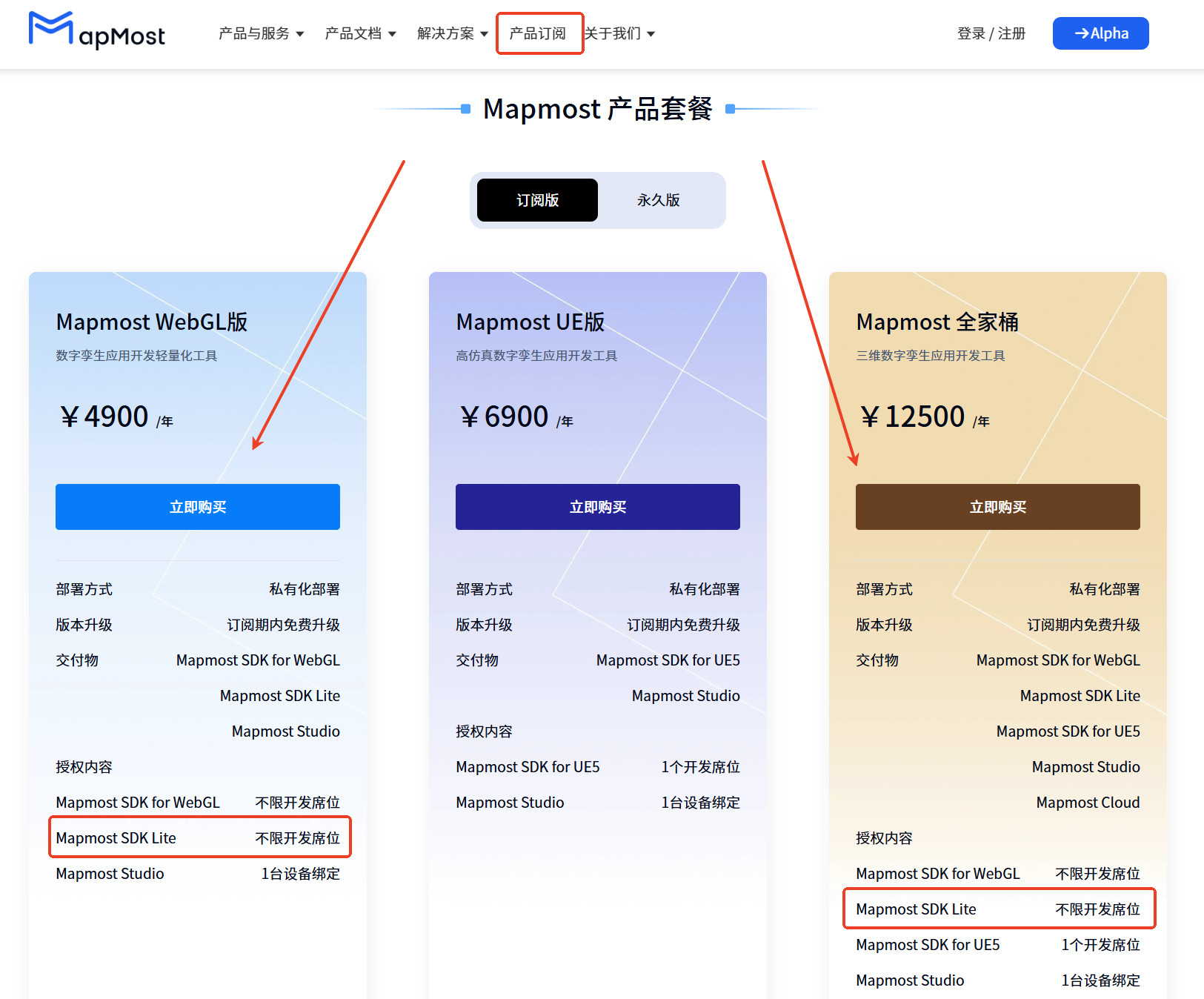
- Click the product subscription link on the right:https://www.mapmost.com/en/subscribe
- Mapmost SDK LiteProducts included inMapmost WebGLEdition andMapmostIn the FamilyMart bucket, you can choose the corresponding products and buy them immediately.
3、Authorization code view
Log inMapmostOfficial website:https://www.mapmost.com
Move the mouse to the user name and click on the authorization information.

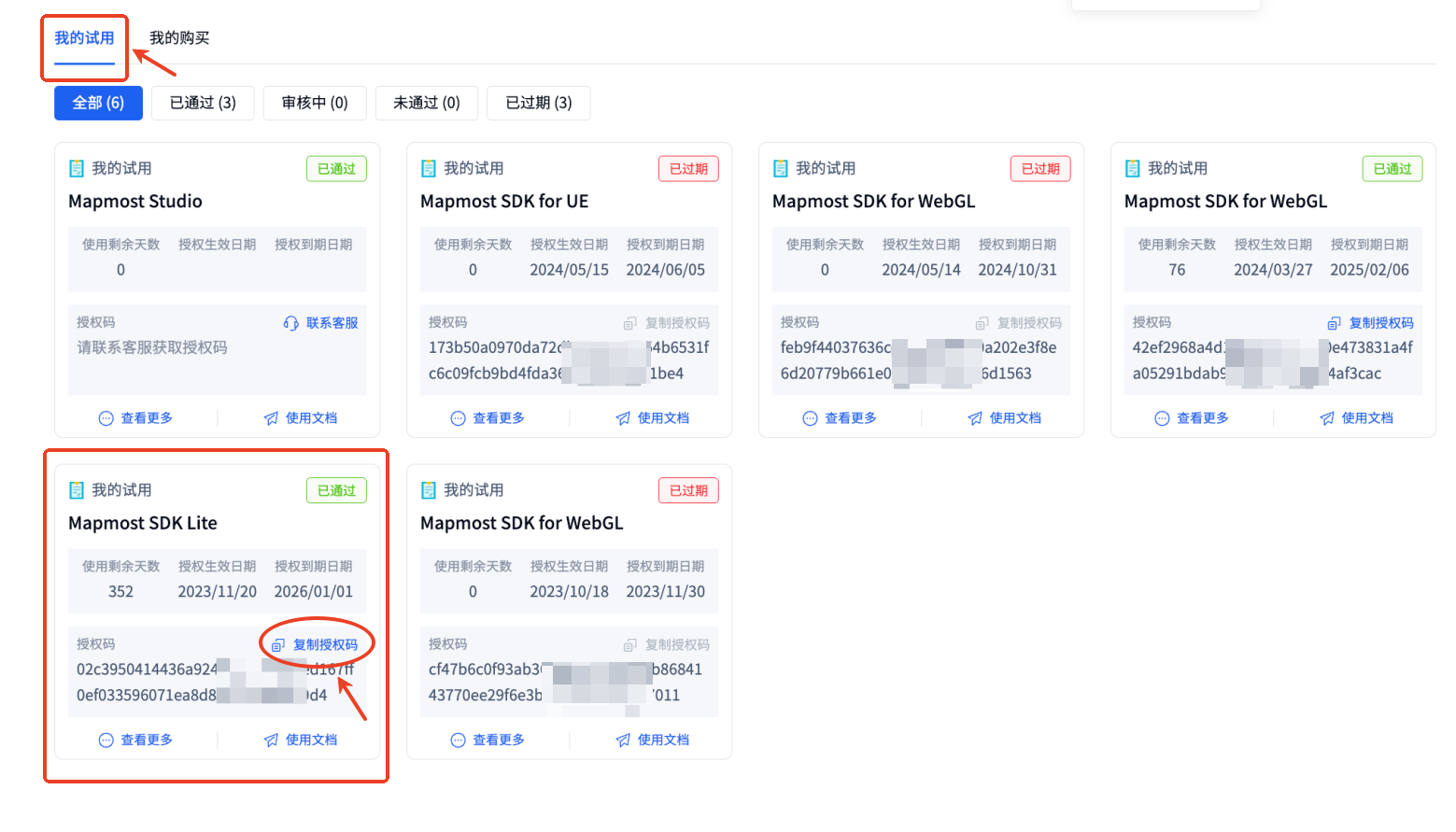
(1)Trial version authorized viewing
Click My Trial and find the corresponding product to view and copy the authorization code.
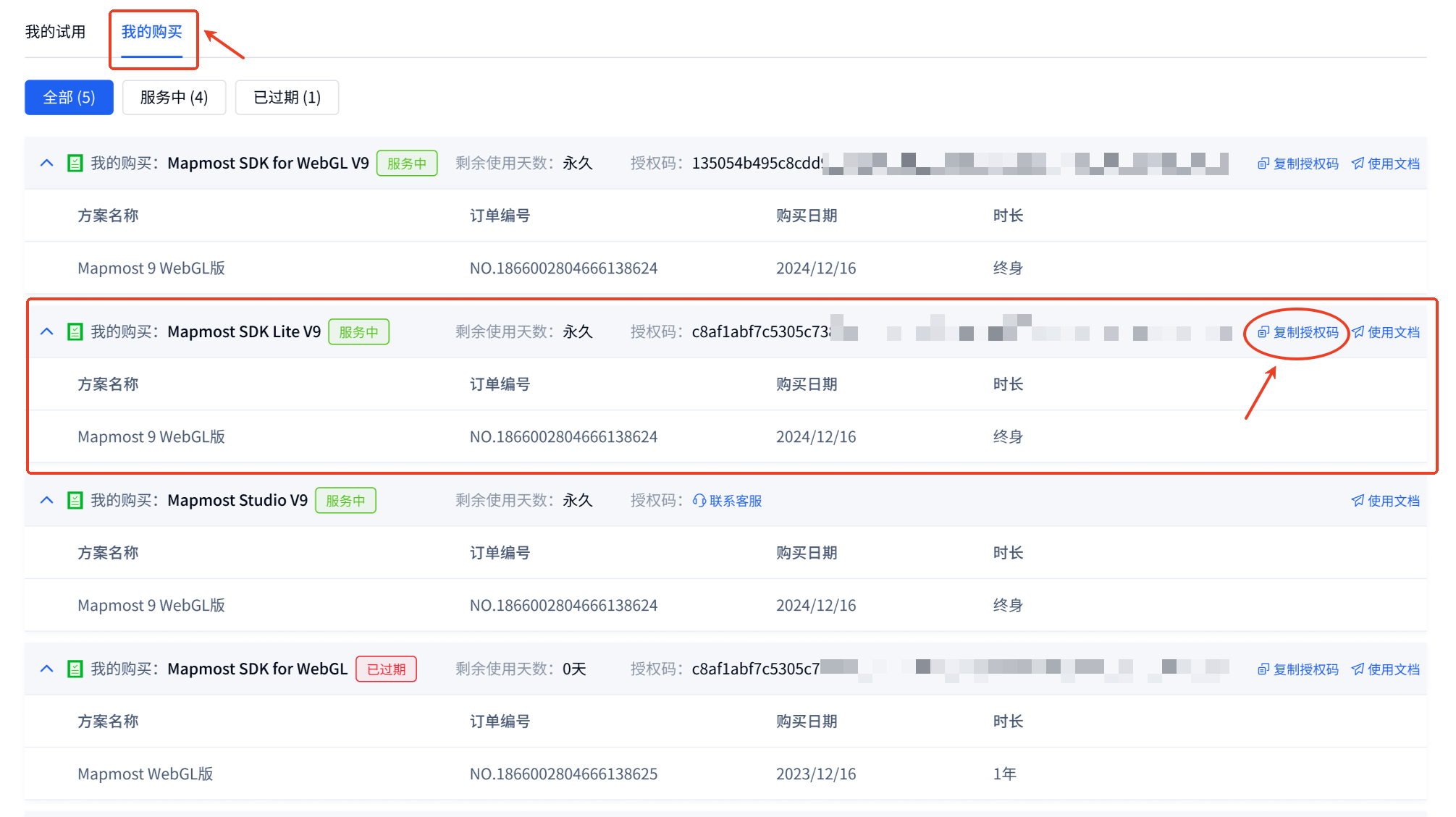
(2)Subscription version authorized viewing
Click My Purchases and find the corresponding product to view and copy the authorization code.
4、Sample code
inHTMLDocumentary<body>Add the following code.
<div id='map' style='width: 400px; height: 300px;'></div>
<script>
    let map = new mapmost.Map({
        container: 'map', // your HTML element id
        style: 'https://www.mapmost.com/cdn/styles/sample_data.json',   // See details https://www.mapmost.com/mapmost_docs/lite/latest/docs/map-style
        center: [lng, lat], // starting center point
        zoom: 14, // Starting zoom level
        userId: '***', // Authorization code,This parameter must be added
    });
</script>
You can check the details Example。