3D scene stroke settings
You can set the stroke effect of vector extrusion bodies and 3D models.
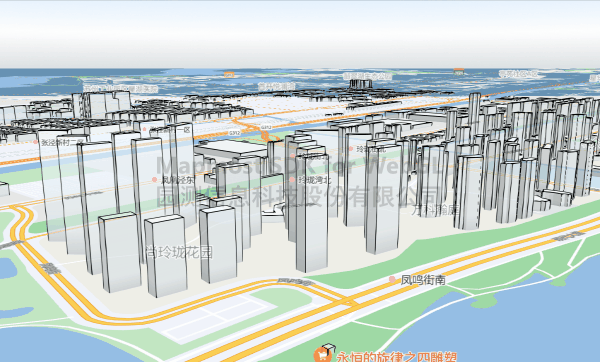
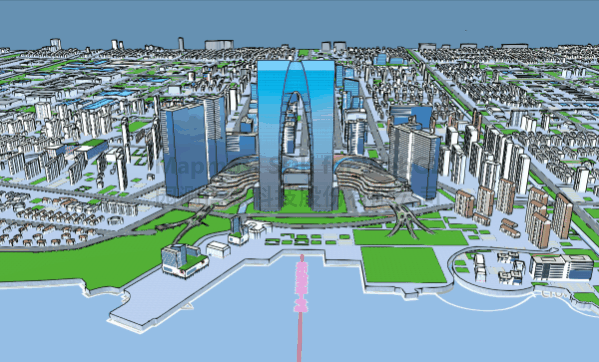
<!DOCTYPE html>
<html lang="en">
<head>
  <meta charset="UTF-8">
  <title>Stroke</title>
  <style>
    body {
      margin: 0;
      padding: 0;
    }

    #map {
      position: absolute;
      top: 0;
      bottom: 0;
      width: 100%;
    }
  </style>
  <script src="https://delivery.mapmost.com/cdn/sdk/webgl/v9.16.0/mapmost-webgl-min.js"></script>
</head>
<body>
  <div id='map'></div>
  <script>
    var map = new mapmost.Map({
      style: "<your style url>",
      container: 'map',
      center: [120.67617982483154, 31.317070971395978],
      zoom: 16.011081413474614,
      bearing: -128.8049986576308,
      pitch: 82,
      sky: "light",
      userId: '<your style url>',
    });

   map.on("load", function () {
    let borderOpt = {
      // Stroke color
      "color": [0, 0, 0, 1],
      //AO color
      "blurColor": [1, 1, 1, 1],
      //stroke radius
      "blurRadius": 1.1,
      //Stroke strength
      "blurIntensity": 20,
    }
    map.setBorder(true, borderOpt)
  })
  </script>
</body>
</html>