README
#3D coordinate picking
Clicking on the scene with the mouse will return three-dimensional coordinate information, including longitude, latitude and height. If you click on the sky, undefined will be returned.
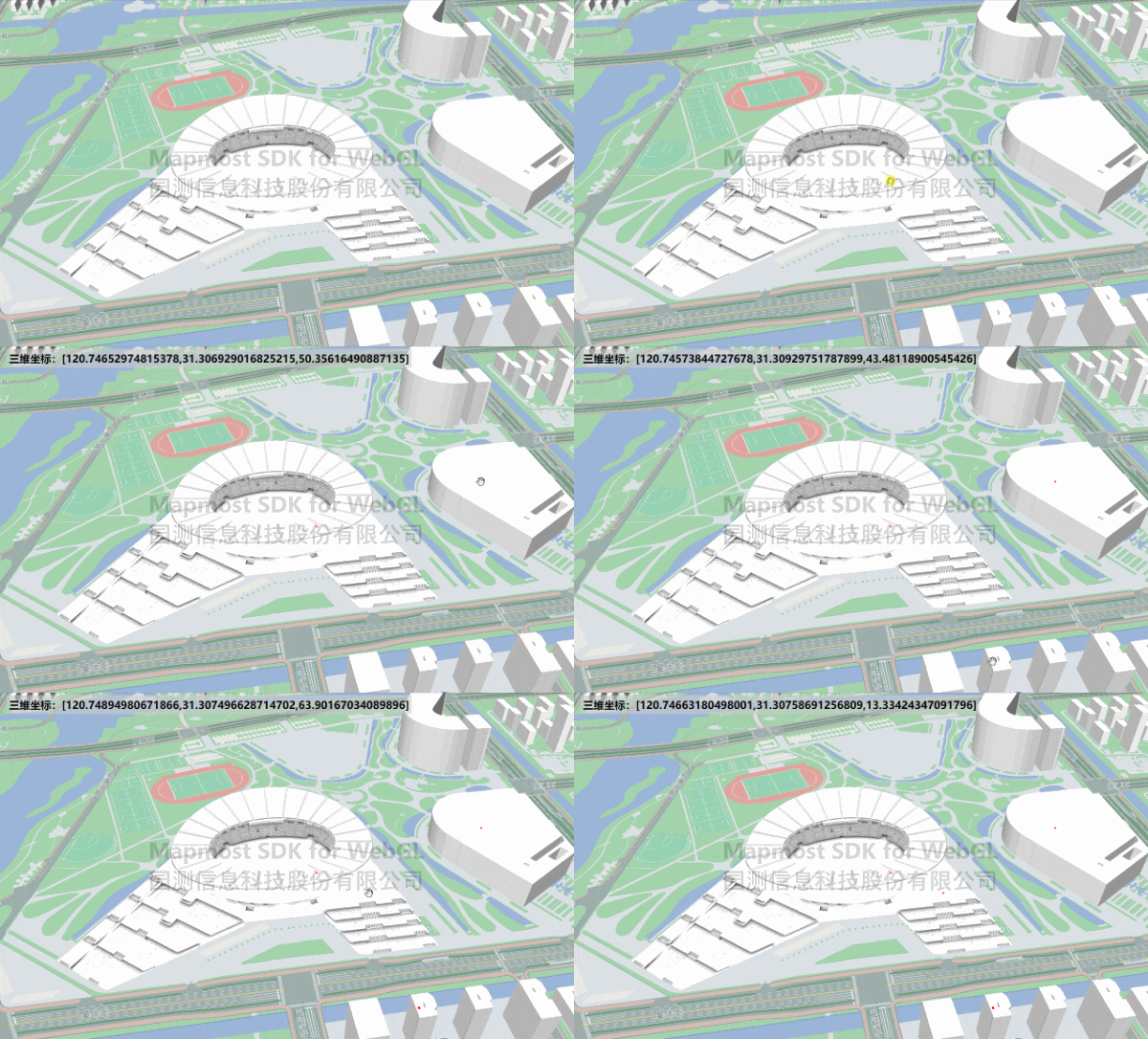
<!DOCTYPE html>
<html>

<head>
    <meta charset="utf-8" />
    <title>Mouse event three-dimensional coordinate picking</title>
    <meta name="viewport" content="initial-scale=1,maximum-scale=1,user-scalable=no" />
    <style>
        body {
            margin: 0;
            padding: 0;
        }

        #map {
            position: absolute;
            top: 0;
            bottom: 0;
            width: 100%;
        }

        #info {
            color: #000000;
            position: absolute;
            padding: 5px;
            top: 20px;
            left: 20px;
            font-size: 22px;
            font-weight: bold;
            background-color: #cccccc99;
        }
    </style>
    <script src="https://delivery.mapmost.com/cdn/sdk/webgl/v9.16.0/mapmost-webgl-min.js"></script>

</head>

<body>
    <div id="map"></div>
    <div id="info"></div>

    <script>
        let map = new mapmost.Map({
            container: 'map',
            style: "<your style url>",
            center: [120.74564892237333, 31.306676689118333],
            zoom: 16.5,
            pitch: 49.59,
            bearing: -82.40,
            userId: '***', // Authorization code
            env3D: {
                defaultLight: true,
                exposure: 1.0,
                envMap: './hdr/env.hdr'
            }
        });

        let modelLayer;
        map.on('load', function () {
            let models_obj = ["./model/Olympic.glb", "./model/OlympicRoof.glb"].map(item => ({
                type: 'glb',
                url: item
            }));

            let options = {
                id: 'model_id',
                type: 'model',
                models: models_obj,
                center: [120.74603465203592, 31.30605899929158, 0.0],
                callback: function (group, layer) {
                    modelLayer = layer;
                }
            };
            map.addLayer(options);

            map.addSource("building", {
                "type": "vector",
                "url": "<your data>"
            })
            map.addLayer({
                "id": "buildings-high_",
                "type": "fill-extrusion",
                "source": "cultural",
                "source-layer": "b_buildings",
                "minzoom": 0,
                "filter": ["all", [">=", "dscs", 5]],
                "layout": { "visibility": "visible" },
                "paint": {
                    "fill-extrusion-height": ["get", "jzzgdgd"],
                    "fill-extrusion-color": {
                        "stops": [
                            [
                                12,
                                "rgba(252, 254, 255, 1)"
                            ],
                            [
                                16,
                                "rgba(255, 255, 255, 1)"
                            ]
                        ]
                    },
                    "fill-extrusion-opacity": 1
                }
            })

            map.on('click', function (e) {
                let coordinate = e.coord
                modelLayer.addPoints({
                    type: "cube",
                    size: 2,
                    color: 0xff0000,
                    data: [{
                        coordinate: coordinate
                    }]
                });
                document.getElementById('info').innerText = "Three-dimensional coordinates:" + '[' + coordinate + ']';
            })
        })

    </script>
</body>
</html>