Camera perspective switch
By setting the status parameters of the camera, the functions of switching the camera perspective and flying navigation are achieved.
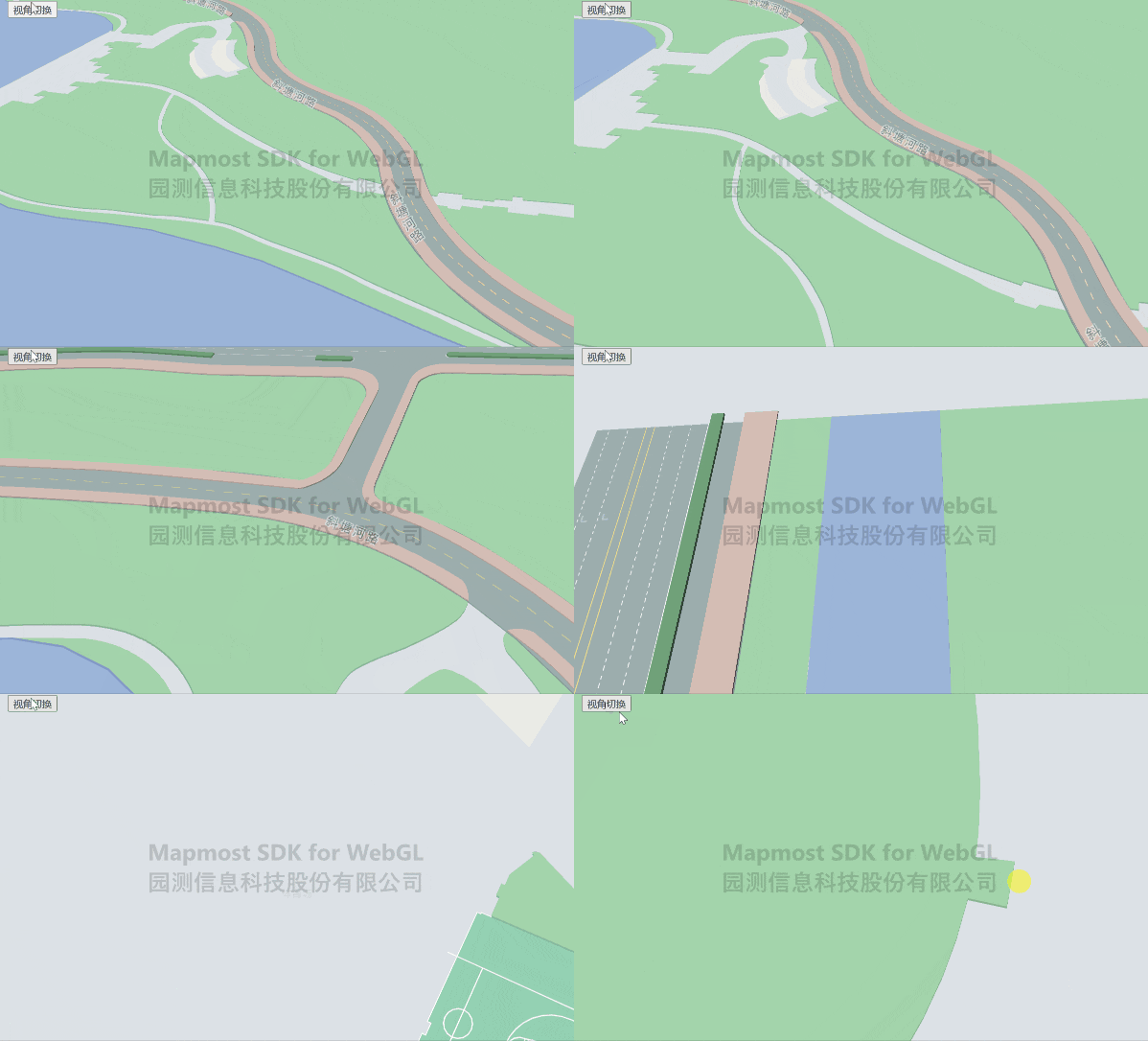
<!DOCTYPE html>
<html>
<head>
   <meta charset="utf-8"/>
   <title>Camera perspective switching</title>
   <meta name="viewport" content="initial-scale=1,maximum-scale=1,user-scalable=no"/>
   <style>
       body {
           margin: 0;
           padding: 0;
       }

       #map {
           position: absolute;
           top: 0;
           bottom: 0;
           width: 100%;
       }

        .btn-group {
               position: absolute;
               top: 20px;
               left: 20px;
           }
   </style>
   <script src="https://delivery.mapmost.com/cdn/sdk/webgl/v9.16.0/mapmost-webgl-min.js"></script>
</head>
<body>
<div id="map"></div>
<div class="btn-group">
    <button onClick="changeViewer()">View switching</button>
</div>
<script>
      var map = new mapmost.Map({
       container: 'map',
       style: "<your style url>",
       center: [120.74603465203592, 31.30605899929158],
       zoom: 19,
       pitch: 0,
       bearing: 0,
       userId: '***', // Authorization code
   });

    map.on('load', function () {

        let options = {
            id: 'model_id',
            type: 'model',
            callback: function (group, layer) {

                //Create a ball
                let group2 = layer.addPoints({
                    type: "sphere",
                    size: 1,
                    color: 0xffff00,
                    opacity: 0.5,
                    data: [{
                        coordinate: [120.74603465203592, 31.30605899929158, 20.0] // Object position coordinates
                    }]
                })
            }
        };
        map.addLayer(options);
    })

    function changeViewer() {
        let options = {
            position: [120.74603465203592, 31.30605899929158, 20.0], // Camera center point coordinates
            distance:50,
            pitch: 15,
            bearing: 20,
            duration: 2000,
            complete: function () {

            }
        }
        map.cameraFlyTo(options);
    }

</script>
</body>
</html>