3D scene ray picking coordinates
Supports defining the starting point of the ray and a certain point in the ray direction, and obtaining the coordinates of the first point where the ray collides with the three-dimensional scene.
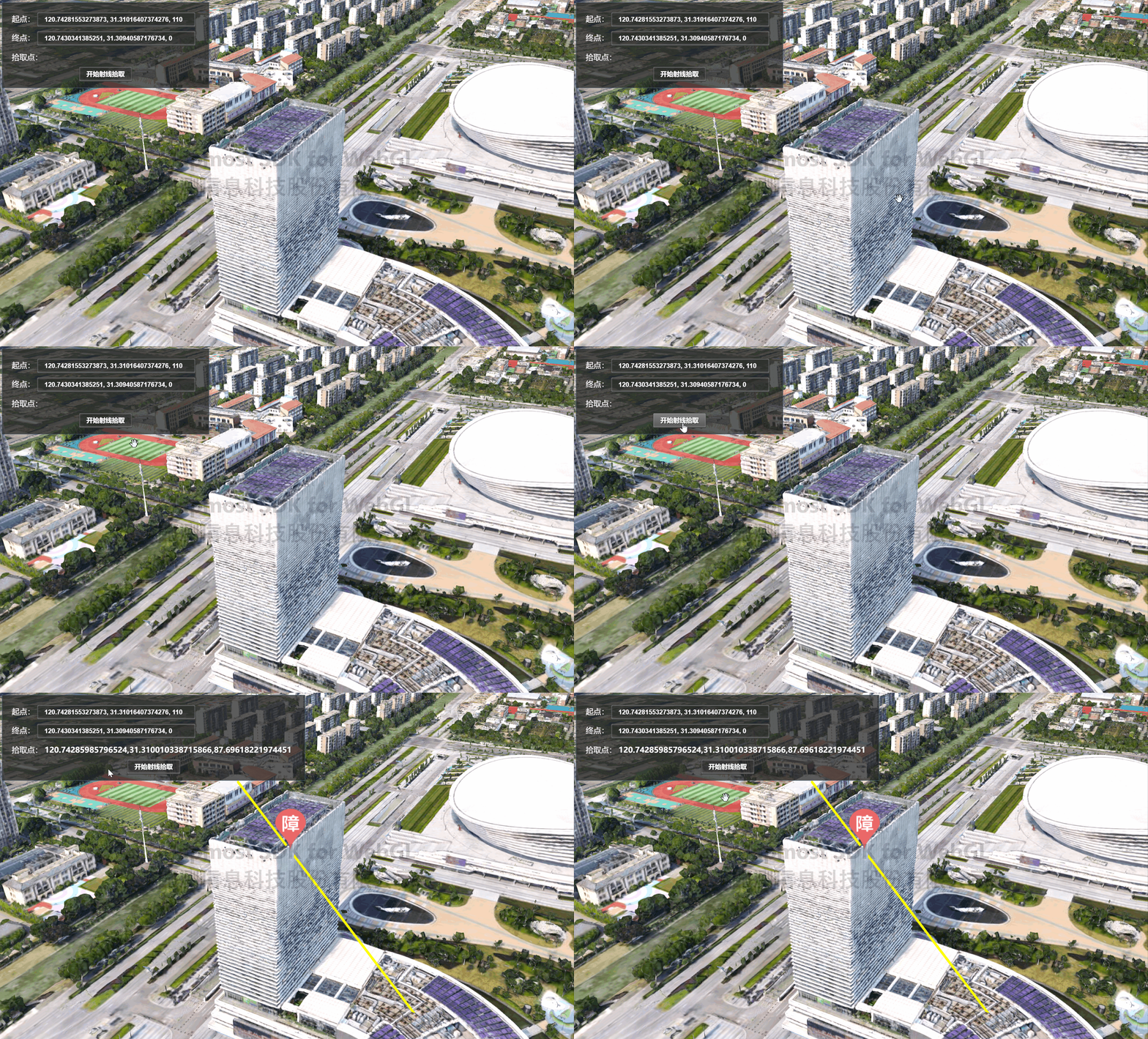
<!DOCTYPE html>
<html>
<head>
    <meta charset="utf-8" />
    <title>Three-dimensional scene ray picking coordinates</title>
    <meta name="viewport" content="initial-scale=1,maximum-scale=1,user-scalable=no" />
    <style>
        body {
            margin: 0;
            padding: 0;
        }

        #map {
            position: absolute;
            top: 0;
            bottom: 0;
            width: 100%;
        }

        info,
        input,
        .button {
            line-height: 30px;
            font-weight: bold;
            color: #fff;
            text-shadow: 1px 1px 1px #333;
            border-radius: 3px;
            margin: 0 8px 8px 0;
            position: relative;
            overflow: hidden;
            padding: 0px 15px 0px 15px;
        }

    </style>
    <script src="https://delivery.mapmost.com/cdn/sdk/webgl/v9.16.0/mapmost-webgl-min.js"></script>
    <script src="https://delivery.mapmost.com/cdn/sdk/lib/html2canvas.min.js"></script>

</head>

<body>
    <div id="divButton" class="param-container tool-bar">
        <div>
            <span>Starting point:</span>
            <input id="start" class="black" value="120.74281553273873, 31.31016407374276, 110"></input>
        </div>
        <div>
            <span>End point:</span>
            <input id="end" class="black" value="120.7430341385251, 31.30940587176734, 0"></input>
        </div>
        <div>
            <span>Pickup point:</span>
            <info id="info"></info>
        </div>
        <button type="button" class="button black" onclick="rayPick()">
            Start ray picking
        </button>
    </div>
    <div id="map"></div>
    <script>
        let map = new mapmost.Map({
            container: 'map',
            style:'<your style url>',
            bearing: 60.28860120101672,
            center: [120.74422077120391, 31.310685606567674],
            pitch: 61.9938489363649,
            zoom: 17.71081067417807,
            userId: '***', // Authorization code
        });

        let tileLayer, modelLayer

        map.on('load', function () {

            //Add 3DTiles layer
            map.addLayer({
                type: '3DTiles',
                id: 'tile-3d-layer',
                data: '<your 3DTiles url>',
                callback: function (group, layer) {
                    tileLayer = layer;
                },
            });

            //Add 3D model layer
            let options = {
                id: 'model',
                type: 'model',
                callback: function (group, layer) {
                    modelLayer = layer;
                }
            };
            map.addLayer(options);
        })

        //Ray picking
        function rayPick() {
            let start = document.getElementById('start').value.split(',');
            let end = document.getElementById('end').value.split(',');
            let startPoint = [Number(start[0]), Number(start[1]), Number(start[2])];
            let endPoint = [Number(end[0]), Number(end[1]), Number(end[2])];

            //Add ray
            modelLayer.addLines({
                type: "pipe",
                color: "#ffff00",
                width: 5,
                data: [{
                    coordinate: [startPoint, endPoint]
                }]
            })

            //Ray picking coordinates
            let result = map.rayPick({
                startPoint: startPoint,
                endPoint: endPoint,
                layers: [tileLayer]
            })

            //Display the coordinates of the pick point
            document.getElementById('info').innerText = `${result.toString()}`
        };
    </script>
</body>
</html>