Heat map layer Heapmap configuration
- Heat map layer, used to represent layer data density. "Source Layer" can be selected as surface type data, point type data, or line type data. For details, please refer to "Background layer Background:1.2";
- Add the data source. If the data source already exists, ignore this step. For details, refer to "Cartography Prerequisite: 2";
- The "∑" button behind the parameter value can realize numerical changes at different levels. For details, please refer to "Icon Point Layer Symbol: 3.3.2";
- The "fx" button behind the parameter value can convert the parameter information into an expression. For details, please refer to "Icon Point Layer Symbol: 3.3.3";
1. Layer Properties module
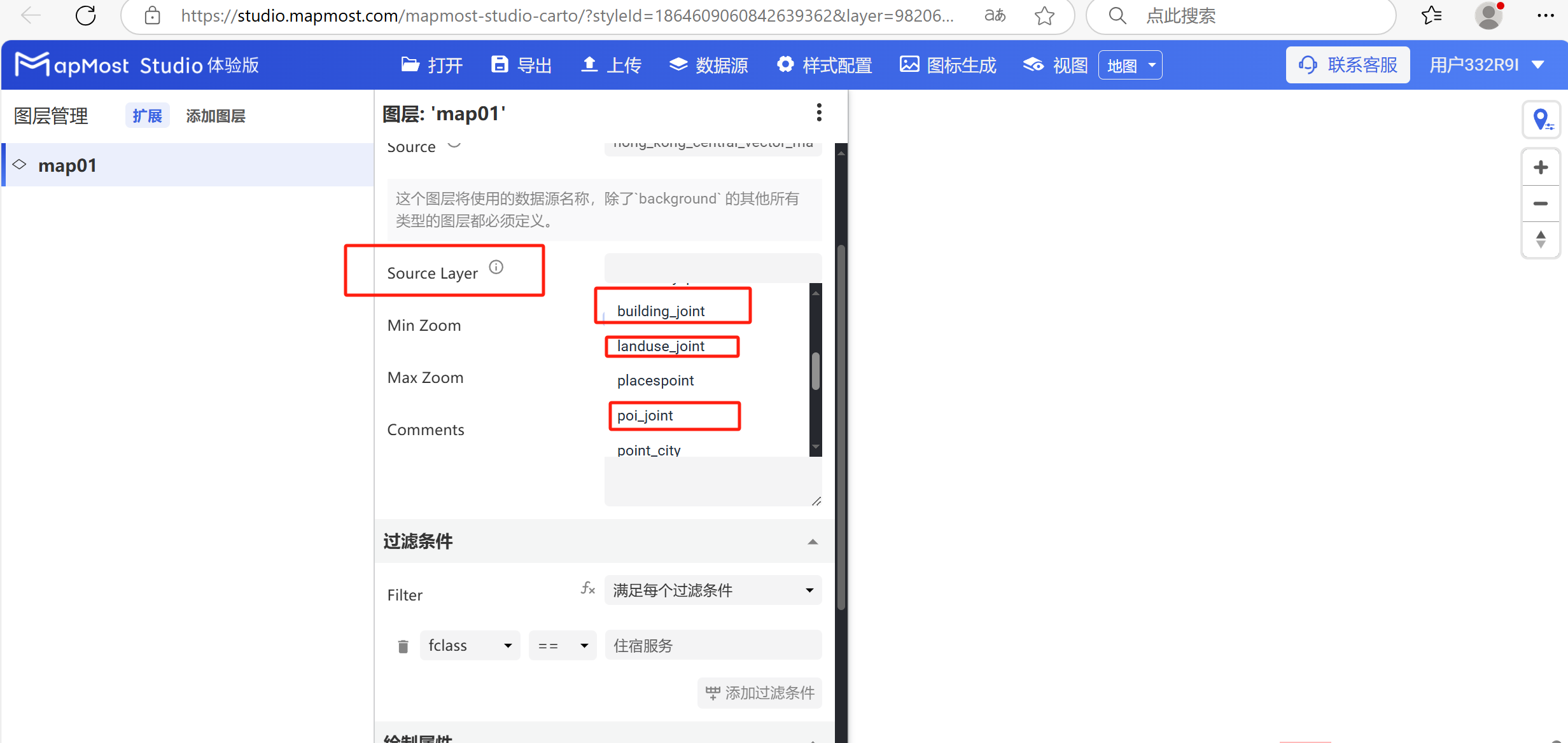
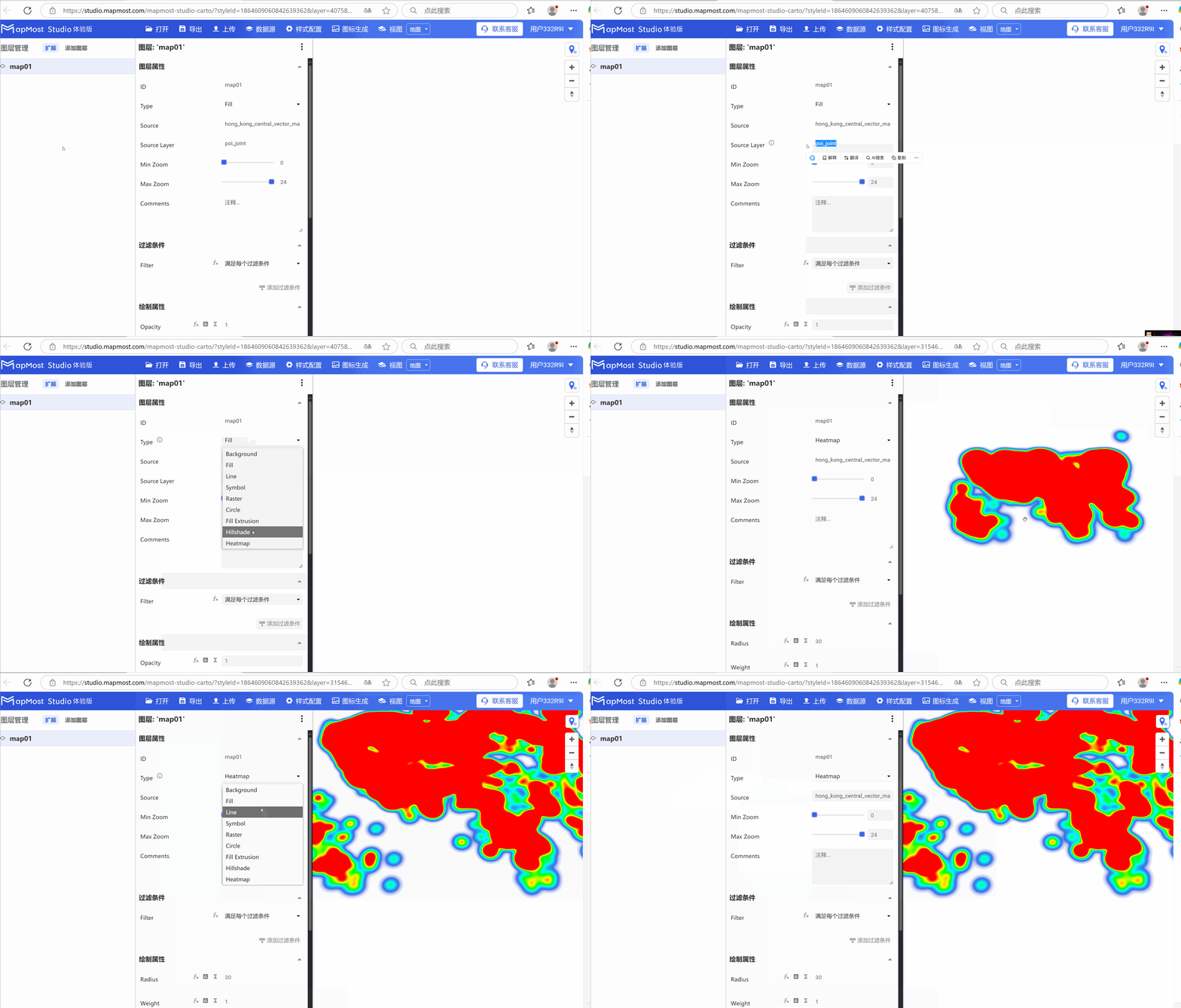
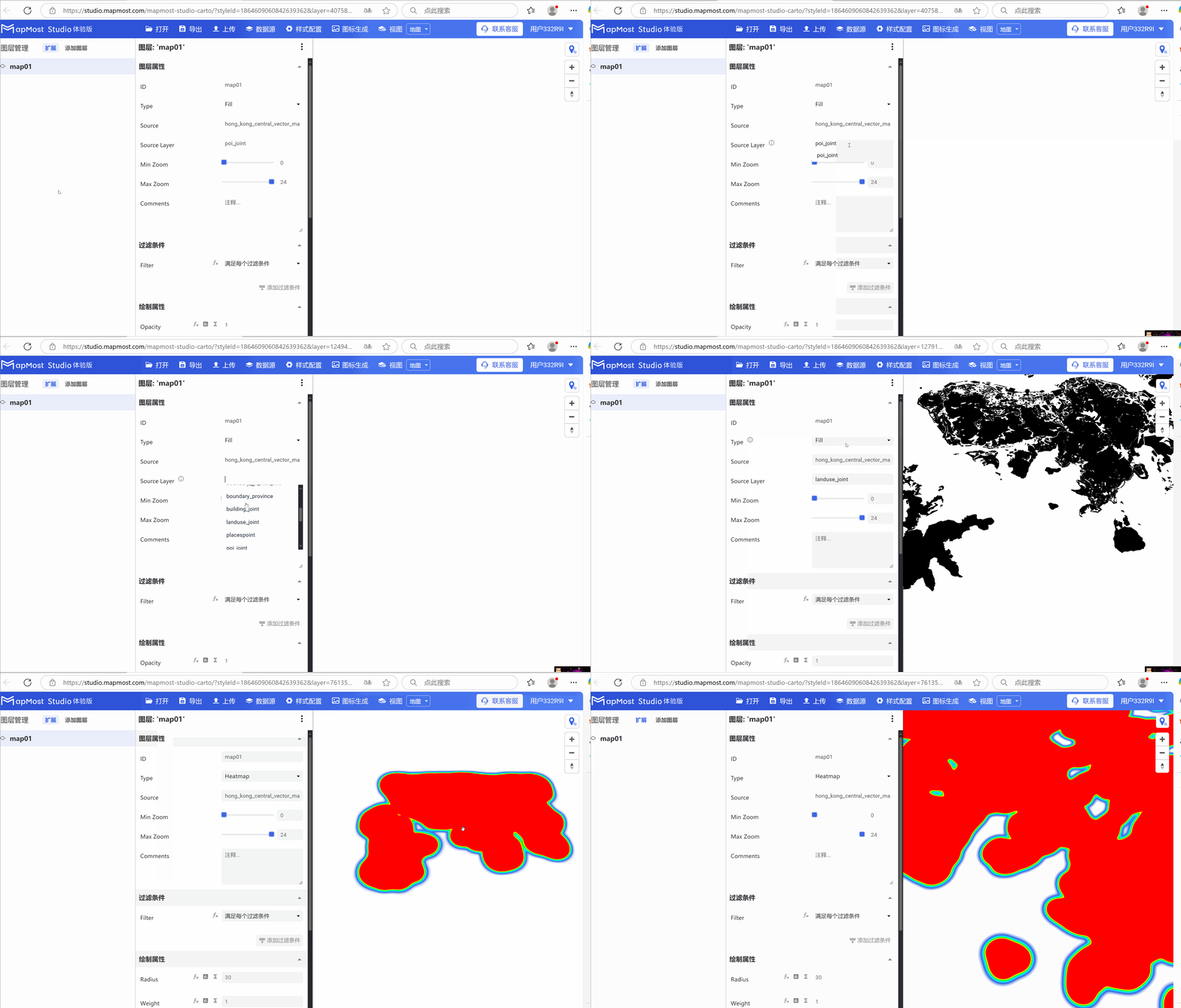
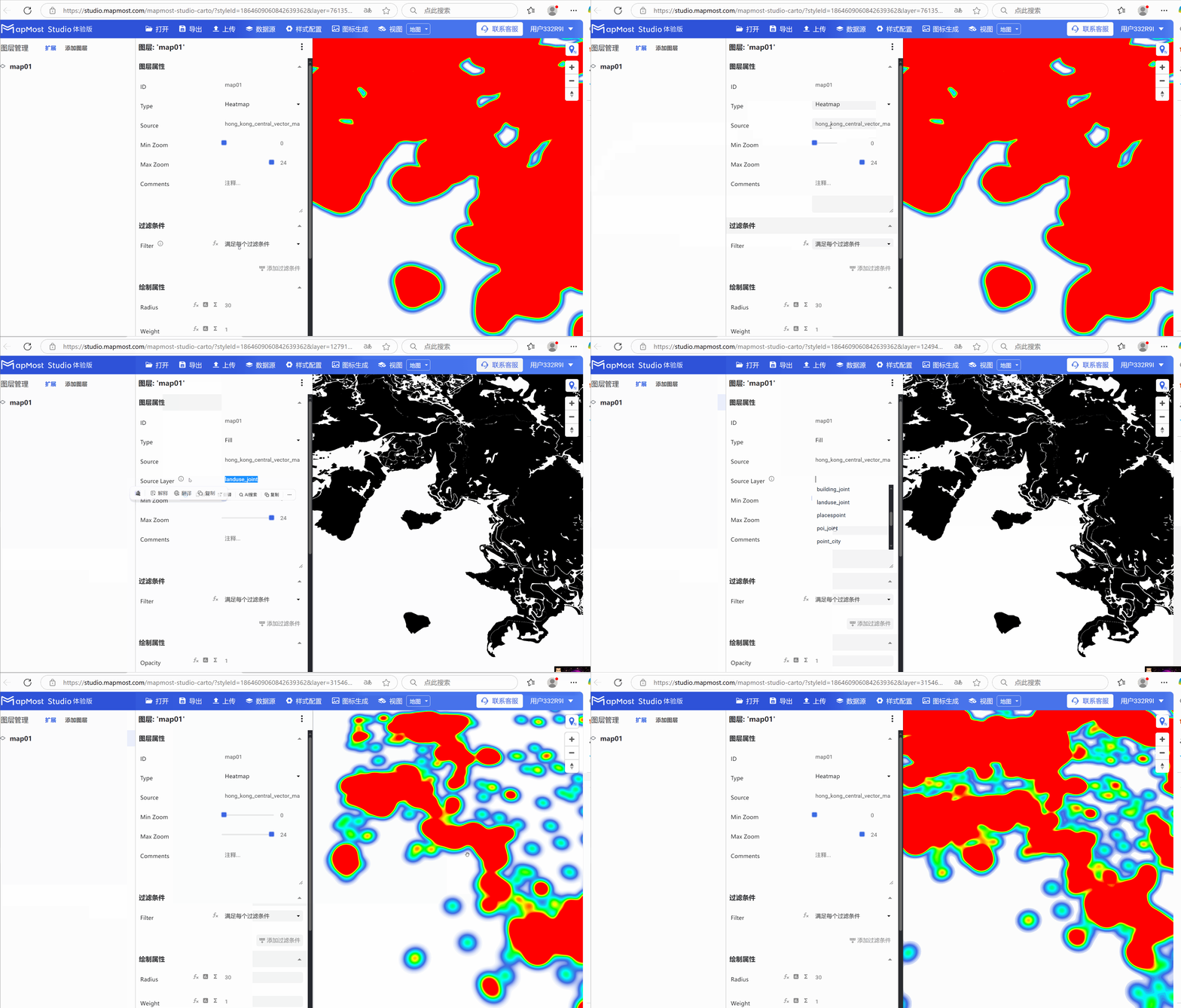
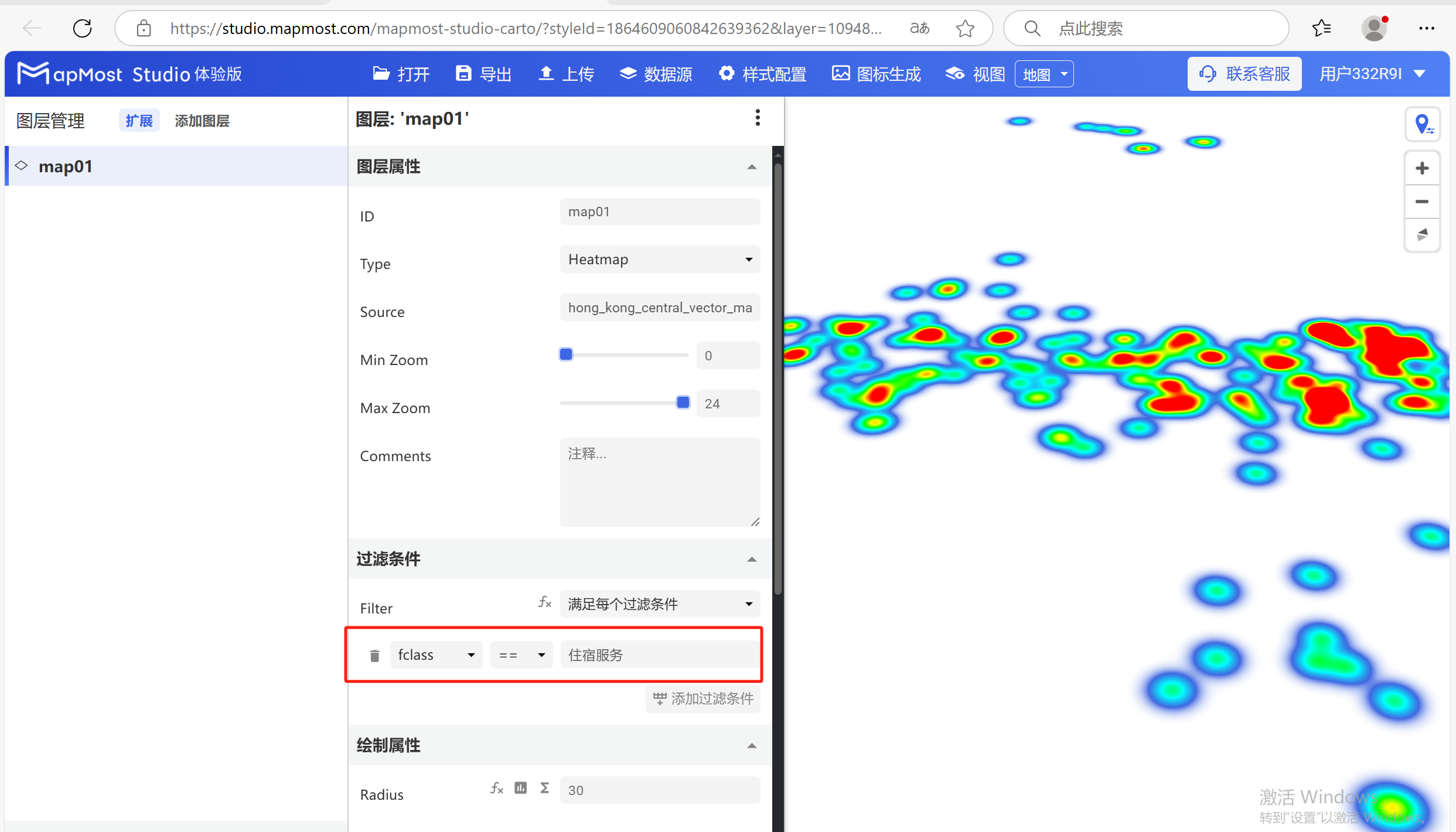
The "Layer Properties" module is used to adjust layer data sources, data types, display levels, etc. Figure 1 shows the thermal effect of point data, and Figure 2 shows the thermal effect of surface data. If the data source cannot be selected, refer to the steps in Figure 3; for parameter details, refer to "Background layer Background: 1";
2. "Filter" module
The "Filter Conditions" module supports filter condition selection and expression writing. For details, please refer to "Icon Point Layer Symbol: 2";
2.1. Set filter conditions
- Set the filter conditions to filter out the "accommodation service" data. For the data field search method, refer to "Icon Point Layer Symbol: 2.5". For the solution to data not being displayed, refer to "Icon Point Layer Symbol: 2.6";
3. "Drawing Properties" module
The "Drawing Properties" module supports obtaining parameter settings such as data radius, intensity, and transparency;
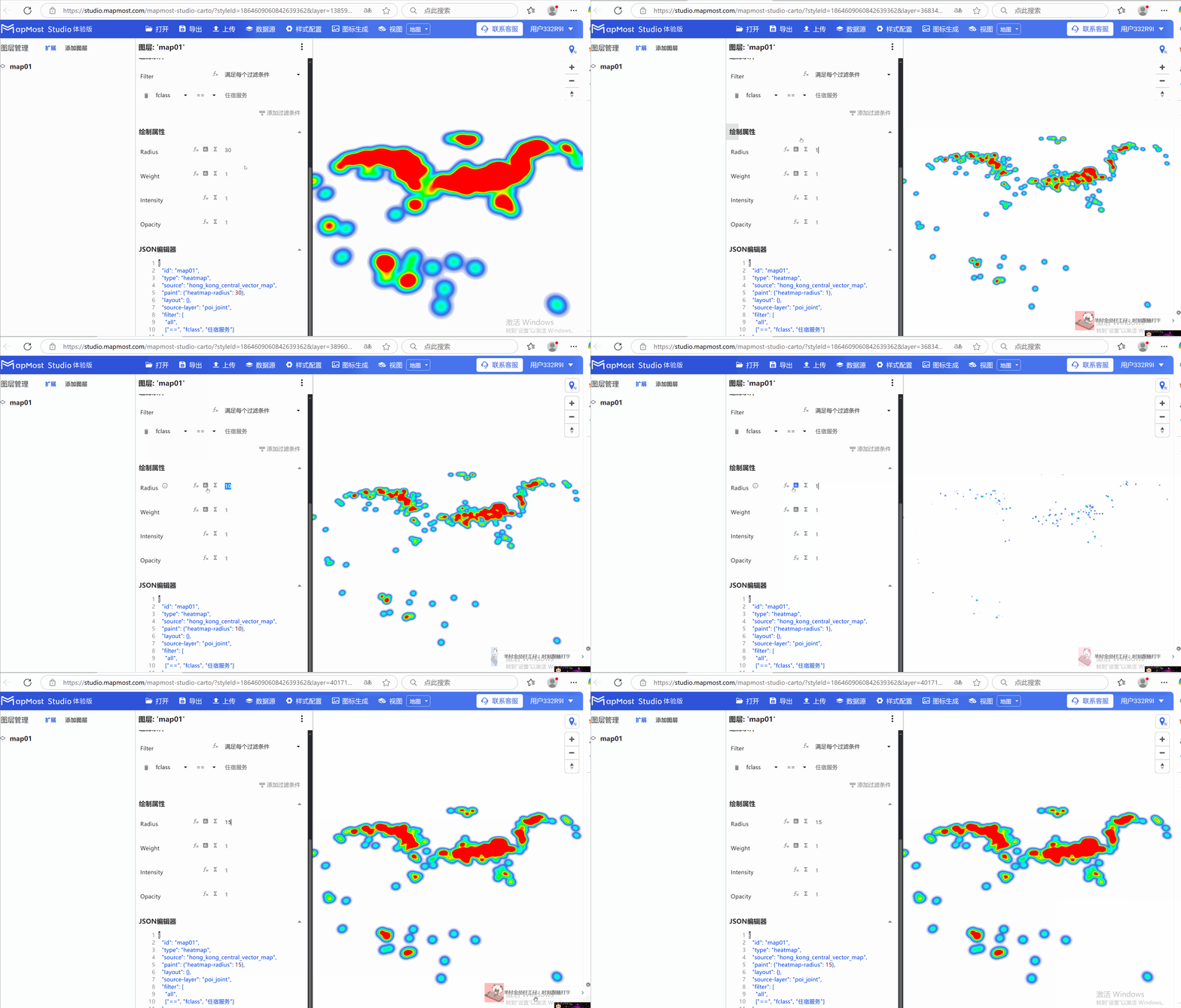
3.1. "Radius" parameter setting
- "Radius" parameter, controls the radius of heat map points;
3.2. "Weight" parameter setting
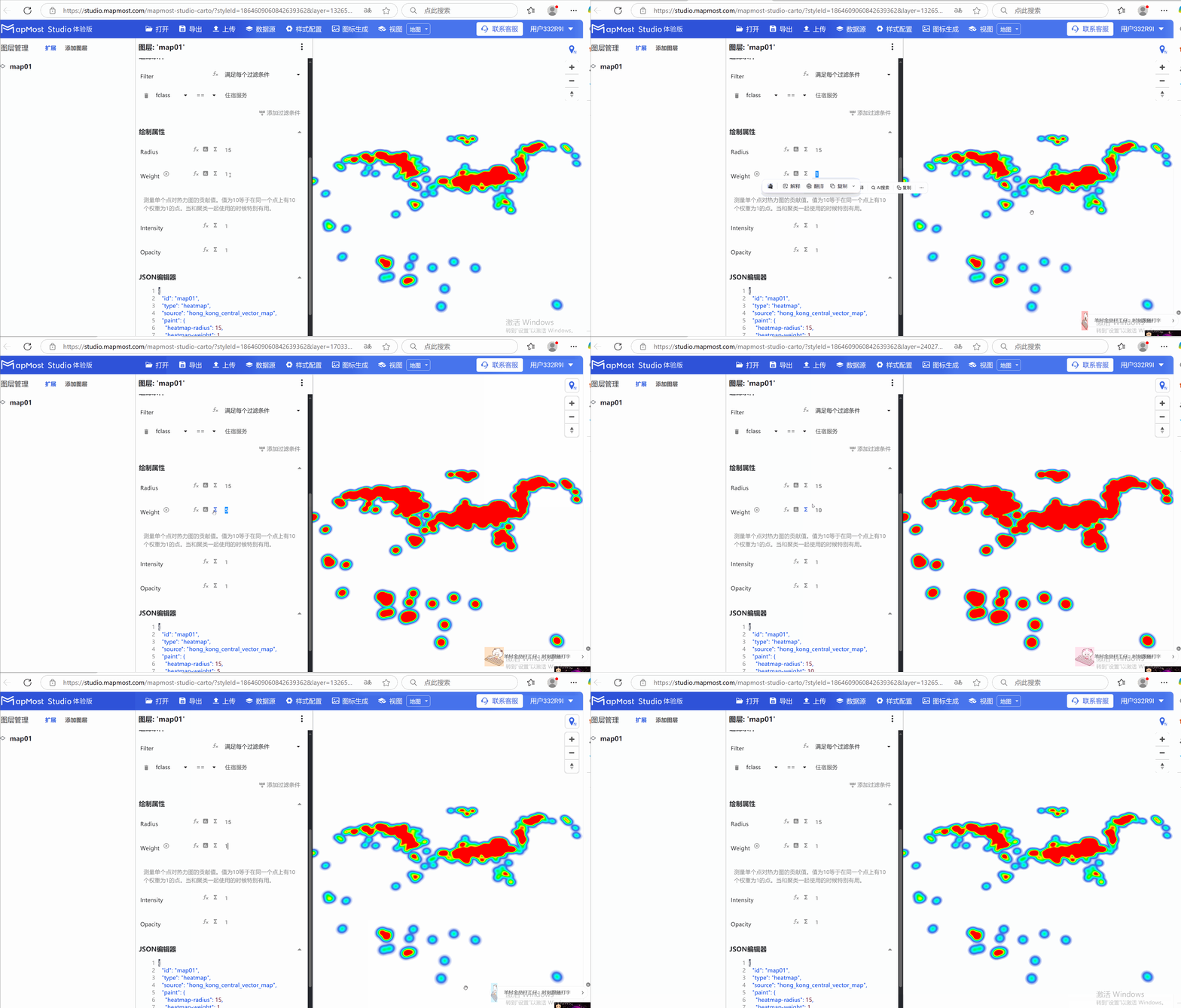
- The "Weight" parameter measures the contribution of a single point to the heat map;
3.3. "Intensity" parameter setting
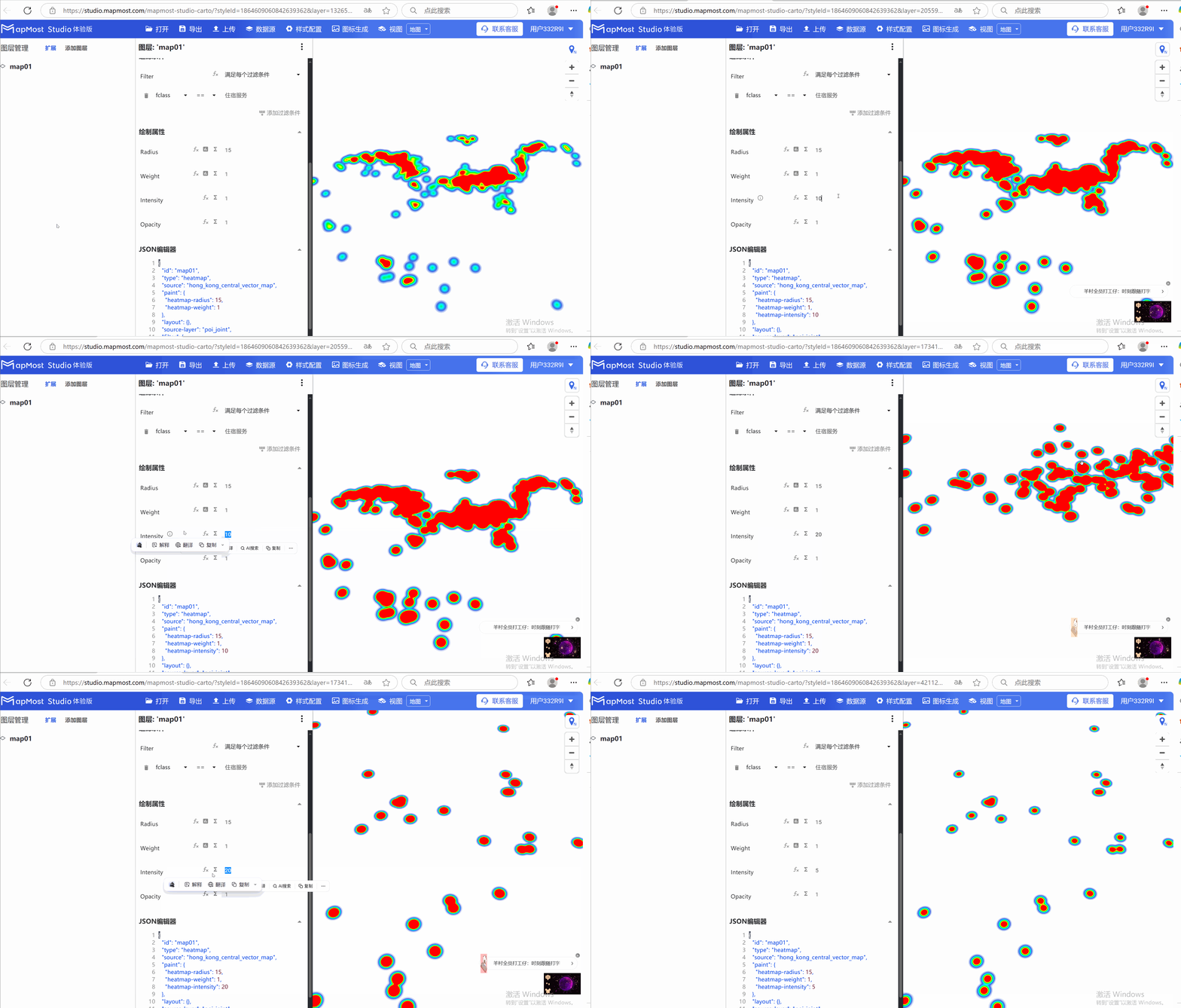
- The "Intensity" parameter controls the overall intensity of the heat map;
3.4. "Opacity" parameter setting
- The "Opacity" parameter controls the transparency of data display;
