Fixed Camera Calibration
Fixed Camera Calibration configures video-fusion parameters for standard fixed cameras, including distortion correction, intrinsic and extrinsic parameter calculation, fine-tuning, result review, and saving.
The page contains an image display area, a global 3D model scene, calibration steps, calculation/configuration results, and calibration history.
Open Fixed Camera Calibration
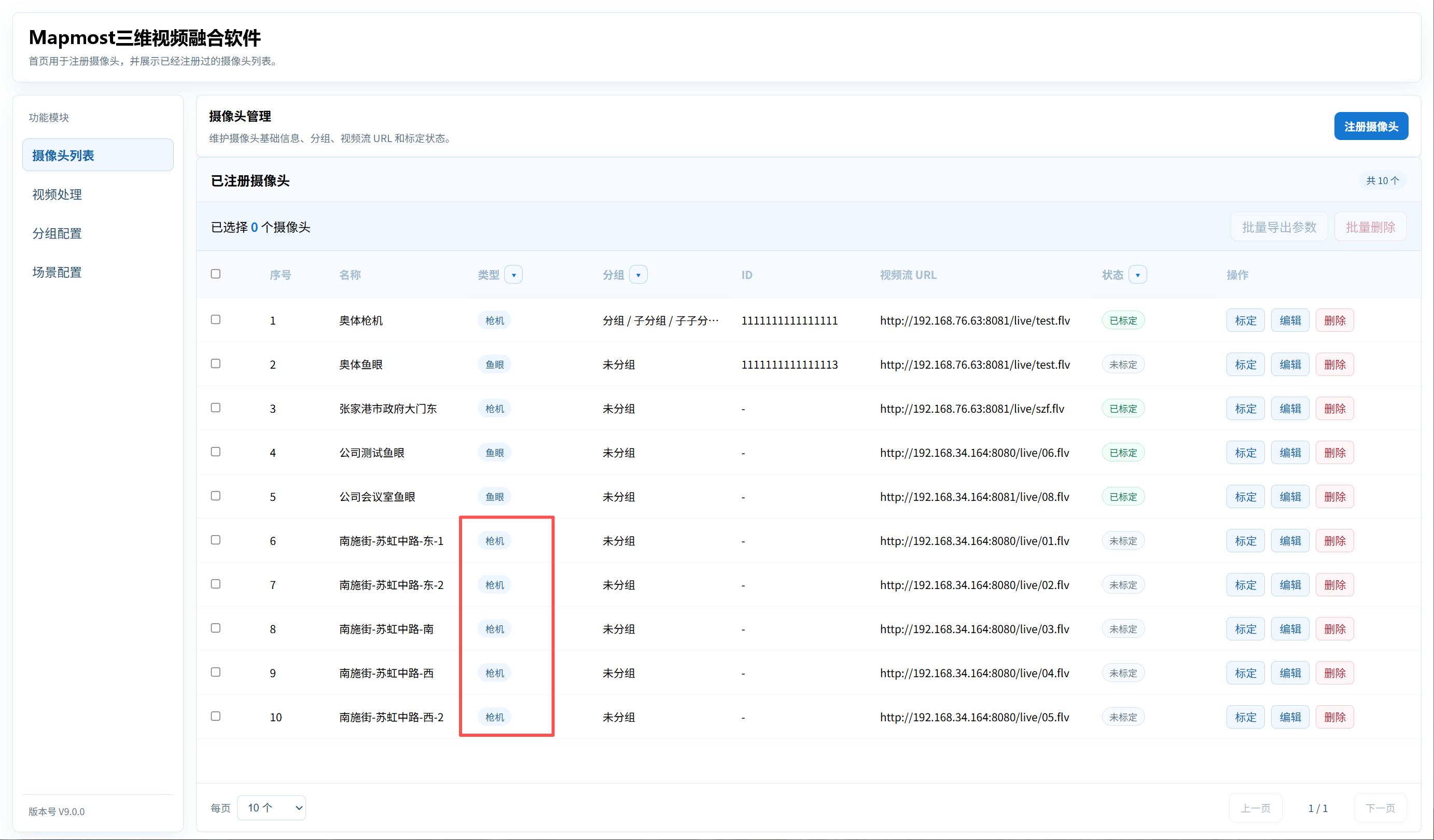
- Find a camera with the type Fixed Camera in the Camera List.
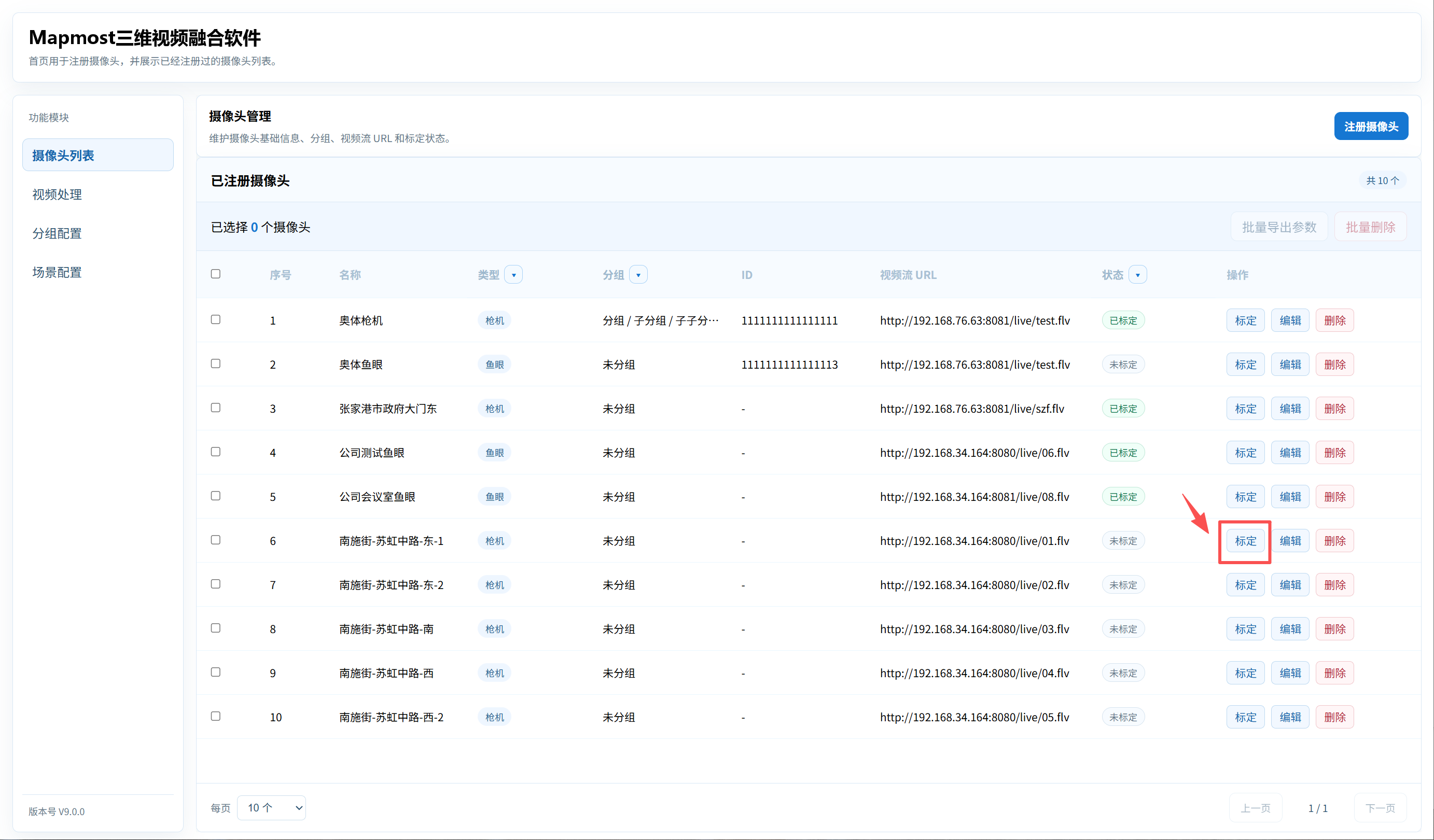
Click that camera's calibration action.
The camera image is displayed on the left and the global 3D model scene is displayed on the right.
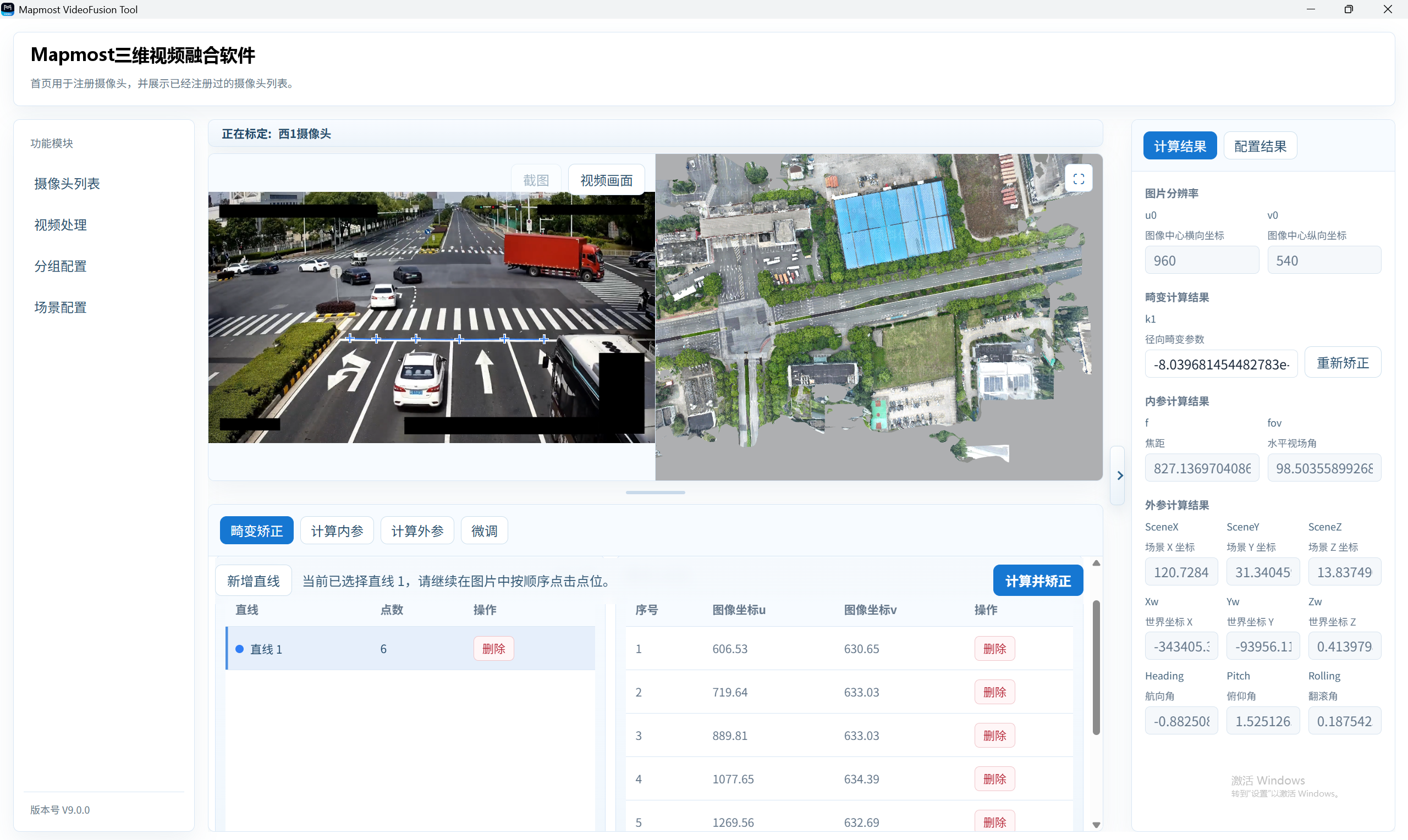
Click Screenshot to capture the current frame. If it is unsuitable, click Video Frame to review the video, then click Screenshot again.
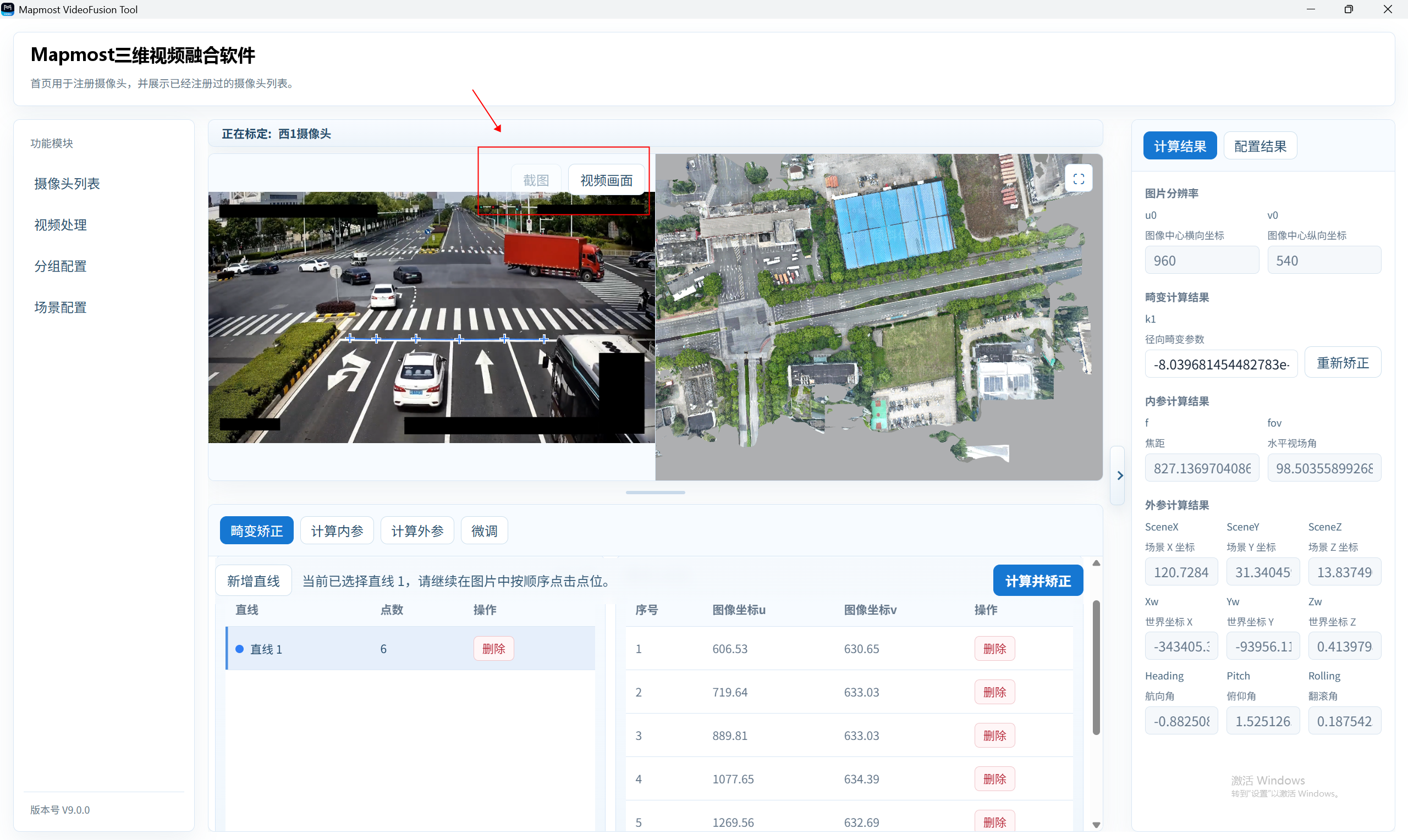
Distortion Correction
Distortion Correction is used to enter multiple image lines. Each line consists of several points, and the system calculates distortion parameters from those line points.
Click the Distortion Correction step.
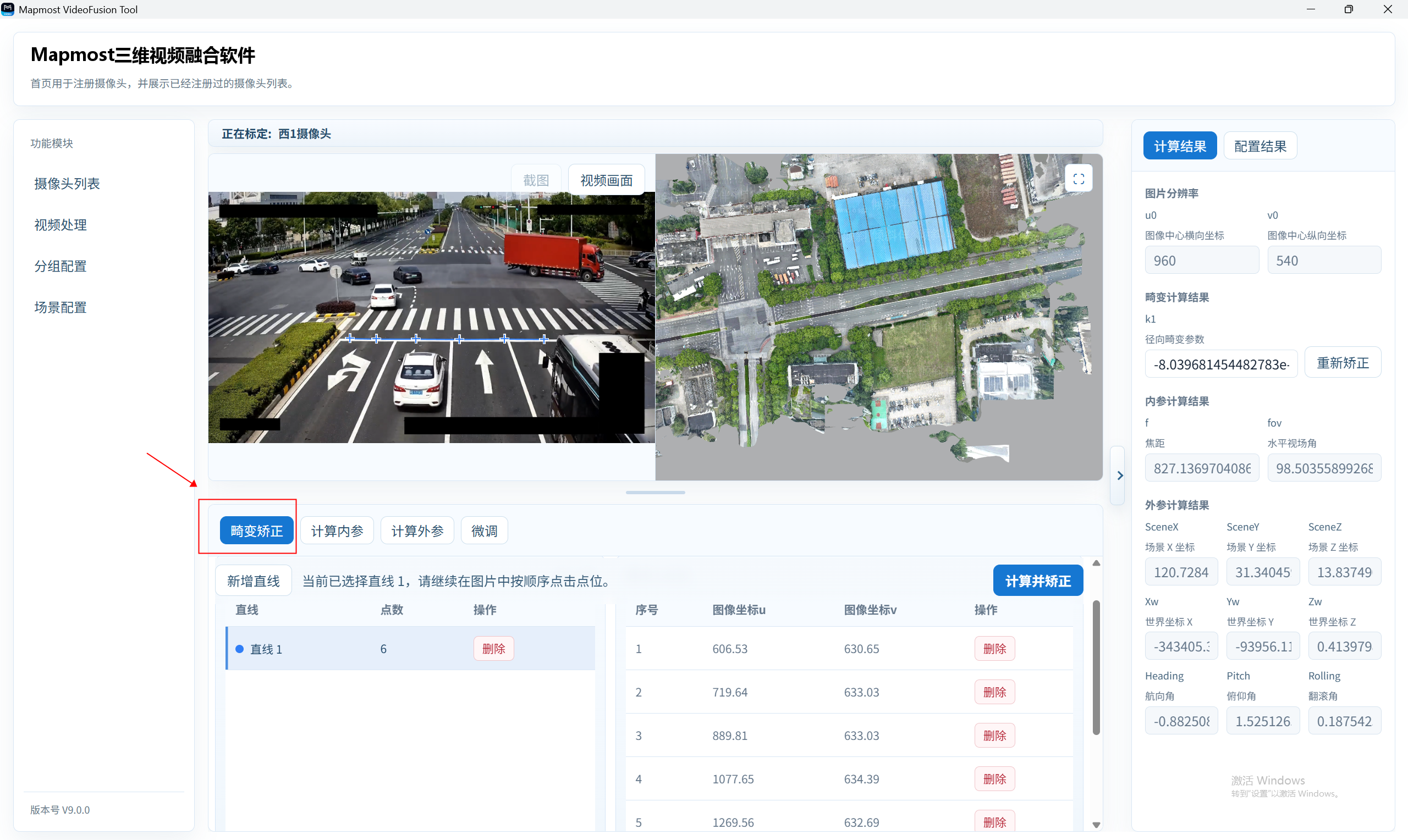
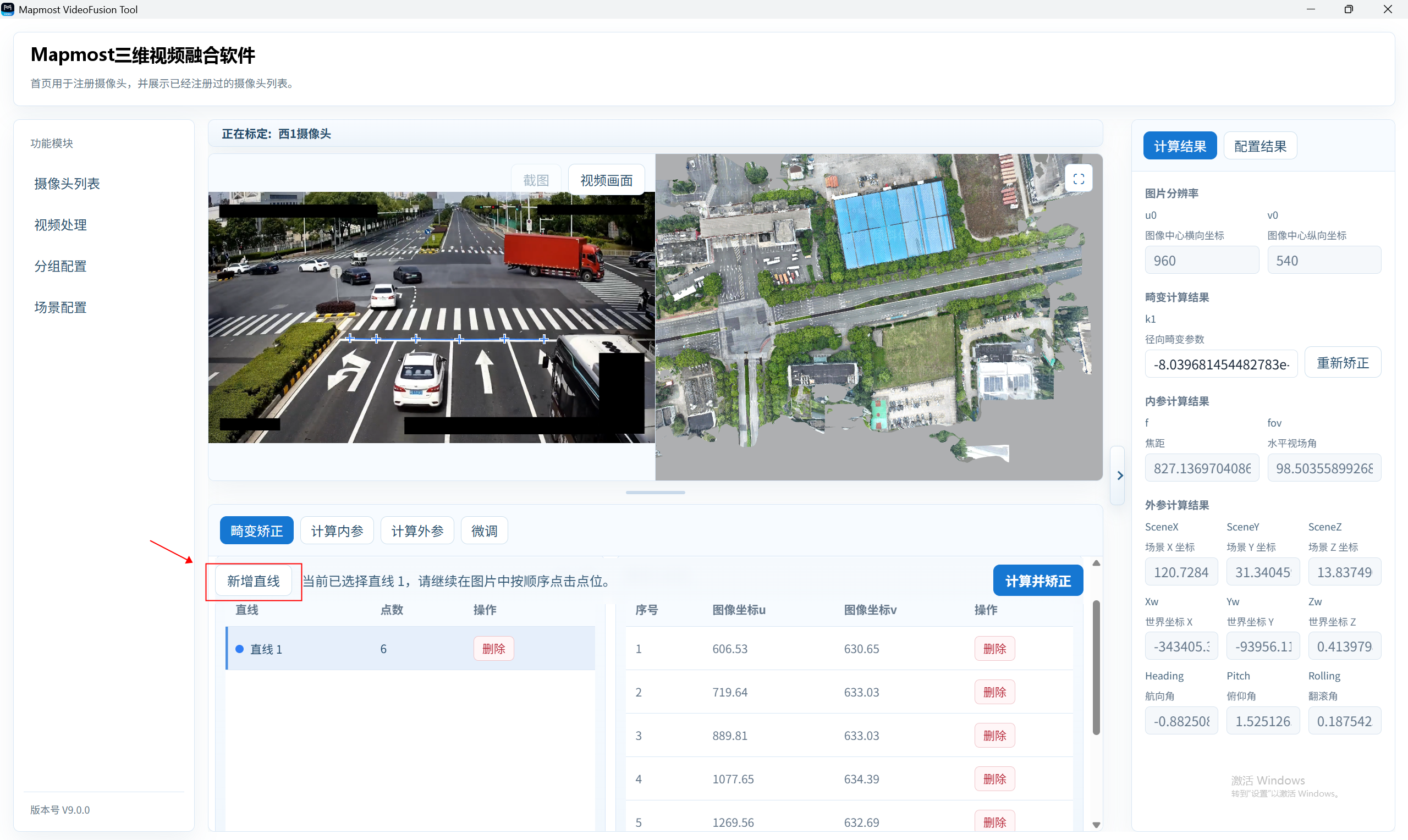
Click Add Line. The system creates a new line and enters edit mode.
Click multiple points along the line in the image display area. Points are connected automatically, and every line requires at least five points.
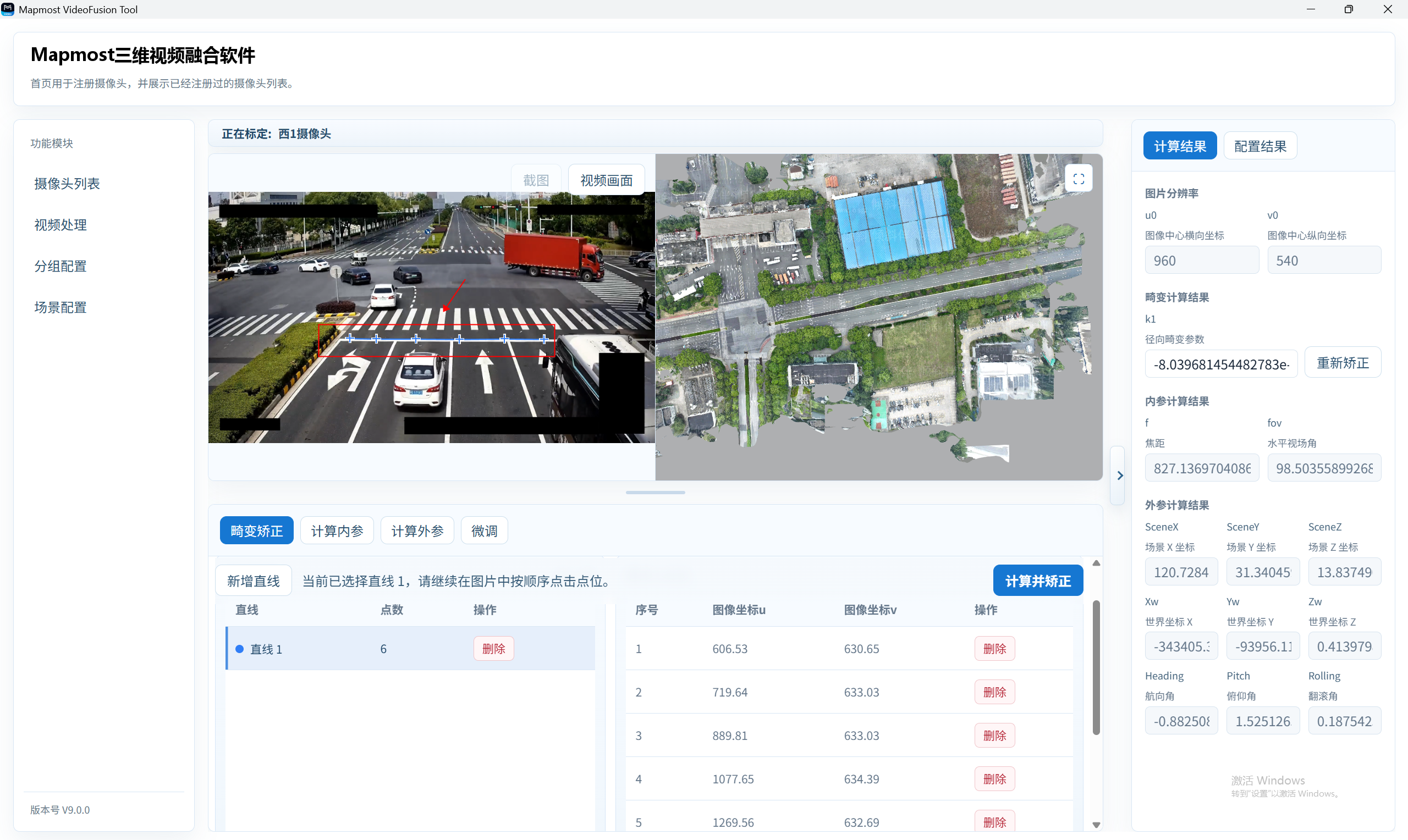
To enter another line, click Add Line again and repeat the point-selection process.
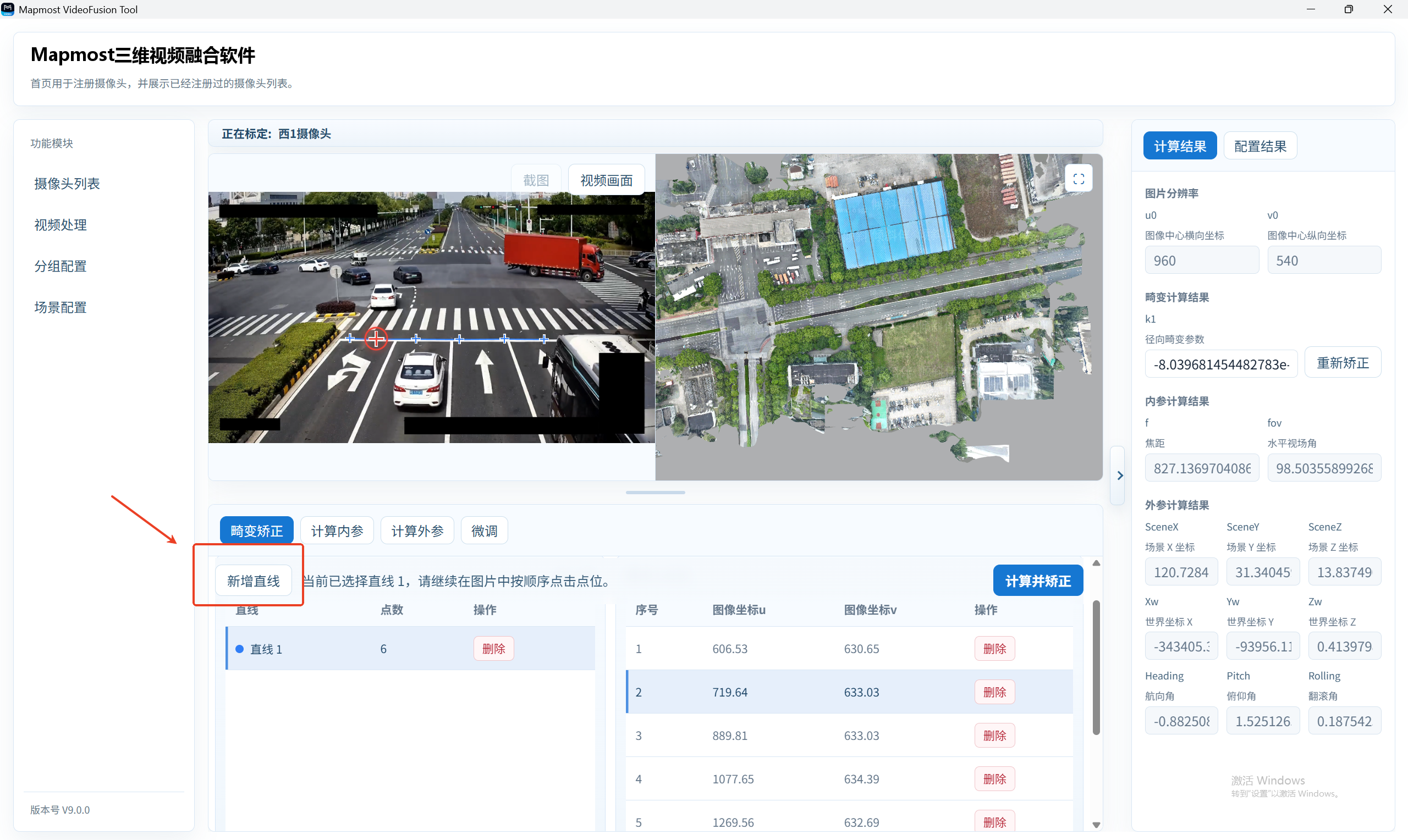
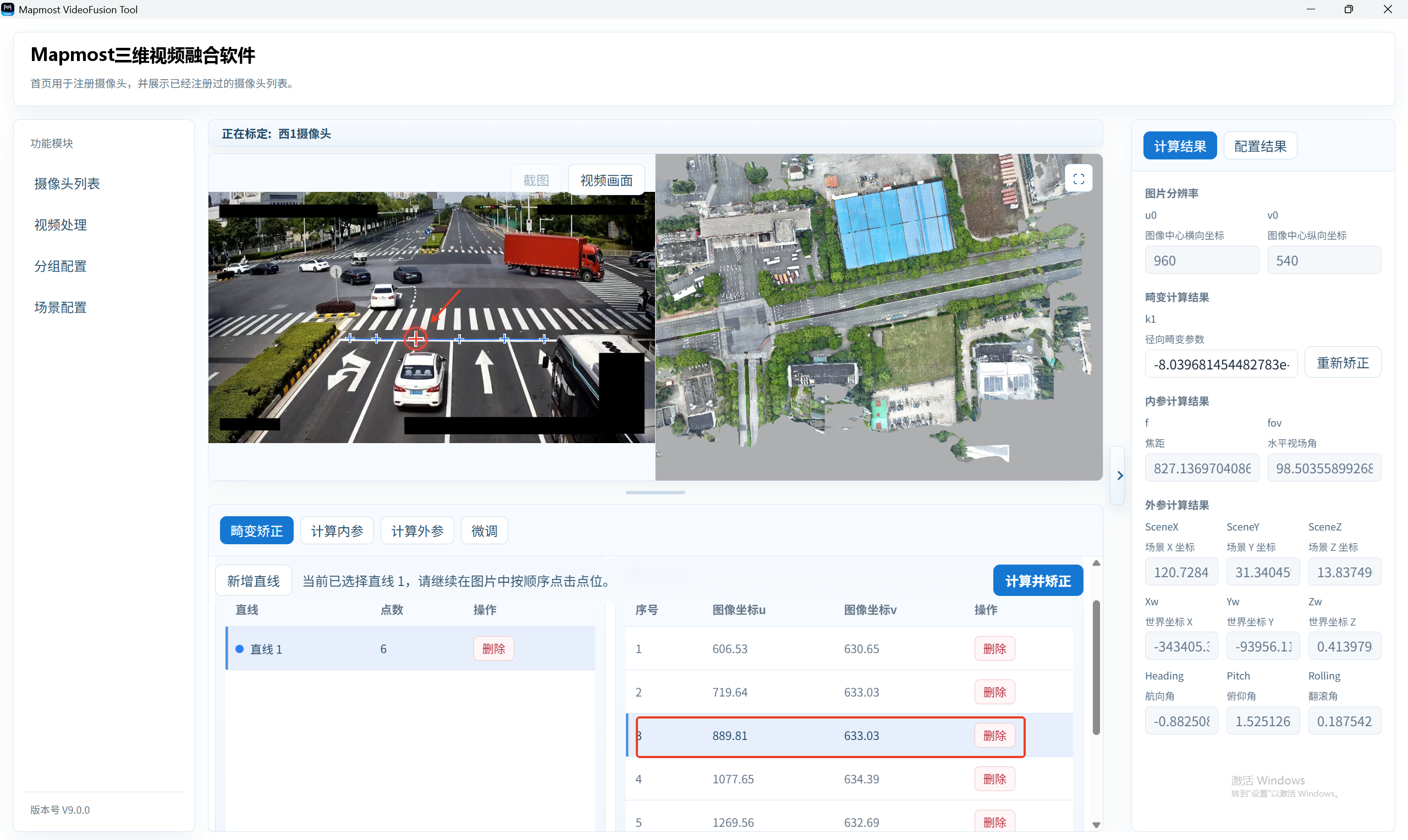
Select a line in the left list, then select a point in the point list on the right to highlight the corresponding image point. Click again to update its position.
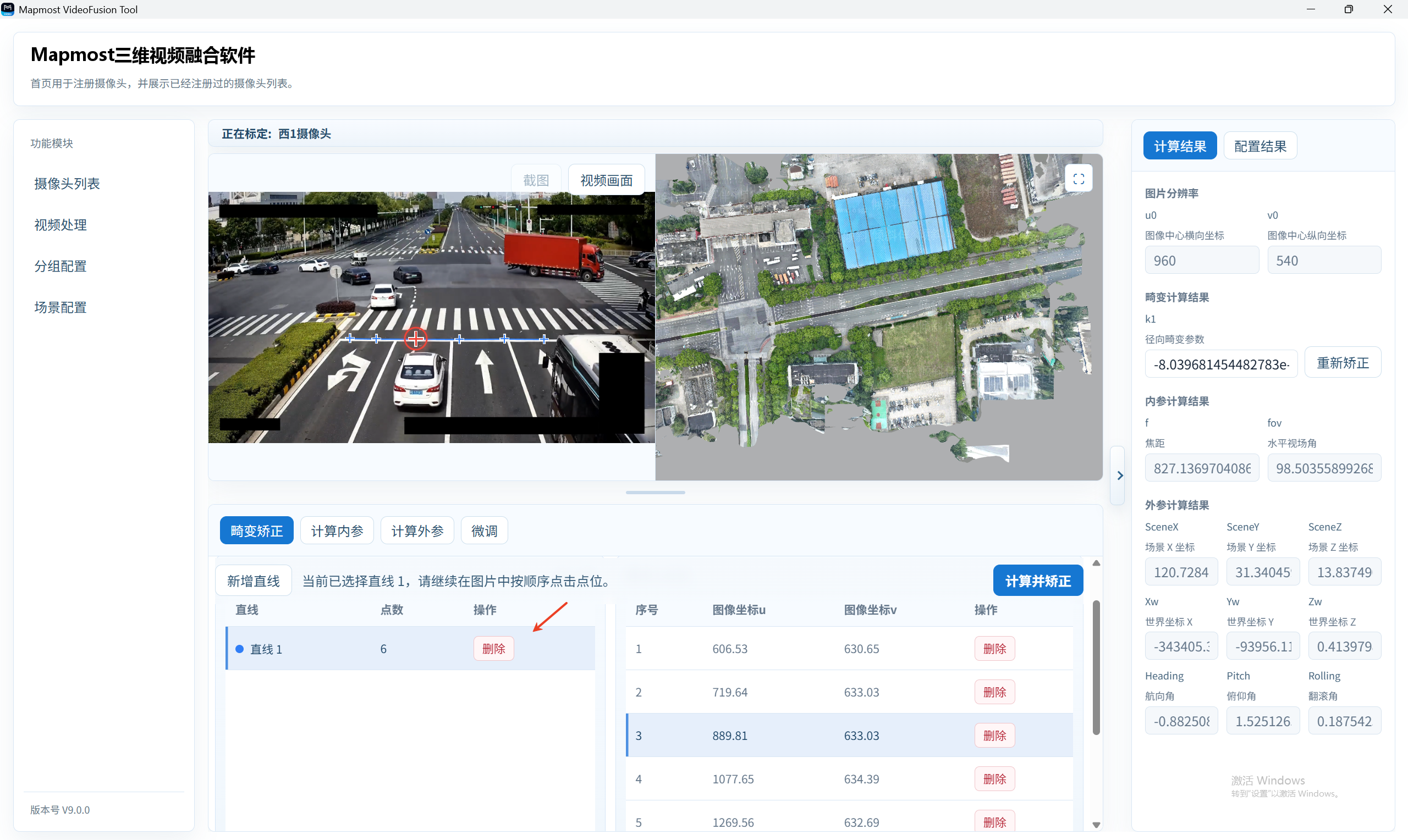
To delete an entire line, click its delete button in the line list.
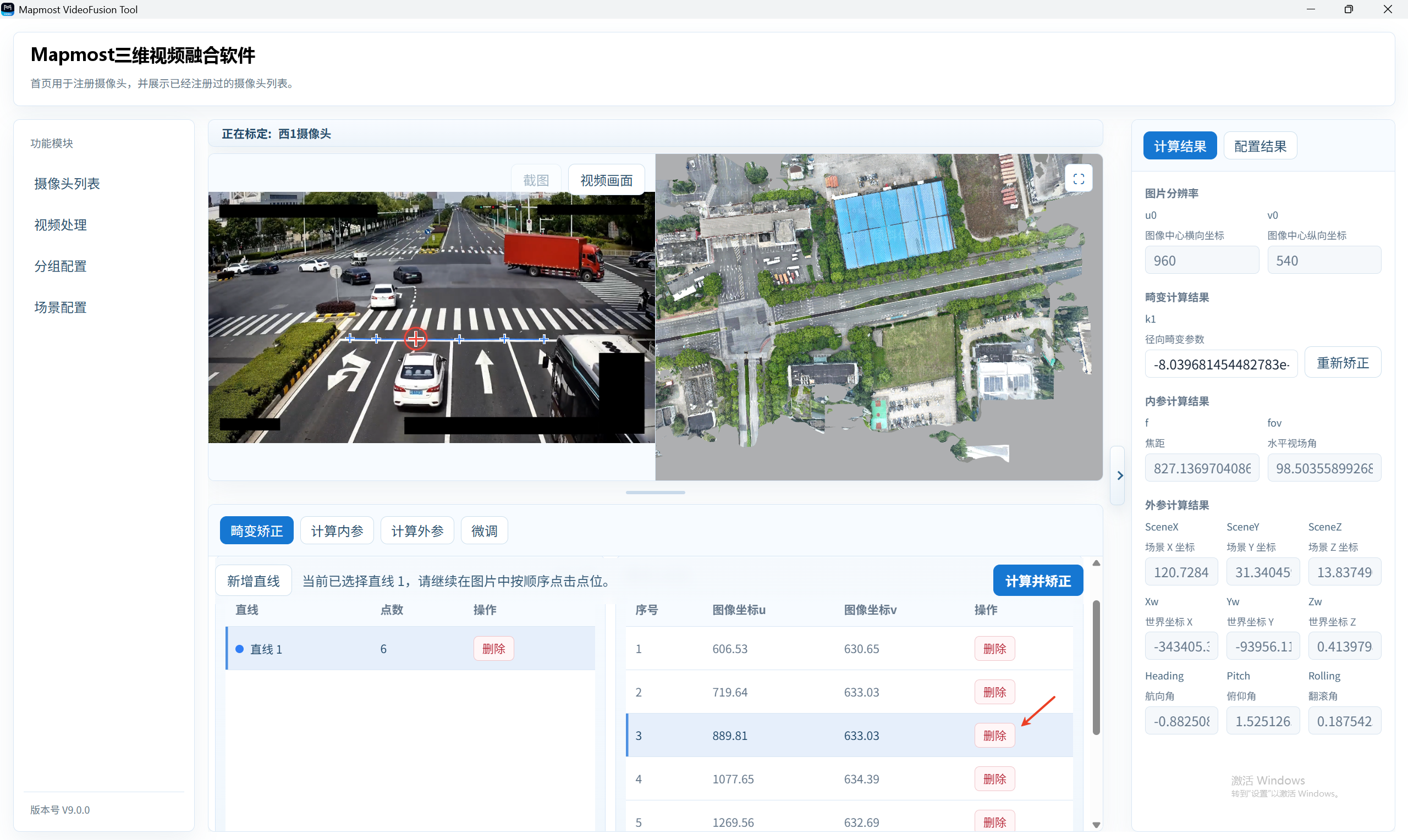
To delete one point, use the delete action in the current line's point list.
After confirming the lines, click Calculate and Correct.
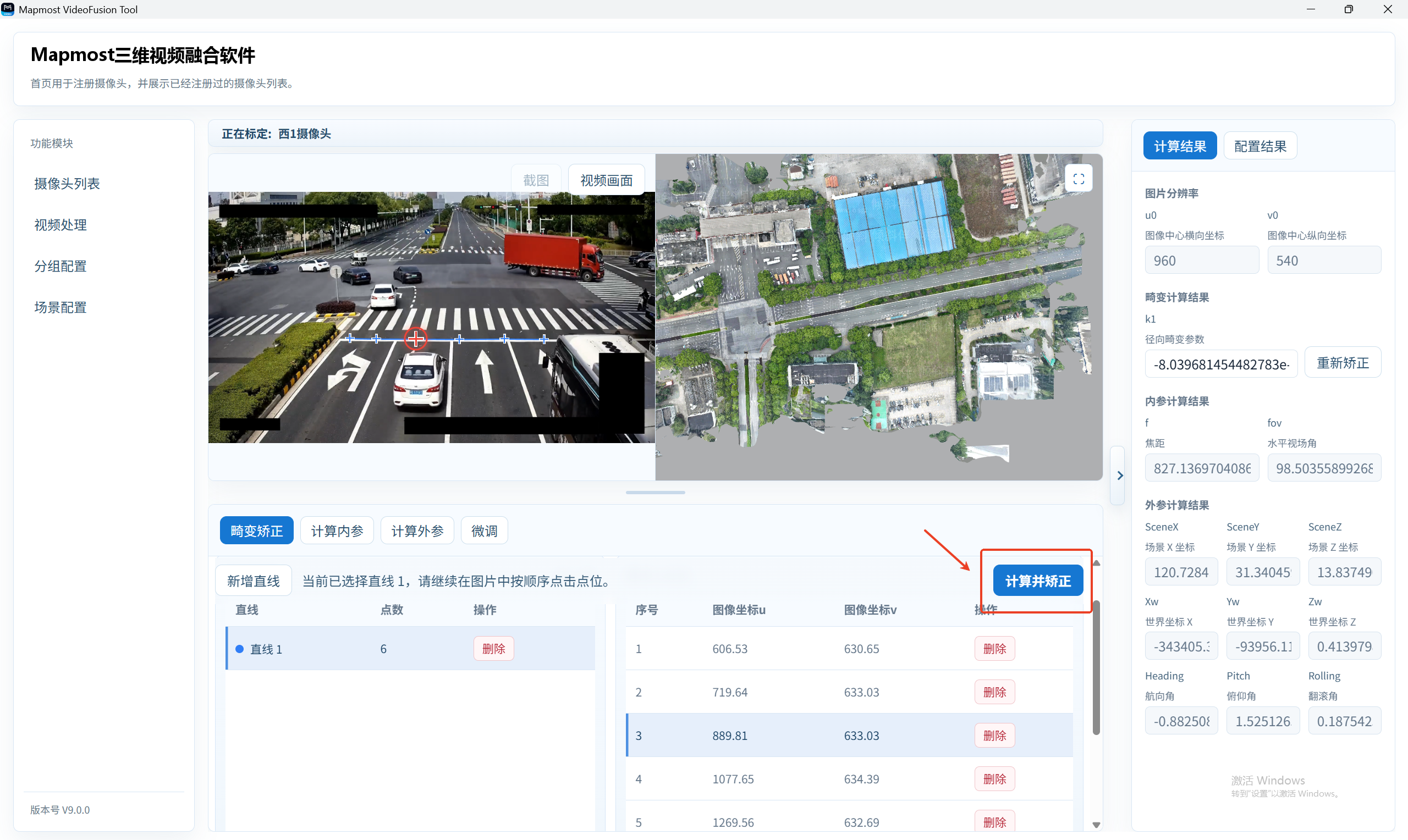
At least one valid line with five points is required. Choose several clear straight edges from the camera image to improve correction.
Calculate Intrinsics
- After distortion correction, select Calculate Intrinsics.
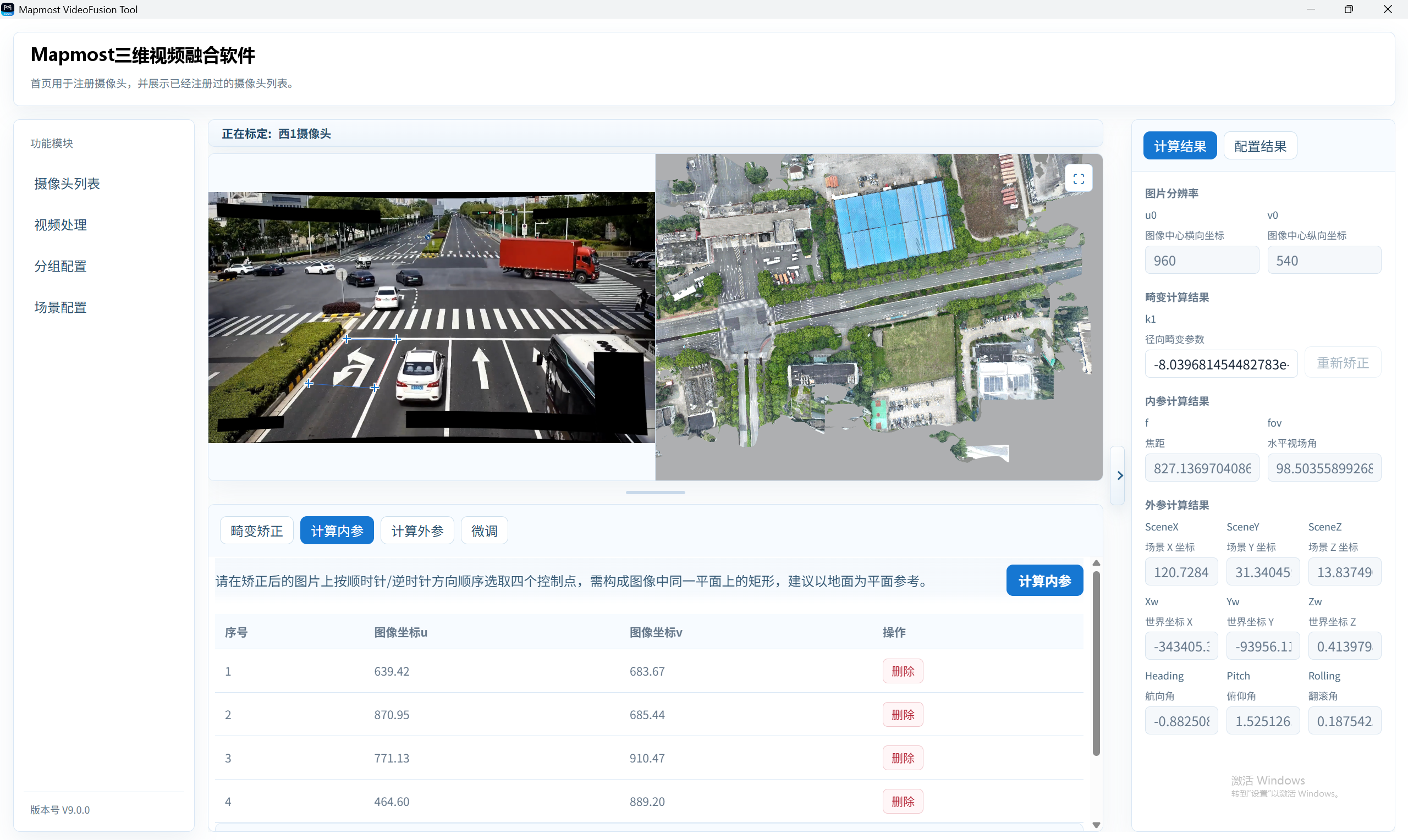
Select up to four points for intrinsic calculation in the image display area.
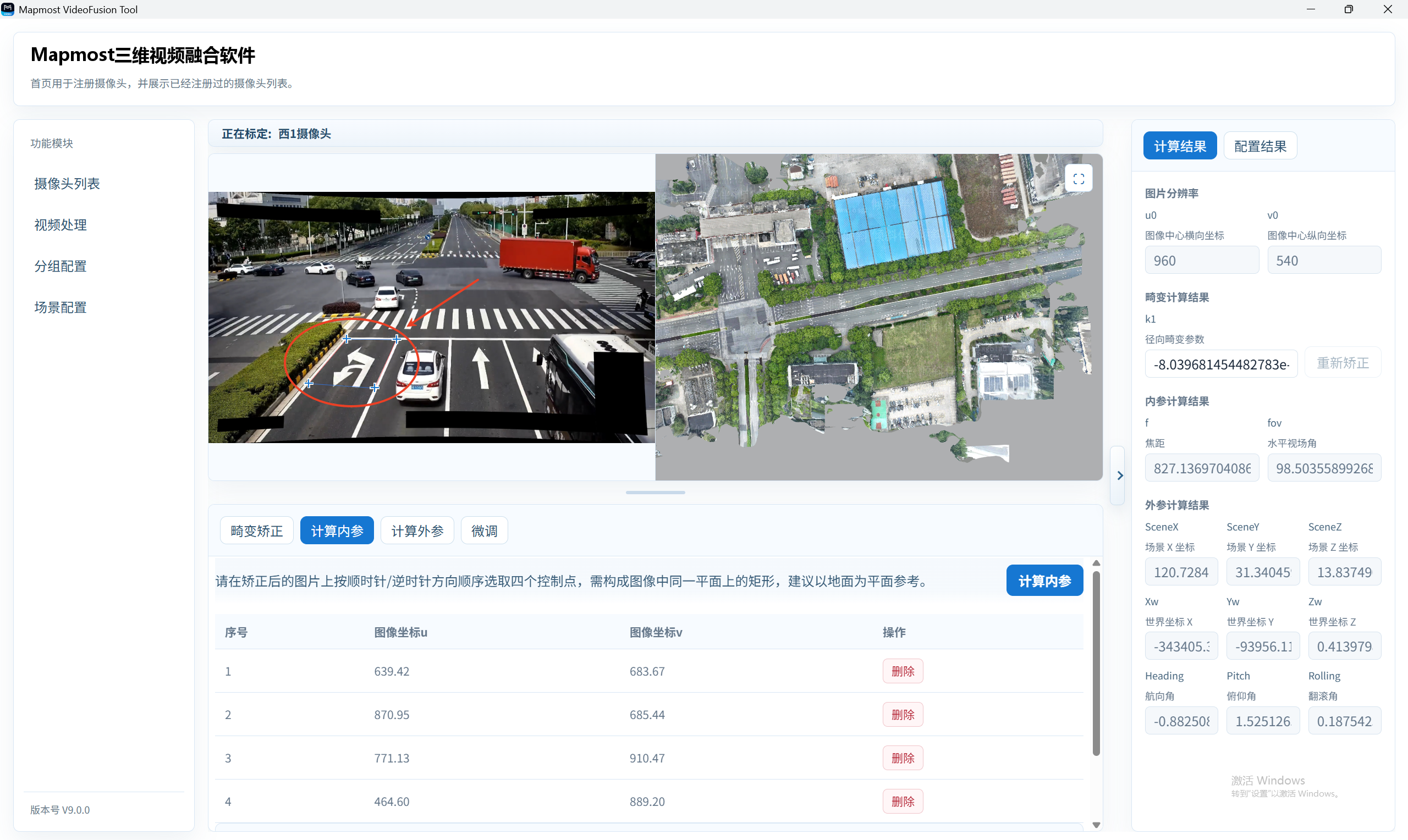
A rectangle with weak perspective can cause intrinsic calculation to fail. Select one where two sets of parallel lines visibly form a V-shaped perspective.
The list at the bottom displays point numbers and image coordinates.
Click a point in the list to highlight it in the image.
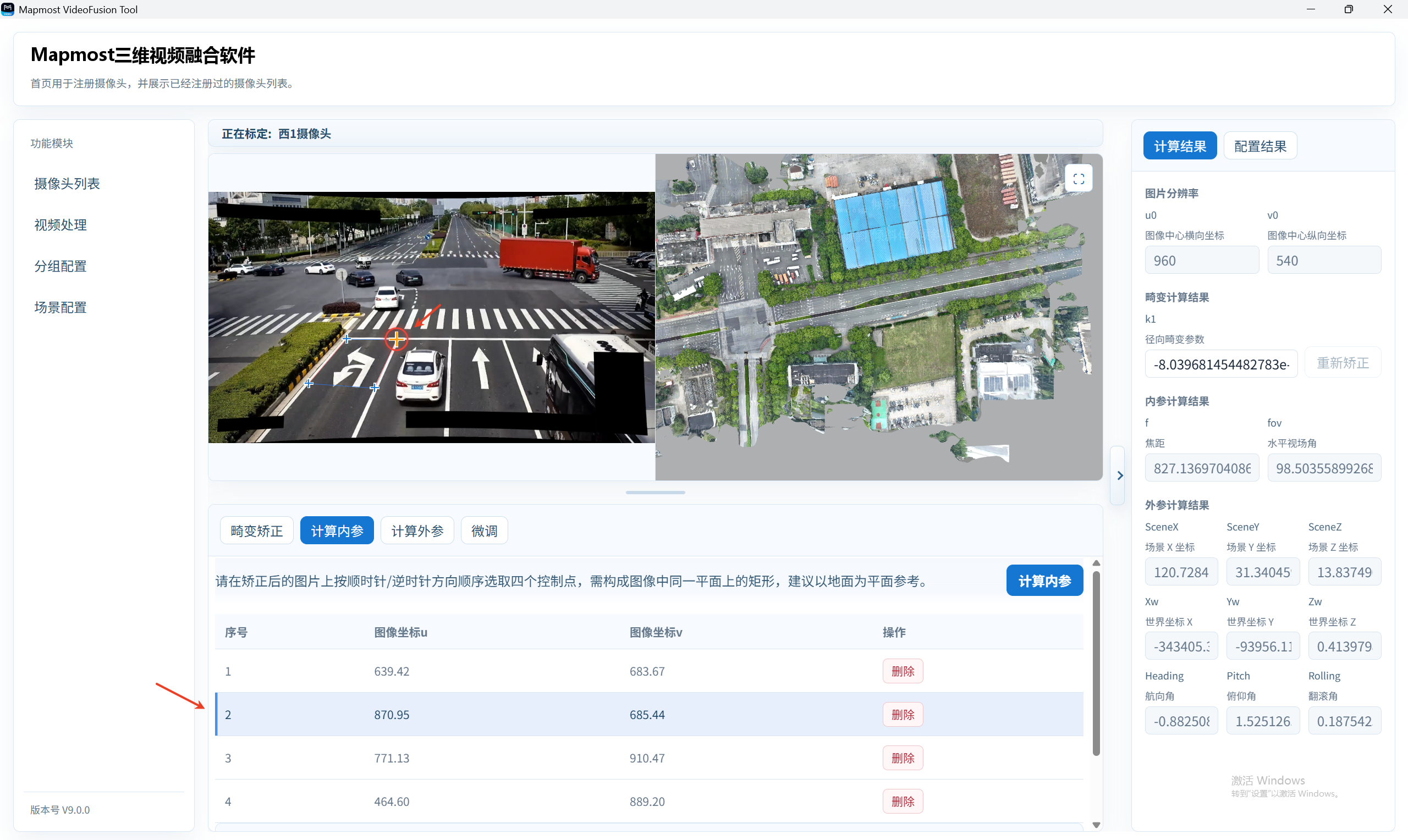
Click delete to remove the selected point.
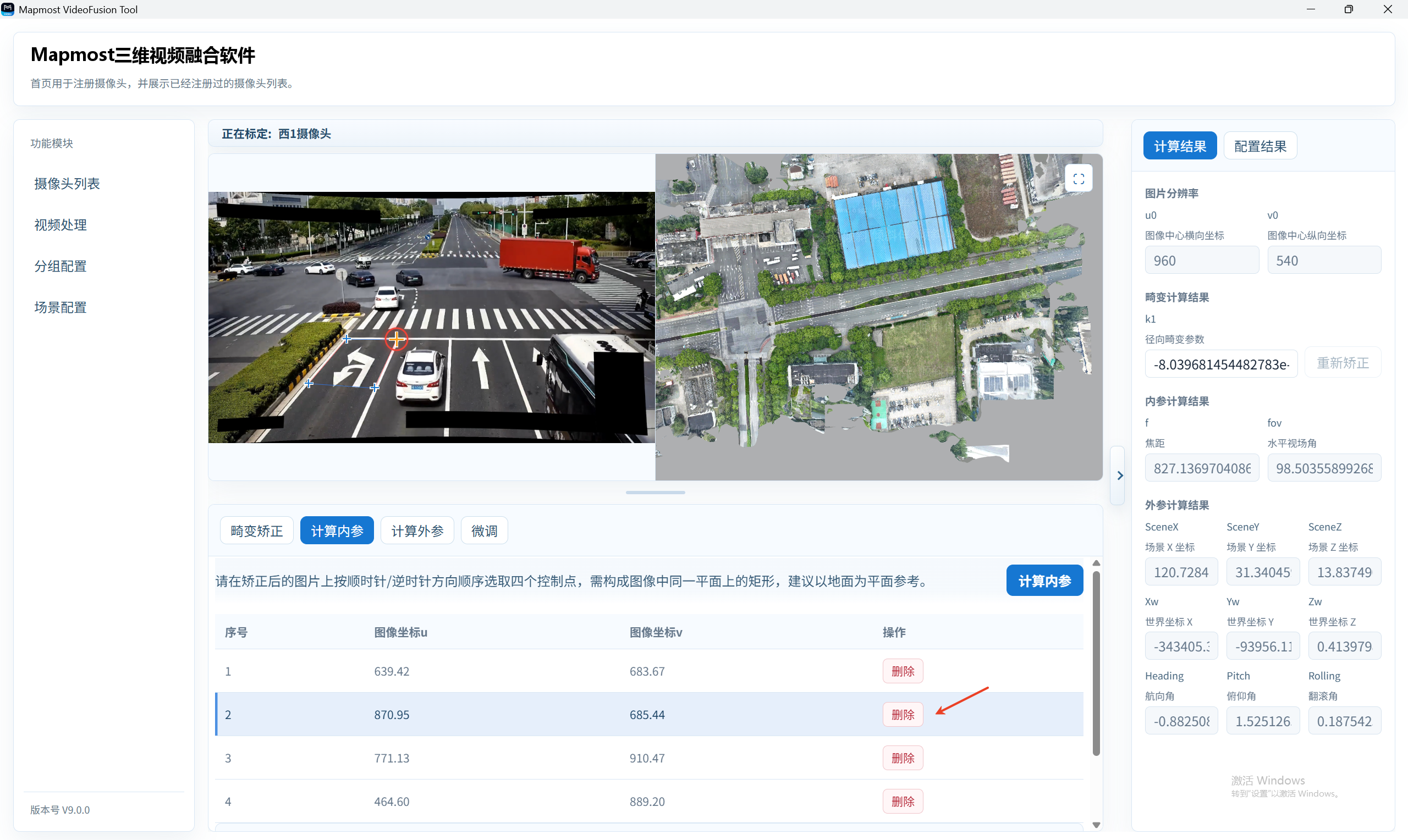
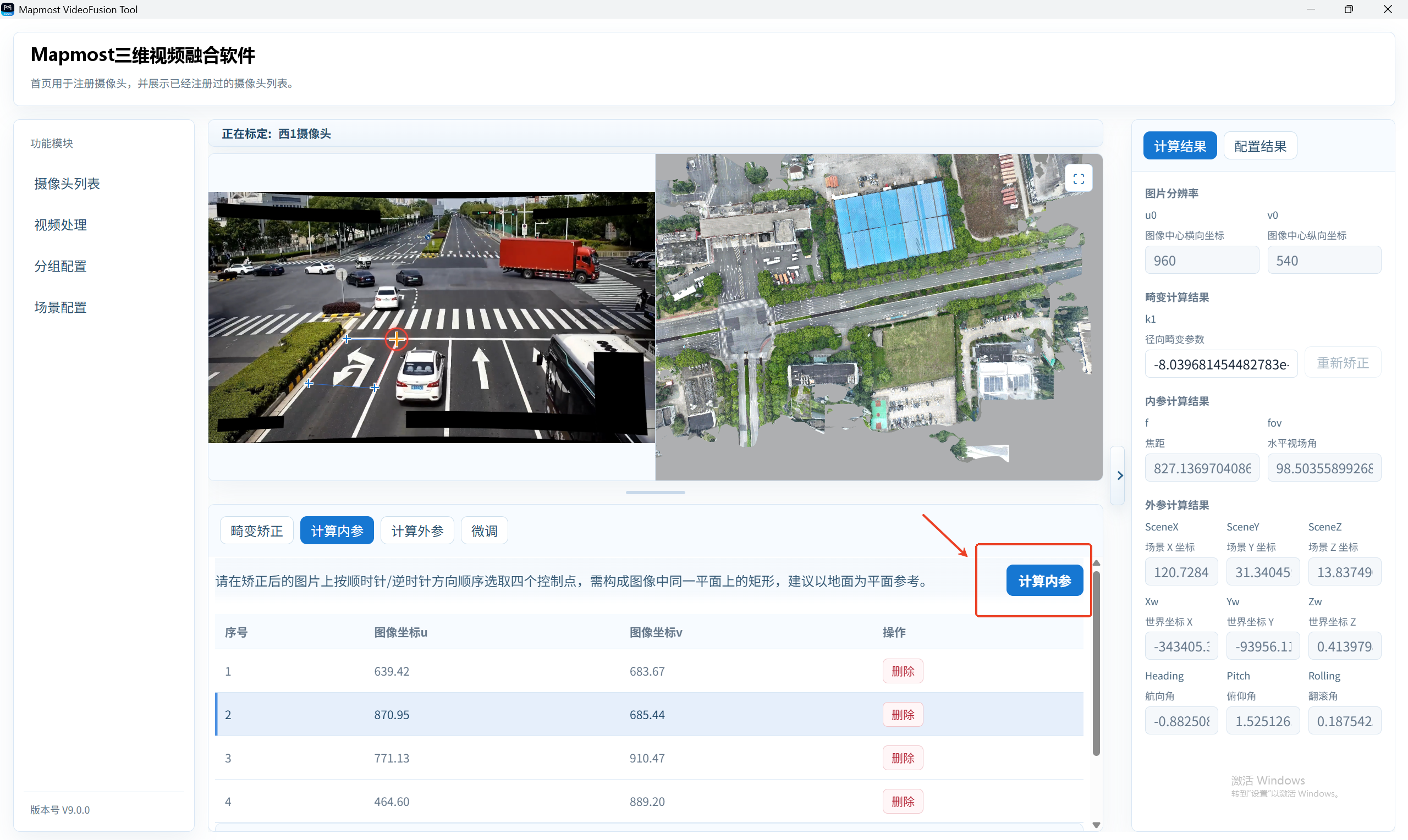
After confirming the points, click Calculate Intrinsics.
Calculate Extrinsics
After intrinsic parameters are calculated, select Calculate Extrinsics.
First select an image point in the image display area.
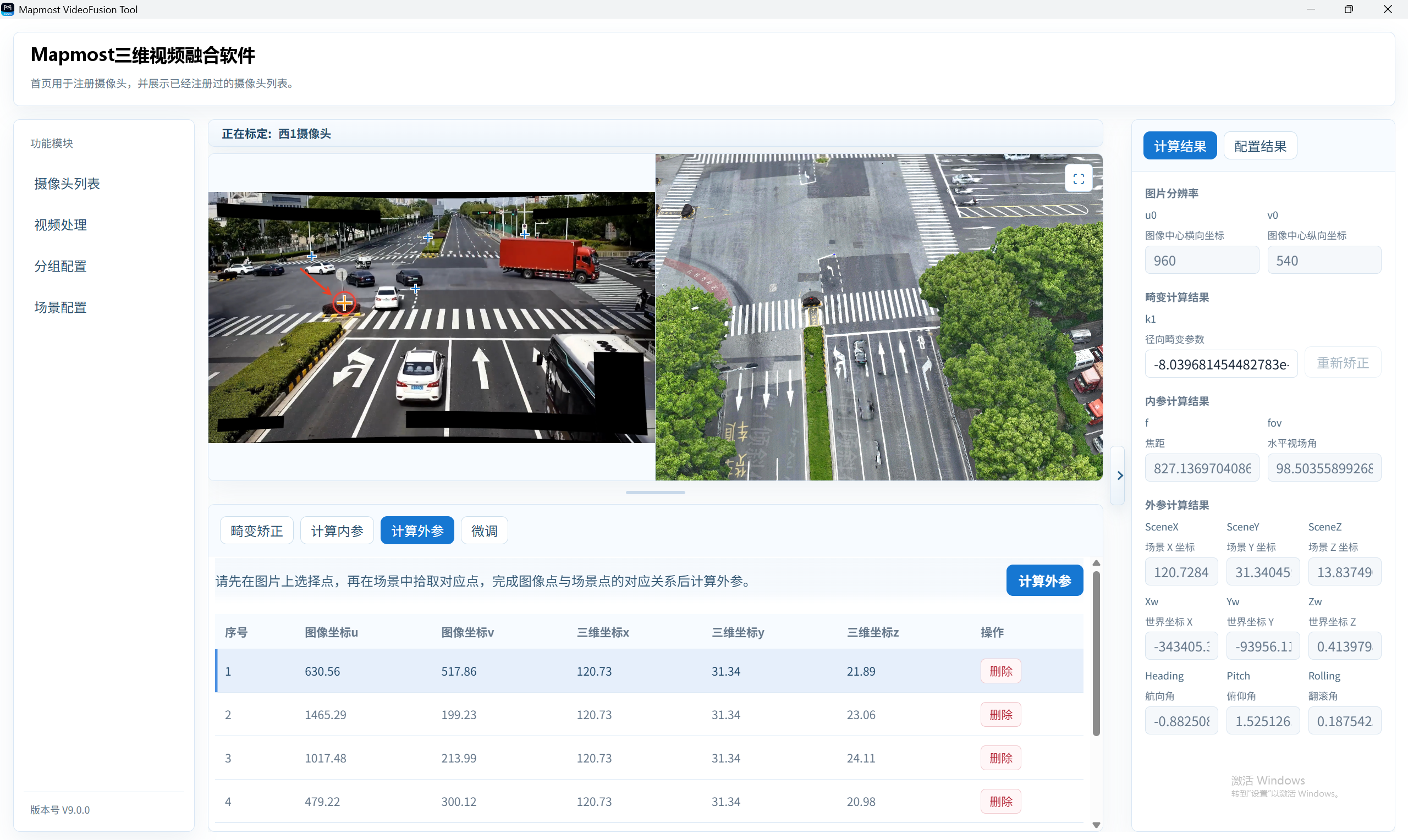
Then select the corresponding identically named 3D point in the 3D model scene on the right.
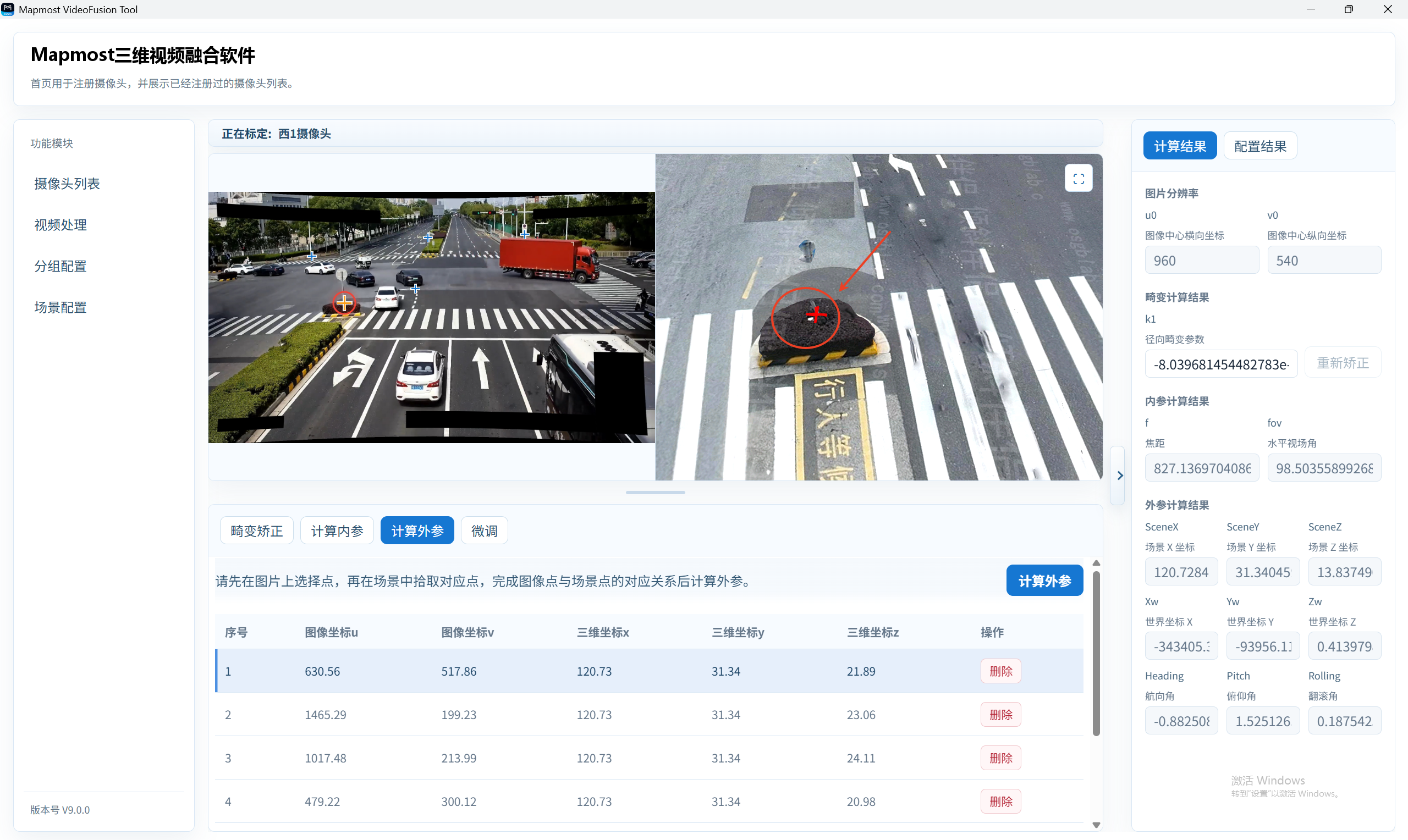
The system creates an image/3D point pair.
Repeat these steps to enter multiple point pairs. To improve the result, select reference points at different heights.
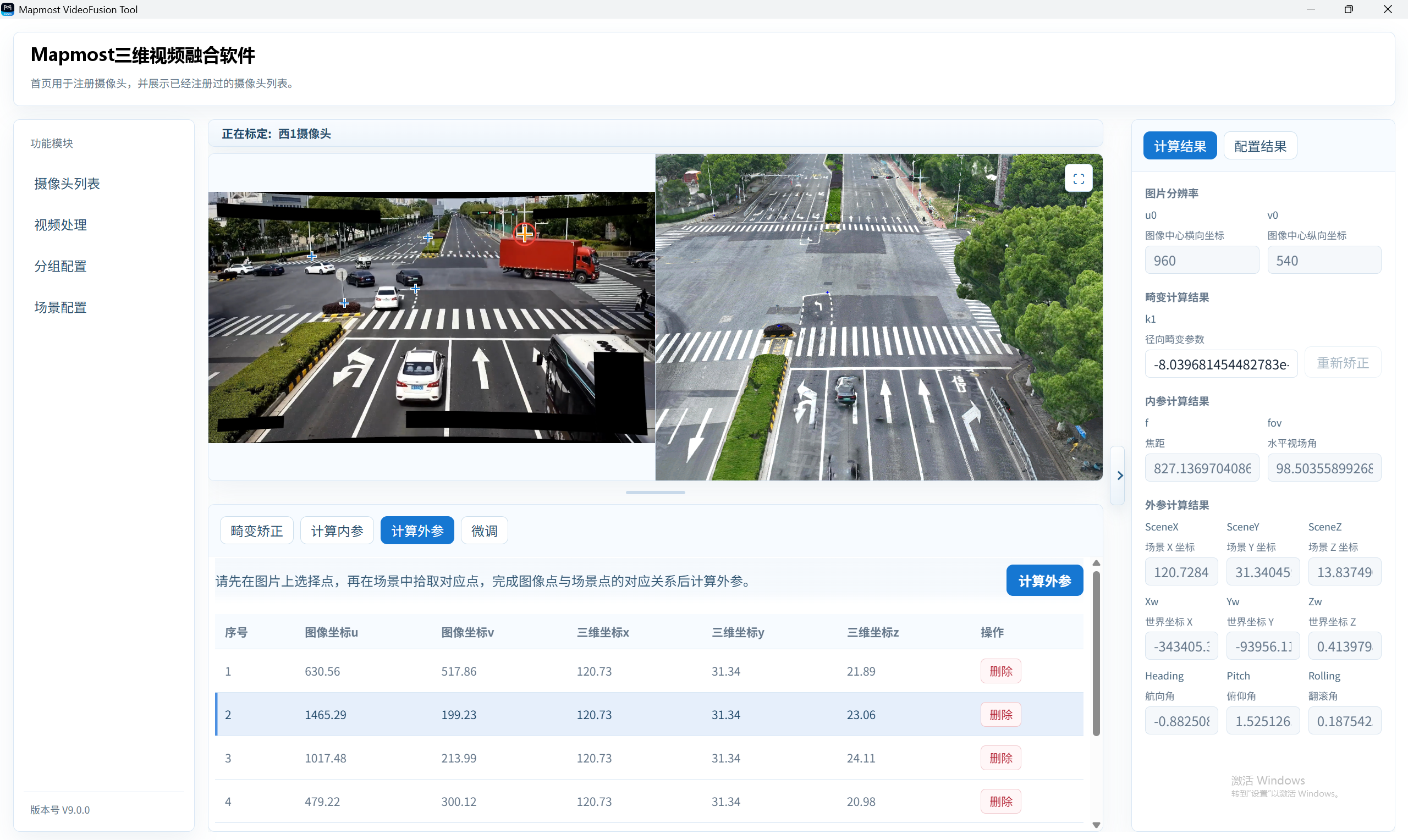
- Click a row in the extrinsic point-pair list to highlight both the image point and the 3D scene point.
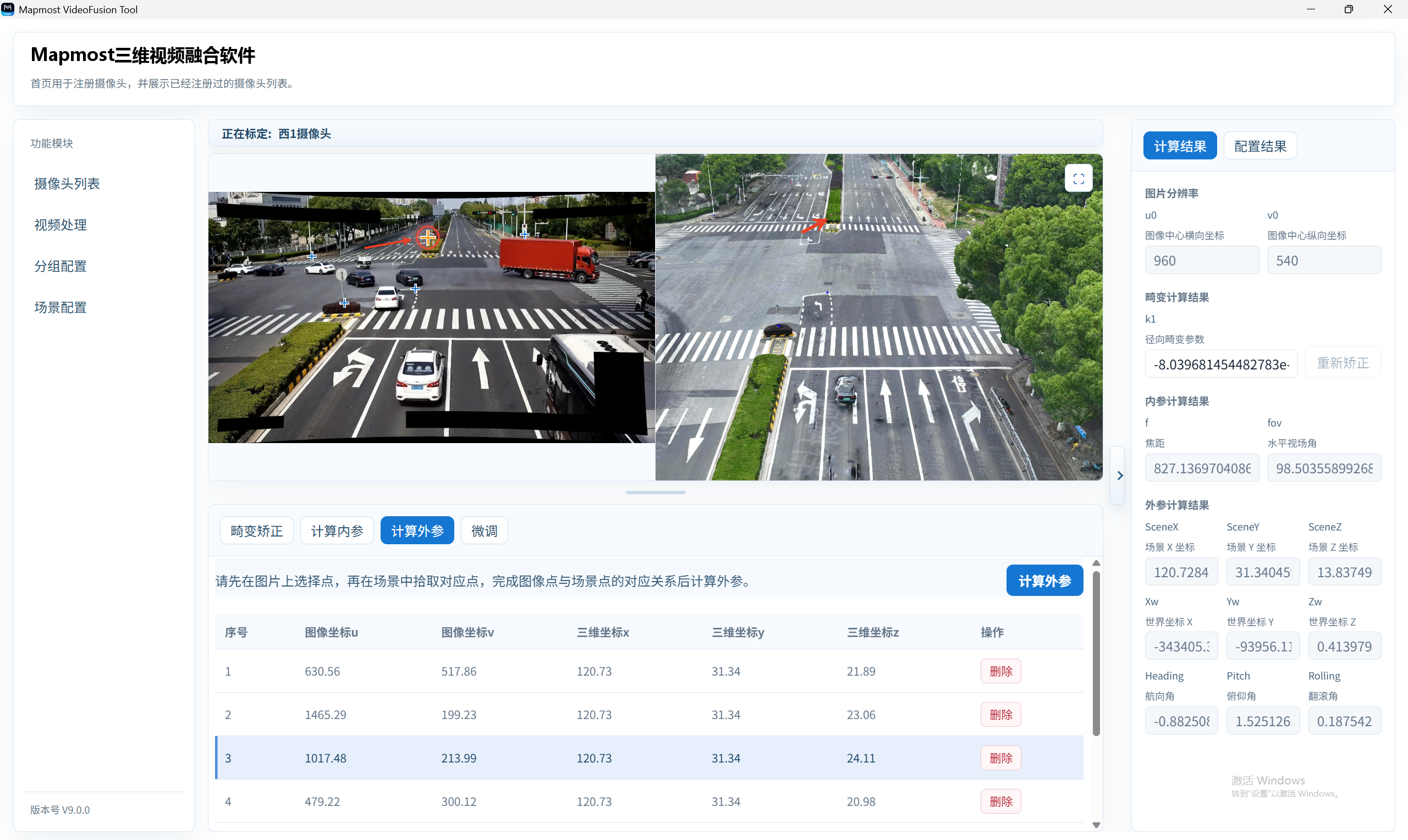
If a pair is incorrect, delete that row.
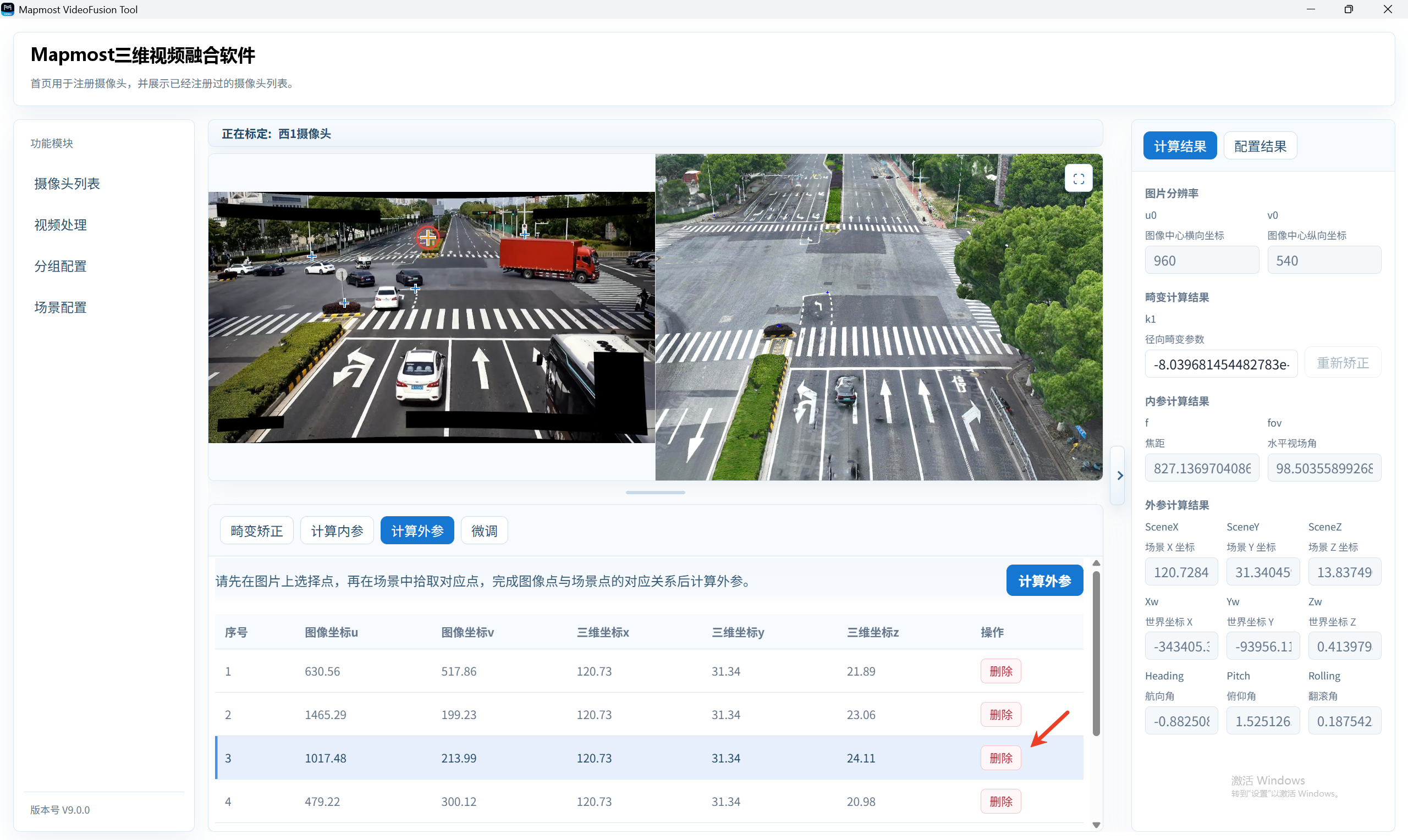
- After confirming the pairs, click Calculate Extrinsics.
Always select the image point first, then select the identically named point in the 3D scene. Complete one point pair before selecting another image point.
Fine-Tune, Results, and Save
- After extrinsic parameters are calculated, open the fine-tuning page.
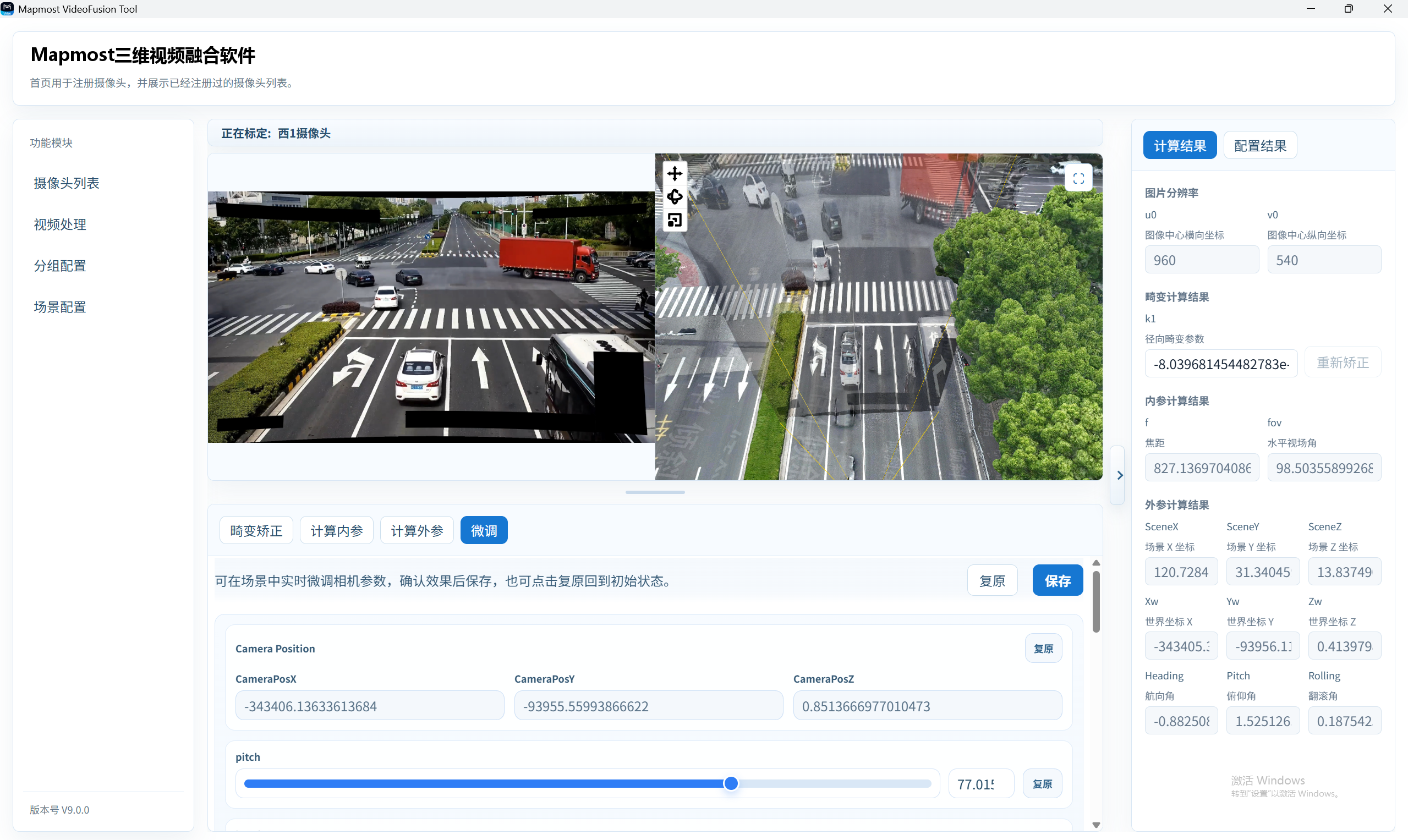
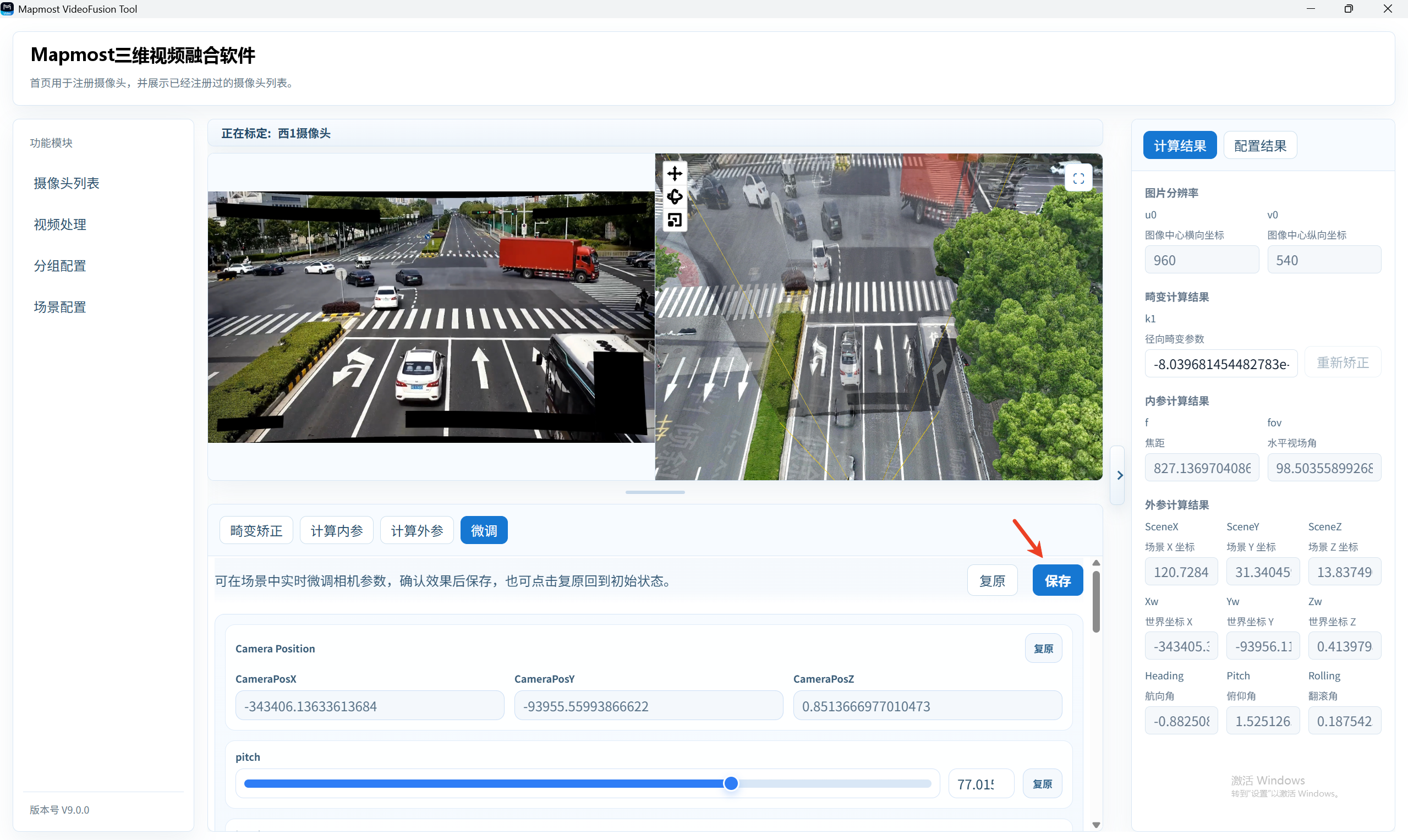
The Fine-Tune step provides Restore and Save buttons.
Click Restore to return to the state before fine-tuning.
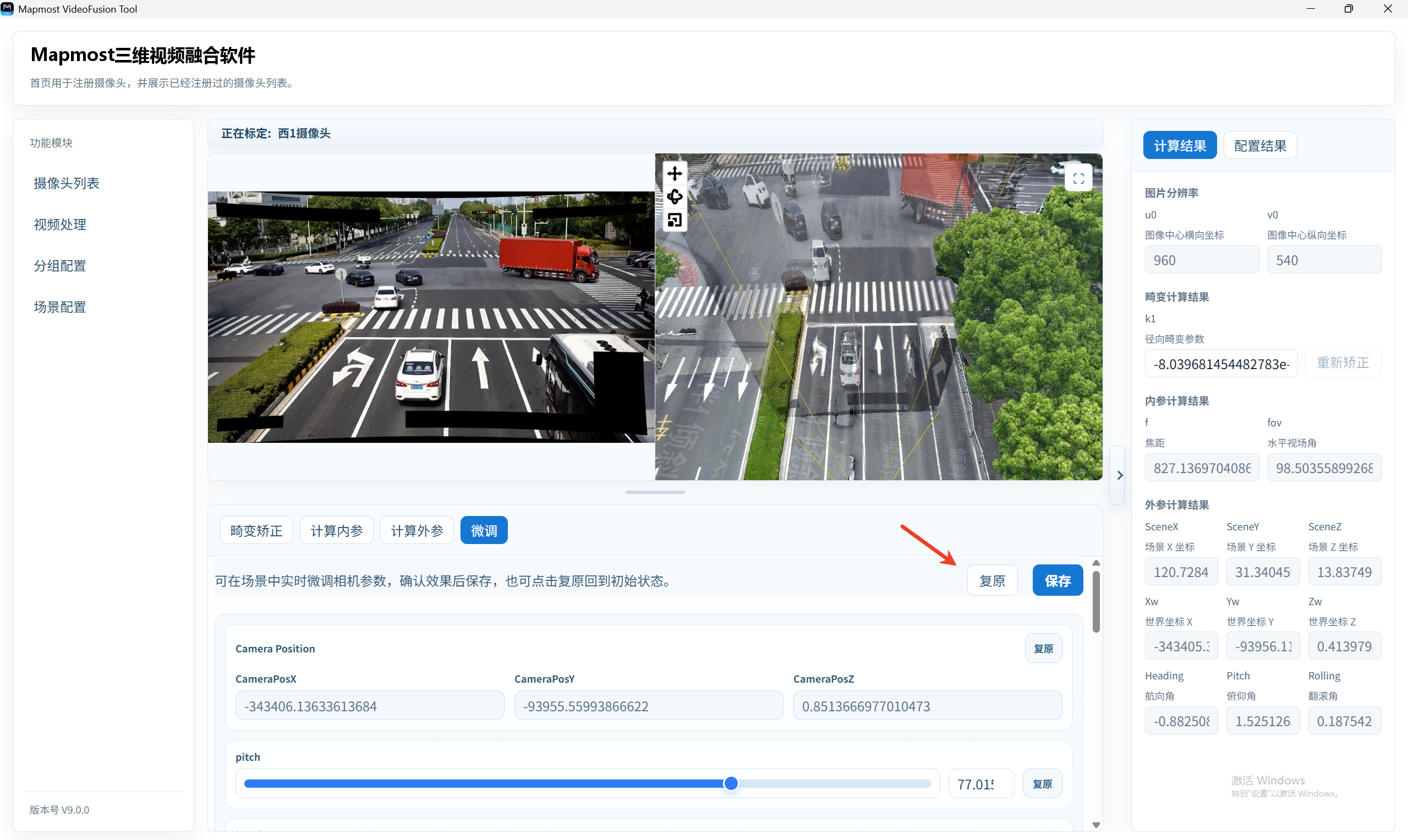
- Click Save to store the fixed-camera calibration result, mark the camera as calibrated, and return to Camera List.
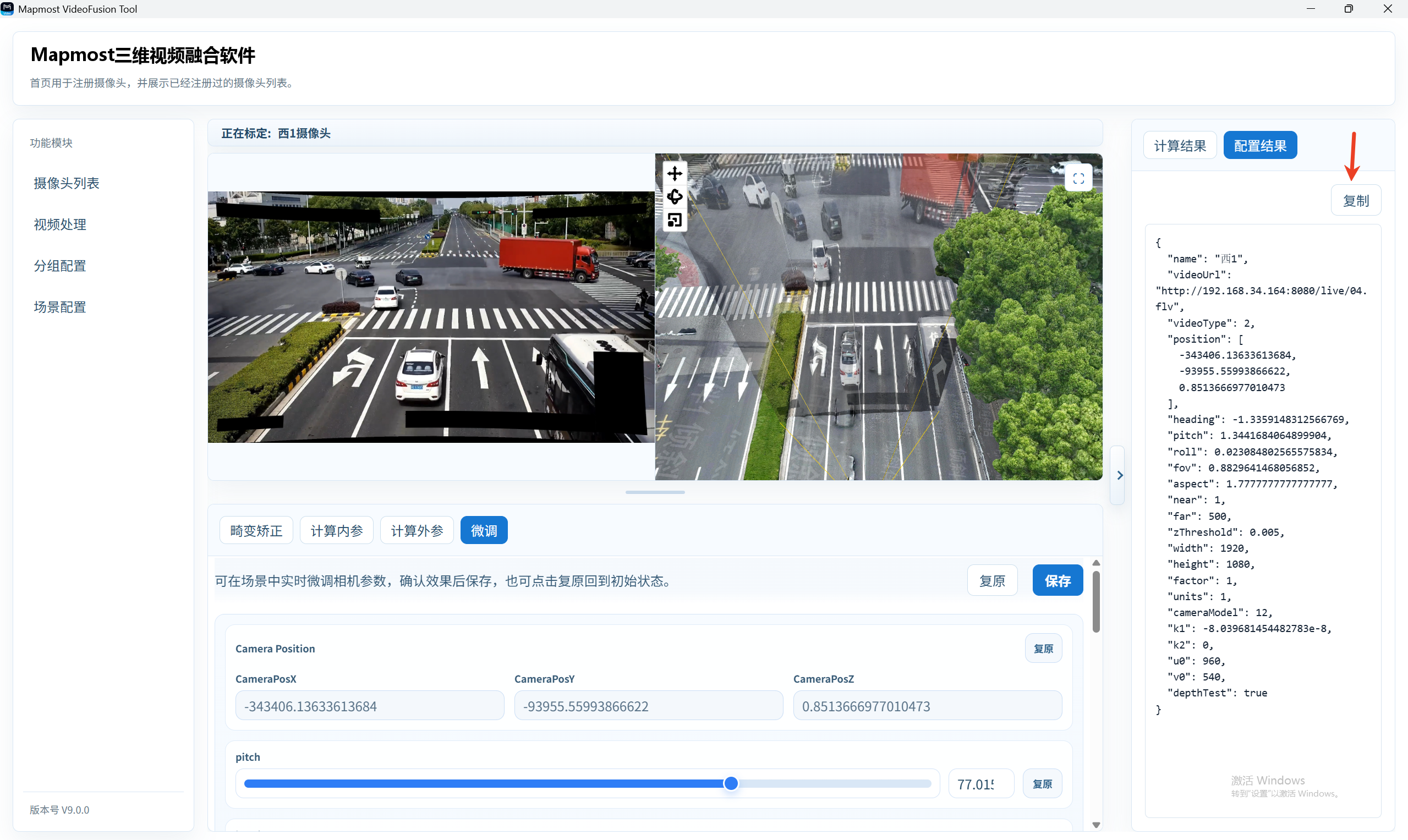
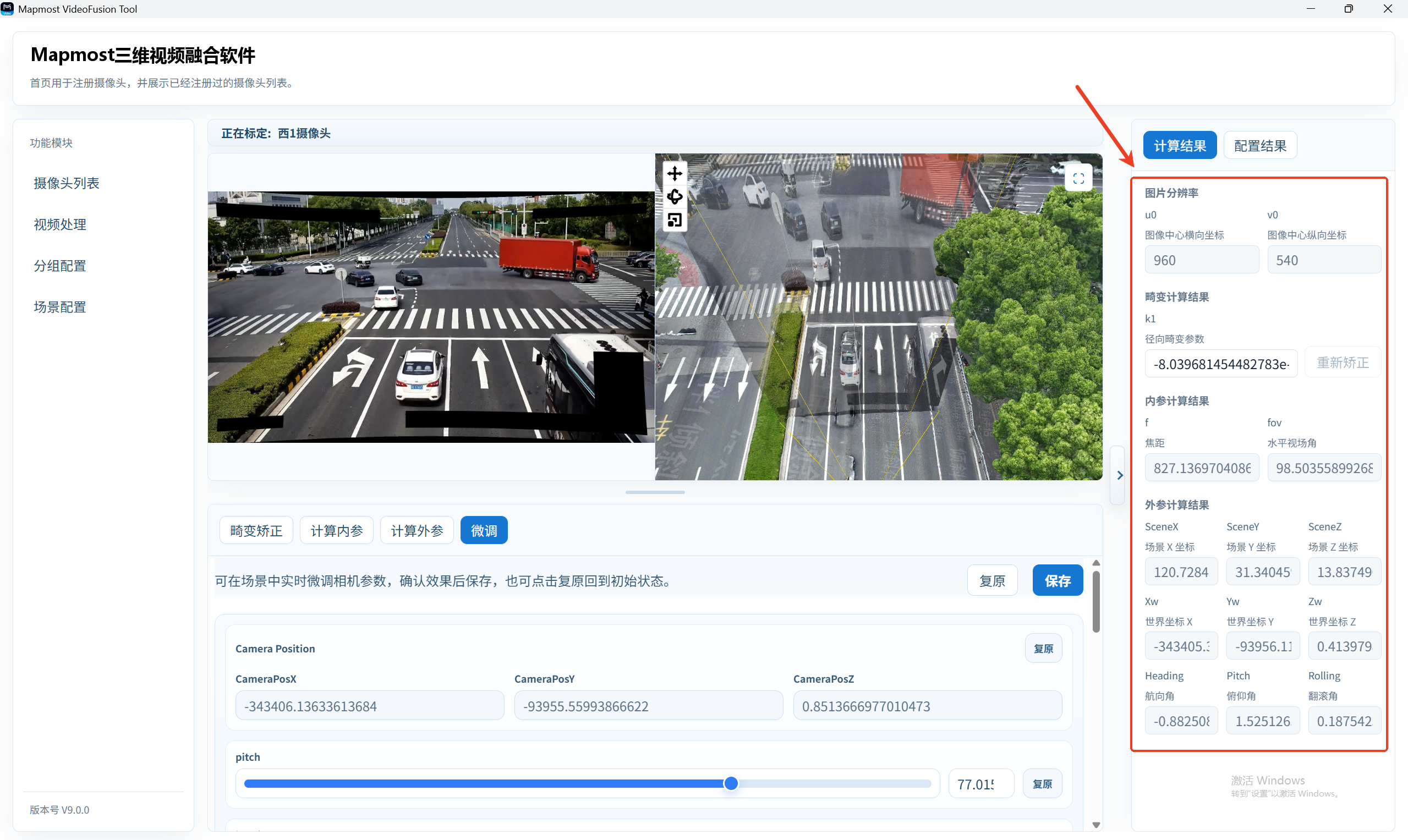
- The Calculation Result area displays image resolution, distortion parameters, intrinsics, and extrinsics.
- The Configuration Result area displays the current fixed-camera configuration JSON and supports copying it.